1
VSDEPI VSD-E Parallel Interface breakout board
Manual Ver. 1.05
Installation
Physical overview
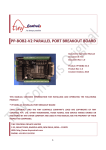
Inspect the following illustration of VSDEPI physical construction.
7
10
9
8
4
3
6
5
1
2
Figure 1: VSDEPI physical overview
Location in Figure 1
Description
1 (USB-B)
USB connector for 5V power input (USB-B connector type)
2 (PARALLEL)
25 pin male D-Sub connector for control input/output signals
3 (ESTOP)
E-Stop switch input terminal. Normally open switch may be connected to this input.
4 (RELAY)
Relay terminal. Up to 10A 250VAC load can be powered through this connector.
5 (EXT_RELAY)
External relay output. 5 Volt relay coils of external relay can be connected to this
connector.
6 (JP1)
Charge pump setting jumper. Charge pump feature is disabled when jumper is inserted.
7 (X_CMD)
X axis drive output. Direct 16 pin flat ribbon cable connection to VSD-E or VSD-XE.
8 (Y_CMD)
Y axis drive output. Direct 16 pin flat ribbon cable connection to VSD-E or VSD-XE.
9 (Z_CMD)
Z axis drive output. Direct 16 pin flat ribbon cable connection to VSD-E or VSD-XE.
10 (A_CMD)
A axis drive output. Direct 16 pin flat ribbon cable connection to VSD-E or VSD-XE.
www.granitedevices.fi
2/9
2009-03-24