1
STEP TWO - Pair Transmitter to the Network OWL
•
•
•
•
•
•
•
•
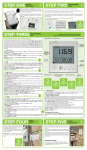
Ensure the Transmitter is next to the Network OWL.
Unplug the power connector from the Network OWL for 2
seconds and then plug it back in.
The green LED will flash rapidly. After about 30 seconds
the blue LED will start a steady flash indicating that it is in
Pairing Mode.
Press the small “Check” button in the Transmitter battery
compartment until the red LED on the front starts flashing.
The Transmitter is now in Pairing / Check Mode and the red
LED on the front will start flashing every 2 seconds (for 30
seconds).
The pairing process will now take place and the blue LED
on the Network OWL will start flashing a fraction of a second after the red LED flashes on the Transmitter.
When the Transmitter Check Mode finishes, if the pairing
was successful, the blue LED will flash every time it receives data from the Transmitter (every 12 to 60 seconds).
Replace battery compartment cover.
4
PART NO. CMR180i
MADE IN CHINA
PRESS
CHECK BUTTON
© 2 Save Energy Limited 2013