1
Datasheet: OneTouch™ AT 10G Network Assistant
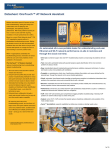
Troubleshoot 10 Gigabit copper and fiber optic
Ethernet network problems from client devices
to cloud-hosted services and everything in
between - even when you are not there.
Troubleshoot persistent problems and validate
network performance in real-time. Troubleshoot
intermittent problems and assess performance
over time with 24/7 automated testing and cloudbased trend analysis.
Ensure that newly installed or upgraded
networks meet SLA objectives and are ready for
new high-bandwidth applications by measuring
end-to-end path performance. Measure
throughput, frame loss, and jitter across wide
and local area networks and within sites and
datacenters. Test at rates up to 10 Gbps over
copper or fiber optic links when the OneTouch
AT 10G tester is paired with an OptiView XG
Network Analysis Tablet. Test at rates up to 1
Gbps when the tester is paired with another
OneTouch AT tester or a LinkRunner AT 2000
tester.
One button validation of network and datacenter performance
at 10 Gigabit rates
10 Gigabit: built-in 100M/1G/10G copper and 1G/10G fiber optic test ports for troubleshooting and
performance measurement
All-in-one: a handheld tester combining infrastructure, network service and end-to-end path performance
measurement in one tool
Accurate: create and save site-specific test profiles that emulate how client devices experience the network,
including local, intranet and cloud-based services
Consistent: everyone on the team uses the same preconfigured test profiles to encourage standardization
and best practices
Fast: measure end-to-end path performance to validate the performance of newly installed network
infrastructure and critical network links within the LAN or data center
Pre-deployment: automated wired and Wi-Fi discovery and analysis provides visibility into connected
devices, key device properties, device interconnections and problems
Independent: verify independently that service providers are meeting agreed upon service levels (SLAs)
and maintaining QoS end-to-end
Long-term: launch a repetitive test-and-upload trending process to collect results over time - testing is self
contained, requiring no user interaction, and test results are uploaded to the OneTouch AT Cloud Service for
storage and analysis
Cloud Service: view color-coded charts of performance over time to establish a performance baseline, to
perform more rigorous network acceptance testing and to troubleshoot intermittent problems – when and
where it is convenient
Discovery: see connected devices, key device attributes, connection paths and problems within the
broadcast domain
Versiv™ Test Platform: expand capabilities by adding new modules as testing needs evolve
99 Washington Street
Melrose, MA 02176
Phone 781-665-1400
Toll Free 1-800-517-8431
Visit us at www.TestEquipmentDepot.com
1 of 14
OneTouch AT 10G Network Assistant
10G Ethernet tester for copper and fiber optic networks
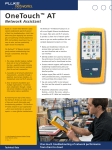
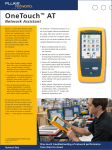
The OneTouch AT 10G Network Assistant incorporates one 100M/1G/10G RJ-45 Ethernet test port and one 1G/10G SFP fiber optic transceiver port. Easily troubleshoot
10G connectivity issues and measure end-to-end network path performance at rates up to 10 Gbps.
Configurable profiles for standardized testing
Use the intuitive touch interface and the Setup Wizard to create test profiles, where a profile is a set of tests tailored to your network, services, and applications. Create
simple profiles with only a few tests or advanced profiles consisting of dozens of tests. You can build profiles to accommodate different types of users, devices, locations
or technologies. Once created, profiles can be saved for quick and easy reuse later. Create a library of standardized profiles to elevate the troubleshooting know-how of
network support staff. Share profiles with other OneTouch AT users. Use profiles to establish best practices for consistent, faster, more productive troubleshooting and
network acceptance testing.
End-to-end path performance measurement
The OneTouch AT 10G Network Assistant features 10G and 1G Wired Performance tests for validating and troubleshooting end-to-end network path performance. These
Wired Performance tests facilitate measurement of throughput, frame loss, latency and jitter across wide area networks, local area networks and within sites and
datacenters.
Enterprise network managers use the Wired Performance tests for:
Assessing network performance prior to deployment of new services or network infrastructure
Validating the performance of newly installed network infrastructure and critical network links within the LAN or data center
Troubleshooting network and service performance problems
Verifying independently that service providers are meeting agreed upon service levels (SLAs) and maintaining QoS end-to-end
Service providers and system integrators use the Wired Performance tests for:
Documenting network performance from layer 1 to 7 where the documentation serves as proof that the services they provided were delivered successfully
Providing value-added service to their enterprise customers in the form of network assessments and troubleshooting
2 of 14
Figure 1. Detailed breakdown of XG custom
performance
Figure 2. Detailed breakdown of wired to peer
Automated one-touch troubleshooting
One Hour of Testing Time in Just One Minute
Test everything defined in a profile automatically with the one-touch AutoTest. The AutoTest progresses from the physical layer of the network, through the wired
infrastructure, to network services and user-defined applications tests. Clear pass/fail and warning indicators highlight potential problems. A top-level pass/fail indicator
provides the overall AutoTest status at a glance.
Figure 3. The AutoTest provides a comprehensive
measurement of network performance from the end
user point-of-view, from cable to services and
applications
3 of 14
Client view of network performance
Most network trouble tickets start where a client device is connected to the network—where the device could be a PC, tablet, IP phone, printer, POS terminal, industrial
equipment controller or a medical imager. Troubleshoot common issues—or prove that the network is not the cause—by emulating the client device and measuring
network performance.
Infrastructure to application testing
The cause of a network problem can be elusive. Identify the root cause of a problem by measuring and analyzing the performance of the critical network elements: the
network cabling, the connection to the nearest switch, and the performance of key network services and server-based applications.
Network services testing
Test DHCP server responsiveness. Identify the DHCP servers and view the offer and acceptance timing and lease information. Test DNS server responsiveness. Identify
the DNS servers and view the DNS lookup time.
Network application testing
Determine if a server-based application is the root cause of a reported problem by measuring availability and responsiveness metrics. Add to the AutoTest profile the
performance test appropriate for the application: ping (ICMP), connect (TCP), web (HTTP), file (FTP), multicast (IGMP), video (RTSP) or email (SMTP). Each test is
graphically represented on the OneTouch AT home page as an icon. After running the AutoTest, touch a test icon on the home page to get a detailed breakdown of
application performance including DNS lookup time, server response time and data rate.
The test results are presented side-by-side for easy IPv4/IPv6 performance comparisons. A few examples: connect to port 2000 on your VoIP call manager, download a
page of an application with a web interface, upload or download a file from a server, subscribe to a multicast group, access video content from an on-demand streaming
video server or email a text message to your mobile phone.
Local, intranet and internet performance
Understand the performance of network services and server-based applications wherever they are hosted: locally in the datacenter, on a corporate intranet server or on a
server reached via the public internet. Create location centric AutoTest profiles by grouping together co-located services and applications. Measure service levels to the
different groups to quickly spot problems.
4 of 14
Cloud-based trending
The Trending feature automatically and repeatedly uploads AutoTest results to the cloud for additional analysis. Control the number of AutoTest results uploaded by
setting the trending duration and interval. Trending runs automatically once launched, untethering the user from the tester. The user does not need to be present to gather
test results; simply launch Trending and leave.Trend results for up to 1 week, or until manually stopped. Long duration testing is invaluable when trying to troubleshoot
sporadic, intermittent problems that frequently occur when network support staff is away.
Cloud analytics
Open a OneTouch AT Cloud Service account to view and analyze AutoTest results uploaded via the Trending feature. Correlate network events by viewing multiple test
results simultaneously in side-by-side charts. All the test results uploaded during a single Trending session are available for analysis. The number of tests is defined by the
complexity of your AutoTest profile and the number of results is defined by the Trending duration and interval. Select one or more of the tests within the trending session
to analyze the results. The Cloud Service plots sequential results on a single color-coded chart to simplify analysis over time. Charting makes it easy to see performance
irregularities. Zoom permits an even more detailed analysis of the sub-processes that comprise each individual test.
Access the Cloud Service over the web at anytime from anywhere using a web-connected smart device with a web browser. View and analyze results when and where
convenient using a PC or smart device.
Figure 4. Cloud Service enables analysis of results over time to troubleshoot intermittent problems
5 of 14
Remote control and file access
Use the built-in RJ-45 management port or optional USB Wi-Fi adapter to remotely control the tester and access saved files. Any action that can be performed directly on
the instrument using the touch screen can be performed remotely using a PC, laptop, tablet or smart phone. Manage the tester remotely when and where convenient
using using a device at hand. Minimize the time, expense and inconvenience of traveling to the client location where the problem was reported. Webcam support enables
live, remote viewing of the physical environment near the tester.
Remotely control the OneTouch AT 10G tester and access saved files from the Cloud Service web application. Increase productivity by remotely managing the tester and
viewing trended AutoTest results all from a single location. Remote management via the Cloud Service web application also allows traversal of NAT devices, which is very
advantageous when troubleshooting outside the office.
Problem avoidance and performance optimization
Cloud trending and analytics let you use the OneTouch AT 10G tester for proactive problem avoidance and performance optimization. Set a long trending duration – up to
one week – and use Cloud Service analytics to identify potential vulnerabilities and performance bottlenecks. In this use model, the tester serves as a 24/7 portable
network probe and the Cloud Service as the analytics engine. Identify and correct potential network, service or application vulnerabilities before they become problems
that adversely impact users. Identify performance bottlenecks and reconfigure the network to optimize end user response time.
The OneTouch AT 10G tester excels at both “firefighting” - reactive troubleshooting of both persistent and intermittent problems – and daily network management - for
proactively avoiding problems and optimizing performance.
Wired network discovery and analysis
Automatically discover copper and fiber-connected devices and key device properties. Select from among fourteen different sorts to obtain different views into the wired
network. For example, sort by IPv4 or IPv6 address to identify used and available addresses. Or sort by switch name/slot/port to understand where on the network
devices are connected. Sort by discovered problems to quickly identify potential issues. Additional discovery-assisted analysis tools aid with troubleshooting and profile
creation. For example, the Multiport Statistics tool provides visibility into switch, router and AP port statistics including speed, duplex, slot, port, VLANs, host count,
utilization, discards and errors.The Devices on Port tool provides visibility into the devices connected to an individual switch port.The Path Analysis tool provides a layer 2
and 3 trace route from the OneTouch AT to a target device including time to each hop and SNMP switch and router port statistics.
Packet capture
Capture network traffic when a packet-level view is required to solve a complex network or application issue. Filter the traffic to capture what is most important. Export the
capture file to a PC for decoding and analysis using protocol analysis software. Capture traffic on either the copper or fiber optic port at rates up to 100 Mbps. Optionally
capture traffic while the AutoTest runs.
6 of 14
Additional OneTouch AT 10G Network Assistant Features
Copper and Fiber Optic Cable Testing
Copper and Fiber Optic Cable Testing Troubleshoot twisted pair cable by measuring cable length. Measure the optical power received through fiber optic links. Verify the
cleanliness of fiber optic connections by viewing connector end faces with the optional FiberInspector™ USB video probe.
Troubleshoot your IPv6 Network
Easily compare and contrast IPv4 and IPv6 network performance by viewing test results side-by-side.
Save Test Results
Save the test results in a PDF report to share with colleagues or outside parties. A report serves as trouble ticket documentation, as a record of historical performance for
benchmarking or as a certification report after new infrastructure deployment and turn up. Define which test results to include in the report: Tools Settings, AutoTest, or
Wired Analysis.
Setup Wizard
Simply AutoTest profile creation while learning about the tester's capabilities by running the Setup Wizard. The wizard simplifies profile creation with step-by-step guided
instructions, yes/no prompts, on-screen help and graphical progress indicators. Experienced users can bypass the wizard if desired.
Purpose-built for Field Testing
The OneTouch AT 10G Network Assistant is engineered specifically for network support professionals on the go. Useful test and management tools include a web
browser, Telnet/SSH client, webcam support and optional fiber optic connector inspection camera. The durable platform provides years of reliable operation in tough
environments.
Versiv™ platform
Expand testing capabilities by adding new modules to the Versiv platform as testing needs evolve. Available modules include OneTouch AT Network Assistant, DSX
CableAnalyzer™, CertiFiber® Pro OLTS and OptiFiber® Pro OTDR.
Gold Support
Protect your investment with Gold Support. Gold Support benefits include Gold Cloud Service, software upgrades, unlimited priority repair service with loaner units, annual
factory performance verification, free accessory replacement and 24x7 technical support with priority members-only access numbers.
Technical Specifications
General
Dimensions (with module and battery
installed)
10.3 in x 5.3 in x 2.9 in (26.2 cm x 13.5 cm x 7.3 cm)
Weight (with module and battery installed)
3.5 lb (1.6 kg)
Display
5.7 in (14.5 cm) LCD with projected capacitance touch screen, 480 x 640 pixels
Input: 100-240 Vac, 50-60 Hz, 1.0 A
AC adapter
Output: +15 Vdc, 2.0 A
Battery type
Lithium ion battery pack, 7.2 V
Battery life
Approximately 3-4 hours depending on type of usage, 4 hours to charge from 10% capacity to 90% capacity with the
unit powered off
Internal: 2 GB shared between system and user files
Memory
SD card: 4/8 GB, brand and model selected for optimal performance
USB 2.0 type A port: for use with USB mass storage devices
7 of 14
Wired Network Interface
100/1000/10GBASE-T RJ-45 Ethernet over twisted pair
Network analysis ports
1000BASE-X SFP/10GBASE-SR/LR SFP+ Ethernet over optical fiber
One RJ-45 10/100BASE-T Ethernet
Management port
One USB 802.11 (requires optional adapter)
Supported network standards
RFCs and standard MIBs used
IEEE 100BASE-T, IEEE 1000BASE-T, IEEE 10GBASE-T, IEEE 1000BASE-X, IEEE 10GBASE-SR, IEEE
10GBASE-LR
1213, 1231, 1239, 1285, 1493, 1512, 1513, 1643, 1757, 1759, 2021, 2108, 2115, 2127, 2233, 2495, 2515, 2558,
2618, 2737, 2790, 2819, 3592, 3895, 3896, 4188, 4502.
The OneTouch AT analyzer is NOT designed for connection to a telephone network.
Not for connection to telephone networks
The OneTouch AT analyzer is NOT designed for connection to an ISDN line.
Do not connect to a telephone network or ISDN line except through a regulatory agency compliant computer network
modem device.
Environmental and Regulatory
Operating temperature
32°F to 122°F (0°C to 50°C)
Battery charging temperature
32°F to 104°F (0°C to 40°C)
-40°F to 160°F (-40°C to 71°C)
Storage temperature
-4°F to 122°F (-20°C to 50°C) for periods longer than 1 week
5% to 45% at 32°F to 122°F (0°C to 50°C)
Operating relative humidity
(% RH without condensation)
5% to 75% at 32°F to 104°F (0°C to 40°C)
5% to 95% at 32°F to 86°F (0°C to 30°C)
Shock and vibration
Meets the requirements of MIL-PRF-28800F for Class 3 Equipment
Safety
CAN/CSA-C22.2 No. 61010-1-04, IEC 61010-1:2001
Operating altitude
13,123 ft (4,000 m), 10,500 ft (3,200 m) with AC adapter
Storage altitude
39,370 ft (12,000 m)
Pollution degree
2
EMC
EN 61326-1:2006
8 of 14
Cables
100 Ω Unshielded Twisted Pair (UTP) LAN cables.
Cable types
100 Ω Shielded or Screened Twisted Pair (SeTP) LAN cables.
TIA Category 3, 4, 5, 5e, and 6. ISO Class C, D, E and F.
Cable length measurement
Measurable cable lengths are from 3 feet
(1 meter) to 656 feet (200 meters).
Accuracy: ± 30
Length measurement is based on Nominal Velocity
feet (± 10 meters). of Propagation (NVP) for CAT 5e cable.
Test Settings
Wired
Speed, duplex, 802.1X, IPv4 address, IPv6 address, MAC address (port A can be changed by the user), VLAN, Wait
for Rx Frame
Analysis
SNMP v1/v2, SNMP v3, Slow Discovery
Cloud Tools
Trending
Use (wired port, management port), duration (2 minutes to 1 week),interval (1, 2, 5, 10, 30, 60 minutes), proxy
(off/on)
Claim Unit
Claim, proxy (off/on)
Unit Name
Text string
Cloud Remote
On/Off
Maintenance Tools
Management port
User and password security, Active Port (Wired/Wi-Fi), wired port configuration, Wi-Fi port configuration
Language (user interface)
Chinese (simplified), English, French, German, Japanese, Korean, Portuguese, Russian, Spanish
Date/time, number, length
Select format
Timeout period
Backlight time, power down time
Audible tone
On, off
Display
Brightness
Factory defaults restore
Quick, full (complete internal storage overwrite)
9 of 14
Network Tests
Receive Rx optical power measurement
accuracy varies by transceiver, typically ± 3.0 dB
Infrastructure
Cable, link, nearest switch, DHCP server, DNS server, gateway
Wired Analysis
hosts, access devices, servers, tools (port scan, add test, path analysis, multiport statistics,devices on port, browse,
TELNET/SSH), sorts
Discovery protocols supported
SNMP v1/v2/v3, CDP, EDP, LLDP, ICMP, ARP, FDP
Services
Ping (ICMP), connect (TCP), web (HTTP), file (FTP), multicast (IGMP), video (RTSP), email (SMTP)
Capabilities vary by instrument used as the remote:
OneTouch AT 10G to LinkRunner AT
≤1 Gbps rate
1 traffic stream
IETF RFC 2544 test method
Round trip results
Frame loss, latency, jitter
OneTouch AT 10G to OneTouch AT
≤1 Gbps rate
1 traffic stream
IETF RFC 2544 test method
Bi-directional results
Frame loss, latency, jitter
Wired Performance (local to remote)
OneTouch AT 10G to OneTouch AT 10G
≤1 Gbps rate
1 traffic stream
IETF RFC 2544 test method
Bi-directional results
Frame loss, latency, jitter
Optiview XG to OneTouch AT 10G
≤ 10 Gbps rate
≤ 4 traffic streams
ITU Y.1564 test method
Bi-directional results
Frame loss, latency, jitter
Throughput, availability, information rate, burst rate
Class of service testing, traffic policing
10 of 14
Testing Tools
Capture, Wired
Connection: Port A
Filters: MAC, VLAN, IP, Port, IPv6
File size (MB): 1, 10, 100, 250, 500, 1000, 2000
Frame slice (B): 64, 128, 256, 512, 1024, 1280, 1518, 9600
AutoTest: off, on
Filter rate: line rate
Capture rate: 100 Mbps maximum
Performance Peer
Port number, enable AutoStart (on/off)
Browser
port (management/wired)
Telnet/SSH
Username/password (for SSH)
Flash switch port
1s, 2s, 3s
FiberInspector™/Webcam
real time, pause, scale (for fiber), save
File Tools
Profiles
Save, delete, rename, export, import, load
Reports
Save, delete, rename, export, import, view
Screens
Save, delete, rename, export, import, view
Certifications and Compliance
Conformite Europeene. Conforms to the requirements of the European Union and the European Free Trade
Association (EFTA).
Listed by the Canadian Standards Association.
Conforms to relevant Australian standards.
11 of 14
Ordering Guide
Model
Description
OneTouch AT 10G Network Assistant, includes module and test frame, 1G SX SFP fiber transceiver, 10G SR SFP+
1T10G-1000
fiber transceiver, SD card, frame carry strap, hand strap, AC adapter and line cord, RJ45 patch cable, carrying case,
getting started guide, and resource CD with user manual
1T10G-1000/GLD
OneTouch AT 1T10G-1000, plus 1 year of Gold Support (available in the United States only)
1T10G-1000-MOD
OneTouch AT 10G Network Assistant Module, includes module only, 1G SX SFP fiber transceiver, 10G SR SFP+
fiber transceiver, SD card, RJ45 patch cable, getting started guide, and resource CD with user manual
Accessories
Model Number/Name
Description
SFP-1000SX
1000BASE-SX Fiber SFP transceiver with DDM (850 nm, multimode)
SFP-1000LX
1000BASE-LX Fiber SFP transceiver with DDM (1310 nm, singlemode)
SFP-1000ZX
1000BASE-LZ Fiber SFP transceiver with DDM (1550 nm, singlemode)
OPVXG-SFP-PLUS-SR
Optical Transceiver Module, SFP+, 10GBASE-SR, 850nm, Multimode
OPVXG-SFP-PLUS-LR
Optical Transceiver Module, SFP+, 10GBASE-LR, 1310nm, Singlemode
VERSIV-M
Versiv Main Replacement
VERSIV-BATTERY
Versiv Battery
VERSIV-ACUN
Versiv Charger
VERSIV-SM-CASE
Versiv Carry Case for OneTouch AT, OptiFiber Pro, FI-7000
ASUS USB-N10
Wireless-N 150 USB Adapter, available through ASUS resellers only
FI-1000-KIT
FI-1000 USB video probe and tip set (LC,FC/SC bulkhead, 1.25 AND 2.5 mm universal tips in a box)
Gold Support
Model Number
Description
GLD-1T10G1000
1 year of Gold support for the 1T10G-1000 model
GLD-1T10G1000MOD
1 year of Gold support for the 1T10G-1000-MOD model
GLD3-1T10G1000
3 years of Gold support for the 1T10G-1000 model
GLD3-1T10G1000MOD
3 years of Gold support for the 1T10G-1000-MOD model
12 of 14
OneTouch AT product family comparison
Feature
10/100/1000 RJ45 interface x2
1T-1000
1T-1500
1T-2000
1T-3000
✓
✓
✓
✓
✓
100/1000/10G RJ45 interface
100/1000 Fiber SFP interface x2
Network Interface
✓
✓
✓
✓
✓
1000/10G Fiber SFP+ interface
802.11 a/b/g/n 2.4/5GHz Wi-Fi radio
Cable Tests
1T10G-1000
✓
✓
100/100 RJ45 management port
✓
✓
✓
✓
✓
Wi-Fi management port adapter support1
✓
✓
✓
✓
✓
Length and distance to fault
✓
✓
✓
✓
✓
Wiremap (loopback or adapter)
✓
✓
✓
✓
WireView office ID support
✓
✓
✓
✓
Toning (analog and IntelliTone)2
✓
✓
✓
✓
FiberInspector support3
✓
✓
✓
✓
✓
Flash switch port
✓
✓
✓
✓
✓
Addresses, transmit and receive statistics
✓
✓
✓
✓
✓
Link speed/duplex
✓
✓
✓
✓
✓
TruePower PoE load (25.5W)
✓
✓
✓
✓
Nearest switch (port and statistics)
✓
✓
✓
✓
✓
✓
Basic Tests
Connected access point (results and log)
User Tests
✓
DHCP, DNS, Gateway
✓
✓
✓
✓
✓
Ping (ICMP)
✓
✓
✓
✓
✓
Connect (TCP)
✓
✓
✓
✓
✓
Web (HTTP)
✓
✓
✓
File (FTP)
✓
✓
✓
Multicast (IGMP)
✓
✓
✓
Video (RTSP)
✓
✓
✓
Email (SMTP)
✓
✓
✓
1G Wired Performance (RFC2544)4
✓
✓
✓
✓
10G Wired Performance (Y.1564)4
Wi-Fi Performance4
✓
13 of 14
Wired Analysis (host, access, server)
✓
✓
✓
✓
Wired tools (port scan, path analysis, multiport stats, devices on a port)
✓
✓
✓
✓
Wi-Fi Analysis (network, AP, client, channel)
✓
✓
Wi-Fi tools (connect, name, authorization, connect, locate)
✓
✓
Analysis
Single port
✓
✓
Dual port
✓
✓
Inline
✓
✓
VOIP
✓
✓
AutoTest
✓
✓
✓
Capture
✓
✓
Wi-Fi
Trending
✓
✓
✓
✓
✓
Claim unit
✓
✓
✓
✓
✓
Unit name
✓
✓
✓
✓
✓
Cloud remote
✓
✓
✓
✓
✓
Setup Wizard
✓
✓
✓
✓
✓
VoIP analysis
✓
✓
✓
✓
Performance peer
✓
✓
✓
✓
✓
Browser
✓
✓
✓
✓
✓
Telnet/SSH
✓
✓
✓
✓
✓
AC adapter and line cord, RJ45 patch cable, carry strap, getting started
guide, CD with users manual, carry case
✓
✓
✓
✓
✓
WireView ID #1, RJ45 coupler
✓
✓
✓
✓
Cloud Tools
Test Tools
Accessories
WireView IDs #2-6, USB flash drive, USB card reader
✓
✓
SD card
✓
✓
✓
Wi-Fi external antenna and mounting clip
Two 1G SX SFP fiber transceivers
1G SX SFP and 10G SFP+ fiber transceivers
✓
✓
✓
✓
✓
1Wi-Fi adapter not included / 2A compatible tone probe is not included / 3FiberInspector USB video microscope not included /
4Performance tests are end-to-end and require a second remote tester, not included
Fluke Networks operates in more than 50 countries worldwide.
99 Washington Street
Melrose, MA 02176
Phone 781-665-1400
Toll Free 1-800-517-8431
Visit us at www.TestEquipmentDepot.com
14 of 14