1
Document Management
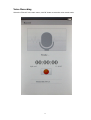
Connect e-book to the computer
Please connect this device to your computer via USB data cable. This reader with auto
turn on and the screen will show “USB Connection”, and your computer will identify
this reader as a Removable Disk after the connection is completed. Your computer
will show 2 Removable disk for this device: One is for Built in internal memory
of this device and the other is for Micro SD card(not included) if you have
insert one.
Manage files
After the device is properly connected to your computer, you can select the removable disk in the
"My Computer" and start transfer, copy or delete file in between this device and your computer.
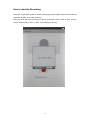
Inserting a Micro SD card(Not included)
You can expand the memory of this device(up to 16GB) by inserting a micro SD or SDHC
card(its also call TF card). First power off the device then insert a micro SD card and turn
the device back on.
Note about the use of Micro SD card:
If your device is encounter a problem identifying your inserted Micro SD card, please turn
off the device, pull the memory card out and reinsert it again. VERY IMPORTANT:
Please make sure to turn the power off when pulling the memory care and/or inserting
the memory card. Also DO NOT reset the unit when your memory card is inserted into
the device.
Taking Care of your E Reader : This E reader is designed to be light,
compact and durable. However since it’s an electronic device and must be
treated and maintain carefully:
Putting unnecessary pressure on it or striking the device against other objects
can cause damage. In order to avoid damage to your E Reader, please:
• Keep the device covered when you are not using it. This will protect the
screen from being scratched or damaged in any way.
• Do not drop, crush, bend, or apply excessive force onto the device.
•
Do not expose this device to moisture, extreme temperature or any
harmful conditions.
•
Clean the device by wiping with a soft, dry cloth. Do not use harsh
chemicals.
17