1
Page Jump:
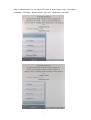
Press the “M” key then select “page Jump”. Press the “M” button again
then key in the desire page number and press “M” to go to that specific page.
Bookmarks:
This feature allow you to go to certain page of certain book by just
selecting it from the bookmark list.
Save a bookmark:
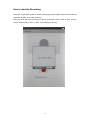
When in eBook mode, press the "M" button then select “ save
mark" and press “M” again to add the current page as a bookmark.
Load a Bookmark:
When eBook mode, press "M" button then select "Load Mark "
and press “M” again to open the saved bookmark list. Select the desire bookmark and
press “M” key.
Delete a bookmark:
When eBook mode, press the "M" button then select "Del
mark"; a list of saved bookmark will pop out. Please select the one you wish to delete
then press “M” key to confirm.
Bookmark capacity: This device allow up to 8 saved bookmark. When it reach
its limit, the newly saved bookmark will overwrite the oldest bookmark.
Zoom:
Press this key to change the font size. There are 3 different font size: Small,
Medium and Large.
Rotate:
When in eBook mode, you can rotate the screen either horizontally or
vertically for your convenience by pressing this rotate button.
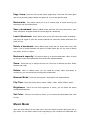
Browser Mode:
Flip Time:
There are two browser: ”Auto Mode” and “Manual Mode”.
There are five flip time to select: 10Sec, 15Sec, 20Sec, 25Sec, 30Sec.
Brightness:
There are five level brightness to select, you can select the desire
comfortable brightness.
Set Color:
There are five colors to select, you can select the comfortable color word
to read.
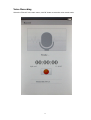
Music Mode
Open the audio files list in the main menu, select the desire audio file then press "M" to
play mode. You can add in audio file by connecting to your computer via USB cable and
8