1
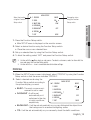
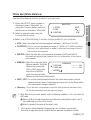
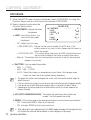
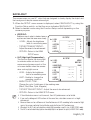
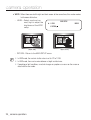
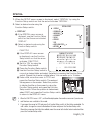
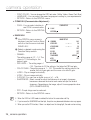
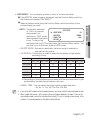
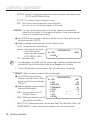
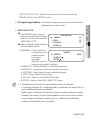
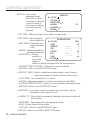
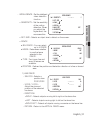
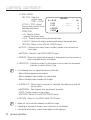
White Bal (White Balance) Use the White Balance function to adjust the screen color. 2. Select a desired mode using the Function Setup switch. MAIN SETUP 1. PROFILE 2. SSDR ▶3. WHITE BAL BASIC ON ATW ※ Select one of the following 6 modes, as appropriate for your purpose. ATW : Select this when the color temperature is between 1,800˚K and 10,500˚K. OUTDOOR : Use it in a color temperature range of 1,800K to 10,500K.(including Natrium). Auto adjustment is made to optimize the camera color to the outdoor environment. INDOOR : Select this when the color temperature is between 4,500˚K and 8,500˚K. Automatically adjusts the camera color for optimization to the indoor environment. MANUAL : S elect this to fine-tune White WB MANUAL Balance manually. Set White -- ------ 485 ▶ 1. RED GAIN Balance first by using the 2. BLUE GAIN -- ------ 535 ATW or AWC mode. After 3. RETURN that button to MANUAL mode, fine-tune the White Balance and the Function Setup switch. AWC→SET : T o find the optimal luminance level for the current environment, point the camera towards a sheet of white paper and press the Function Setup switch. If the environment changes, readjust it. Mercury : T his is an auto compensation function that optimizes camera colors for the environments such as mercury lamps. M White Balance may not work properly under the following conditions. In this case select the AWC mode. ➊ Select this When the color temperature of environment surrounding the subject is out of the control range (e.g. clear sky, or sunset) 2 When the ambient illumination of the subject is dim. If the camera is directed towards a fluorescent light or is installed in a place where illumination changes dramatically, the White Balance operation may become unstable. English_21 ● Camera Operation 1. When the SETUP menu screen is displayed, select ‘White Bal’ by using the Function Setup switch so that the arrow indicates ‘White Bal’ .