1
Chapter 4
Setting Procedure
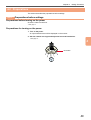
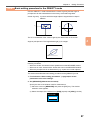
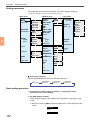
3. Set [MEASURE] (Measurement window)
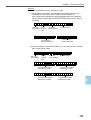
Specify the size of the window used for measurement. (Example: Setting for
OUTER mode)
WIND•1
SEL SCRN
COLOR
DET
MEASURE
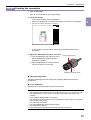
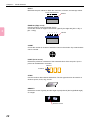
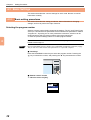
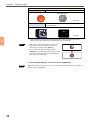
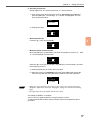
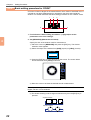
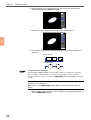
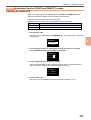
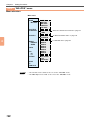
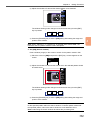
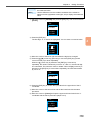
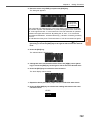
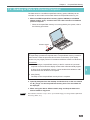
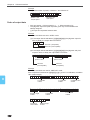
1) Place the cursor on [MEASURE] and press the [ENT] key. A frame appears
on the screen.
CAM1 CAM2
PROGRAM
WIND•1
INSPECT
OUTER
SEL SCRN
COLOR
SCAN
MEASURE
100, 220
400, 260
4
DATA
+0.000
TOL
H=+0.000
L= +0.000
ANALOG
T=
RAW SCR
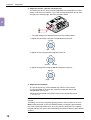
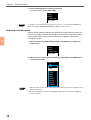
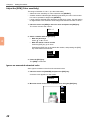
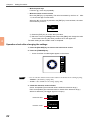
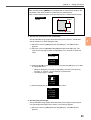
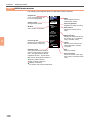
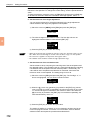
2) Move the cursor to enclose the desired area for measurement.
CAM1 CAM2
PROGRAM
WIND•1
INSPECT
OUTER
SEL SCRN
COLOR
SCAN
MEASURE
100, 220
400, 260
DATA
+0.000
TOL
H=+0.000
L= +0.000
ANALOG
T=
RAW SCR
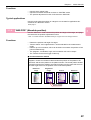
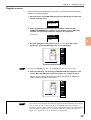
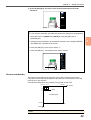
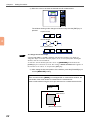
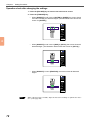
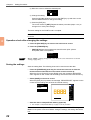
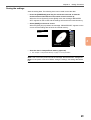
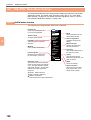
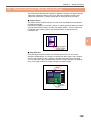
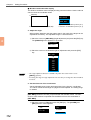
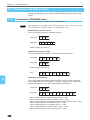
The window drawing mode changes as shown below every time the [ENT] key
is pressed.
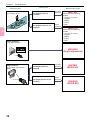
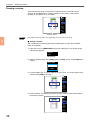
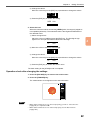
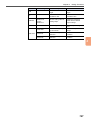
3) After setting the size and position of the window, press the [ESCAPE] key to
exit the [MEASURE] setting.
76