1
7) More functions
8) Radio range and channels
Function indicator (LED)
The function indicator shows the unit’s status, depending on its setting.
Once the unit has been set to receive pairing information, the indicator flashes green quickly.
The transmitter and receiver have built-in antennas.
The radio range between the units is around 100 feet
(30 metres). This may however vary depending on the
particular environment you are in.
Like all radio systems, Comfort Digisystem communicates on specific channels. If you use two transmitters
on the same channel or a neighbouring one, there may
be interference. Other electronic equipment can also
interfere with radio transmissions.
The channel that you use in your country is perhaps not
permitted abroad. Always get in touch with your hearing
aid provider in your country in order to find out which
channels are permitted in different countries.
Comfort Audio is not liable for unauthorized use of radio
waves, such as, but not limited to: interferences with
police communication, or strategic communication,
military installations etc.
When receiving pairing information, the indicator shows
green for three seconds.
9) Trouble shooting
On normal operation, the indicator flashes once every
three seconds.
During charging the indicator shows red. When the
charging is completed, the indicator shows green.
The indicator stays red even when the battery is fully
charged, if the unit is On during charge.
When the battery level gets low, the indicator slowly
flashes red (check the battery status on the display).
When sending pairing information, the indicator flashes
red five times.
When using the Push to talk-function, the indicator
shows green when transmission is possible and the
microphone has been activated. If transmission is not
possible because the channel is occupied (how to use
FCR, see section Function), the function indicator shows
red.
Is FCR indicator activated, the function indicator shows
red when the channel is occupied.
When using the function silence button, the indicator
shows red.
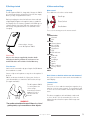
Coloured clips
A number of different coloured clips are available to
replace the black cover. This might be useful if you use
several microphones at the same time.
The transmitter and receiver do not start
Charge the transmitter and receiver. Remember to press
the On/Off button down for 2 seconds to switch the unit
on. Check that the charger is connected to the plug
socket.
Poor speech intelligibility
The distance between the transmitter and the receiver
may be too long. The range is around 30 metres. The
distance between the microphone and the person who
is talking may also be too long; move the microphone
nearer to the person talking.
Try to change channel/environment.
Poor range and interference
In some environments involving, e.g., concrete, iron
or sheet metal structures, the range may be reduced.
There may also be equipment nearby causing interference. Change channel.
No sound
Check that the transmitter and receiver are set to the
same channel.
Loud hissing noise (no sound transfer)
Check that the units are paired.
The unit will not start during charging
Disconnect the charger. Choose Settings - Charge Auto power off in the menu.
Microphone DM10
8