1
4. OBD II Diagnostics
CAUTION: Don't connect or disconnect any test equipment with ignition on
or engine running.
1) Turn the ignition off.
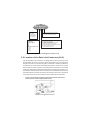
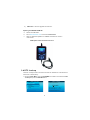
2) Locate the vehicle's 16-pin Data Link Connector (DLC).
3) Plug the scan tool cable connector into the vehicle's DLC.
4) Turn the ignition on. Engine can be off or running.
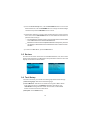
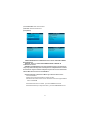
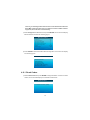
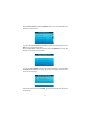
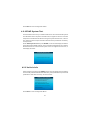
5) Press ENTER to enter Main Menu . Use the UP/DOWN scroll button to
select Diagnostics from the menu.
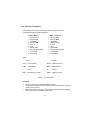
Entering System
Main Function
Diagnose
DTC Lookup
Review
Tool Setup
Help
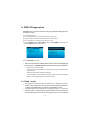
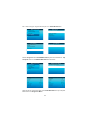
J1850 VPW
J1850 PWM
ISO15765-4 CAN11Bit
ISO15765-4 CAN29Bit
ISO14230 KWP
ISO14230 KWP5BPS
ISO 9141-2
Entering system .please wait...
X
X
X
X
X
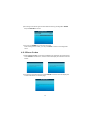
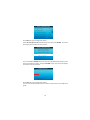
6) Press ENTER to confirm.
If the scan tool fails to communicate with the vehicle's ECU (Engine
Control Unit), a "LINKING ERROR!" message shows up on the display.
-
Verify that the ignition is ON;
Check if the scan tool's OBD II connector is securely connected to the
-
Verify that the vehicle is OBD II compliant;
Turn the ignition 'off' and wait for about 10 seconds. Turn the ignition
vehicle's DLC;
back to 'on' and repeat the procedure from step 5.
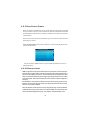
4.1 Read codes
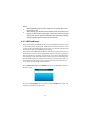
Stored codes are also known as "hard codes" or "permanent codes".
These codes cause the control module to illuminate the malfunction
indicator lamp (MIL) when an emission-related fault occurs.
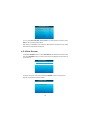
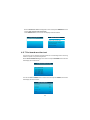
Pending Codes are also referred to as "maturing codes" or "continuous
monitor codes". They indicate problems that the control module has
detected during the current or last driving cycle, but are not considered
12