1
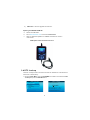
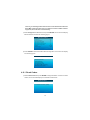
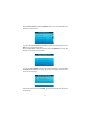
2) From the Code Lookup menu, use the LEFT/RIGHT button to move to the
desired character, use the UP/DOWN button to change the selected digit/
character and press the ENTER button to confirm.
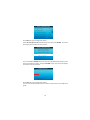
3) View the DTC definition on screen. When the DTC definition covers more than
one screen, use the LEFT/RIGHT button to view additional information on
previous/next screen(s).
For manufacturer specific codes, you'll need to select a vehicle make
on an additional screen to look for DTC definitions.
If definition could not be found (SAE or Manufacturer Specific), the scan
tool displays "DTC definition not found! Please refer to vehicle service"
manual!"
4) To exit to the Main Menu, press the EXIT button.
3.5 Review
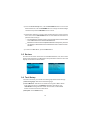
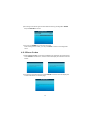
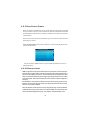
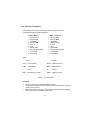
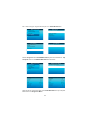
This function is used to review the recorded Data Streams, DTC, and Freeze
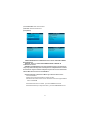
Frame. Select Review in the Main Menu and press Enter and the screen will
display the interface as shown below:
Main Function
Review
Diagnose
DTC Lookup
Review
Tool Setup
Help
Review DTC
Review Datastream
Review Freeze Frame
Delete DTC Data
Delete Datastream
Delete Freeze Frame
3.6 Tool /Setup
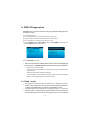
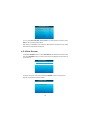
The scan tool allows you to make the following adjustments and settings:
1) Select Language : Selects the desired language.
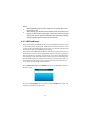
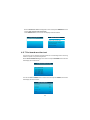
2) Unit of Measure : Sets the unit of measure to English or Metric When
Enter this item selcet ,Press ENTER can display Last Select use
LEFT \ RIGHT Change the Unit. When sure the unit ,Press ENTER
Button can save and exit this item selcet.
3) Beep Set : Turns ON/OFF beep.
10