1
RD01
Rain Detector
User Manual
Issued 22.10.08
Copyright © 2008 Campbell Scientific Ltd.
CSL 789
Guarantee
This equipment is guaranteed against defects in materials and
workmanship. This guarantee applies for twelve months from date of
delivery. We will repair or replace products which prove to be defective
during the guarantee period provided they are returned to us prepaid. The
guarantee will not apply to:
•
Equipment which has been modified or altered in any way without the
written permission of Campbell Scientific
•
Batteries
•
Any product which has been subjected to misuse, neglect, acts of God
or damage in transit.
Campbell Scientific will return guaranteed equipment by surface carrier
prepaid. Campbell Scientific will not reimburse the claimant for costs
incurred in removing and/or reinstalling equipment. This guarantee and the
Company’s obligation thereunder is in lieu of all other guarantees,
expressed or implied, including those of suitability and fitness for a
particular purpose. Campbell Scientific is not liable for consequential
damage.
Please inform us before returning equipment and obtain a Repair
Reference Number whether the repair is under guarantee or not. Please
state the faults as clearly as possible, and if the product is out of the
guarantee period it should be accompanied by a purchase order.
Quotations for repairs can be given on request.
When returning equipment, the Repair Reference Number must be clearly
marked on the outside of the package.
Note that goods sent air freight are subject to Customs clearance fees
which Campbell Scientific will charge to customers. In many cases, these
charges are greater than the cost of the repair.
Campbell Scientific Ltd,
Campbell Park, 80 Hathern Road,
Shepshed, Loughborough, LE12 9GX, UK
Tel: +44 (0) 1509 601141
Fax: +44 (0) 1509 601091
Email: [email protected]
www.campbellsci.co.uk
Contents
PDF viewers note: These page numbers refer to the printed version of this document. Use
the Adobe Acrobat® bookmarks tab for links to specific sections.
1. Description ................................................................... 1
2. Wiring ........................................................................... 2
3. Installation and Maintenance ..................................... 2
4. Programming ............................................................... 2
5. Technical Data/Specifications .................................... 4
Figure
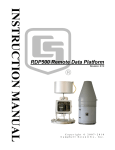
RD01 Rain Detector ....................................................................................... 1
Table
1. RD01 Datalogger Wiring Details ............................................................... 2
i
This is a blank page.
RD01 Rain Detector
RD01 Rain Detector
1. Description
The RD01 is a rain detector based on the principle of measuring the capacitance of
the material present on a sensing element. The capacitance of the sensor element,
set at an angle, changes according to the accumulation of raindrops on the sensor
surface.
An integral heater keeps it free of frost and condensation, and helps speed drying
to detect the end of a rain event. The heater will also activate at low temperatures
to detect snow fall by melting it. An external circular windshield, protects the
element from damage and improves its sensitivity to light rain.
The instrument has three different outputs:
1.
“Rain ON/OFF” output, which detects whether it is raining/snowing
(ON) or not (OFF), which can be used to control a relay coil or similar
devices. This is an open-collector output.
2.
Analogue voltage output (calibrated, 0-1V) which indicates the
precipitation rate.
3.
A 1,5…6KHz frequency output (not calibrated), which provide an
indication of current precipitation intensity.
The ON/OFF output has a delay circuit that indicates the “end of a rain” event
with a 5 minute delay, so that the “end of rain” is not indicated too soon in the
event of light or intermittent rain.
The heater can be disabled when power consumption is critical. To do it, set the
Heater OFF input on 0V. The sensor will still detect rain in this state but will not
melt ice nor detect the end of a rain event so quickly.
1
RD01 Rain Detector
2. Wiring
The RD01 can be used with all Campbell Scientific dataloggers. Wiring colours
and connections between the sensor and datalogger are shown in Table 1.
Table 1. RD01 Datalogger Wiring Details (Analogue)
Colour
Description
Wiring (SE)
Red
Vin +12Vdc
12V
Blue
Rain On/Off
See below*
Green
Heater Off
Control Port
Yellow
Analogue Out
SE Channel
White
Frequency Out
Not normally used
Black
Ground
AG/
Grey
Heater ground
G
*For Rain on/off connect the blue wire to a control port and insert a 10k resistor between
the control port and 5V.
3. Installation and Maintenance
Place the detector clear from all buildings, trees, etc… taking care that no object is
over the detector. The supplied bracket will accommodate any 30 to 50mm
diameter horizontal or vertical post
A standard 5m cable is supplied with an IP68 connector to connect the cable to the
bottom of the instrument: the colours of the leads and the relating functions are
listed above. To ensure good noise immunity, we recommend connecting the cable
braid to the earth and keeping the heater and the electronics earth leads separate.
Clean the sensor regularly with a cotton bud soaked in distilled water; in case of
more substantial dirt, mild cleansers can be used in moderation.
The sensor is fragile, the sensor element is a thin ceramic disk. Handle it with
care!
4. Programming
The following program shows two methods for reading the sensor with a
Campbell Scientific logger. Firstly by measuring the analogue signal and
secondly by reading the rain on/off state. The program scales the analogue signal
to give a value between 0 (Dry) and 100 (Heavy Rain) and returns a true/false
value for whether it is raining or not. To determine the rain on/off state a 10k
resistor must be placed between the control port where the rain on/off wire is
attached and 5V on the logger.
2
User Manual
'Example CR1000 Program to measure the RD01 Rain Detector
'-----------------------------------------------------------'This program shows how to measure the sensors analogue output
'and scale it from 0 (Dry) to 100 (Heavy Rain) along with measuring the
'rain on/off state. Note that to use the rain on/off state you must have
'a 10k resistor fitted between 5V and the control port used to measure the
'rain on/off state.
'Ensure any settings are retained.
PreserveVariables
'These constants define which ports the sensor will be read on.
Const AnalogueMeasurementSEChannel = 1 'SE1
Const RainOnOffControlPort = 1 'C1
Const HeaterControlPort = 2 'C2
'This is the voltage threshold below which the heater will be turned off
Const HeaterThreshold = 11.5
'Defined heater states
Const HeaterOn = 1
Const HeaterOff = 0
'This variable contains the battery voltage
Public Batt_Volt
'This variable is used to determine when a change takes place between raining and not raining.
Dim PreviousRainingState As Boolean
'This variable is set to true when it is raining.
Public Raining As Boolean
'These variables hold the rain intensity reading 0 (Dry) - 100 (Heavy Rain)
Dim ScaledRainIntensityAsRead
Public RainIntensity
'The current heater state
Public HeaterState
'This table stores events as the raining state changes from raining to not raining and vice-versa.
DataTable(RainEvents,True,-1)
Sample(1,Raining,Boolean) : FieldNames("Raining")
Sample(1,RainIntensity,FP2) : FieldNames("RainIntensity")
EndTable
'This table stores rain information every minute.
DataTable(RainData,True,-1)
DataInterval (0,1,Min,10)
Sample(1,Raining,Boolean) : FieldNames("Raining")
Average(1,Raining,Boolean,False) : FieldNames("Raining_1Min_AVG")
Sample(1,RainIntensity,FP2) : FieldNames("RainIntensity")
Average(1,RainIntensity,FP2,False) : FieldNames("RainIntensity_1Min_AVG")
EndTable
'Main Program
BeginProg
'Initialise the raining state by reading the current value.
Raining = NOT CheckPort(RainOnOffControlPort)
PreviousRainingState = Raining
'Main Scan - 1 Second Interval
Scan(1,Sec,0,0)
'Only enable the heater if the logger battery voltage is >= heater threshold (default 11.5V)
'this will conserve battery power if the logger power levels start to fall.
Battery(Batt_Volt)
HeaterState = IIF(Batt_Volt < HeaterThreshold, HeaterOff, HeaterOn)
PortSet(HeaterControlPort,HeaterState)
'Measure the analogue output of the sensor to determine intensity
'0 (Dry) to 100 (Heavy Rain)
VoltSe(ScaledRainIntensityAsRead,1,mV5000,AnalogueMeasurementSEChannel,True,0,_50Hz,-0.1,100)
Select Case ScaledRainIntensityAsRead
Case Is < 0
RainIntensity = 0
Case Is > 100
RainIntensity = 100
Case Else
RainIntensity = ScaledRainIntensityAsRead
EndSelect
'Check the current rain state - high - rain / low - dry
'There is a 2 minute delay in the sensor so that a rain over condition can be detected.
Raining = NOT CheckPort(RainOnOffControlPort)
'Log an event for any change in the rain state
If Raining <> PreviousRainingState Then
'Raining state has changed so log the event
CallTable(RainEvents)
PreviousRainingState = Raining
EndIf
'Save regular data
CallTable(RainData)
NextScan
EndProg
3
RD01 Rain Detector
5. Technical Data/Specifications
Sensor
Type:
Sensor sensing area:
Angle of element:
Sensitivity:
ON delay/Trip delay (OFF>>ON):
OFF delay/Shut-off delay (ON>>OFF):
Dimensions:
Weight:
Cable length:
Material:
Capacitive, with integrated heater
6.6cm2
30°
Min. wet area 0.05cm2
< 0.1ms
< 5 min
Diam. x height ø107 x 70 mm
450g
5m
BASF LURAN S777K
Electrical Features
Supply Voltage:
Current Consumption:
Sensor Power Consumption:
12Vdc ± 10%
130mA (typical) 230mA (max)
10mA (with heater disabled)
0.5 … 2.3W
Outputs
Rain ON/OFF:
Analogue Output:
Frequency Output :
Operating Conditions
Operating Temperature -15 … +55°C
Storage Temperature -40 … +65°C
4
Open by default,
closed in case of rain.
Max. Voltage 15V
Max. Current 50mA
0…1V (0V = rain, 1V = dry sensor)
1500 … 6000Hz (wet … dry)
Not calibrated
CAMPBELL SCIENTIFIC COMPANIES
Campbell Scientific, Inc. (CSI)
815 West 1800 North
Logan, Utah 84321
UNITED STATES
www.campbellsci.com
[email protected]
Campbell Scientific Africa Pty. Ltd. (CSAf)
PO Box 2450
Somerset West 7129
SOUTH AFRICA
www.csafrica.co.za
[email protected]
Campbell Scientific Australia Pty. Ltd. (CSA)
PO Box 444
Thuringowa Central
QLD 4812 AUSTRALIA
www.campbellsci.com.au
[email protected]
Campbell Scientific do Brazil Ltda. (CSB)
Rua Luisa Crapsi Orsi, 15 Butantã
CEP: 005543-000 São Paulo SP BRAZIL
www.campbellsci.com.br
[email protected]
Campbell Scientific Canada Corp. (CSC)
11564 - 149th Street NW
Edmonton, Alberta T5M 1W7
CANADA
www.campbellsci.ca
[email protected]
Campbell Scientific Ltd. (CSL)
Campbell Park
80 Hathern Road
Shepshed, Loughborough LE12 9GX
UNITED KINGDOM
www.campbellsci.co.uk
[email protected]
Campbell Scientific Ltd. (France)
Miniparc du Verger - Bat. H
1, rue de Terre Neuve - Les Ulis
91967 COURTABOEUF CEDEX
FRANCE
www.campbellsci.fr
[email protected]
Campbell Scientific Spain, S. L.
Psg. Font 14, local 8
08013 Barcelona
SPAIN
www.campbellsci.es
[email protected]
Campbell Scientific Ltd. (Germany)
Fahrenheitstrasse13, D-28359 Bremen
GERMANY
www.campbellsci.de
[email protected]
Please visit www.campbellsci.com to obtain contact information for your local US or International representative.