1
RADIUS MANAGER
VERSION 4.0
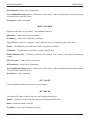
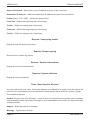
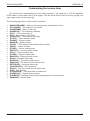
Service type (any / prepaid / postpaid / email / access list entry) – Select the type of the service
You want to include in the user list.
Account status (any / active / expired / enabled / disabled) – Select the status of the accounts
You are seeking for
Usage information (any / used / unused) – Display all or only those users who have or don’t
have accounting info available in the system.
Group – List only those users who belong to the selected group.
Owner – Search by account owner.
Service name – List only those users who use the selected service.
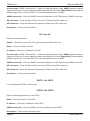
MAC address CM – Search for the MAC address of cable modem. The correct format of the
MAC address is xx:xx:xx:xx:xx:xx.
MAC address CPE – Search for the MAC address of the user (not MAC Hotspot users; if You
want to find a MAC Hotspot user, use the User name or MAC field instead.) The correct format
of the MAC address is xx:xx:xx:xx:xx:xx.
Static CPE IP – Search for static CPE IP address.
First name – Search for first name of user.
Last (family) name – Search for last name of user.
Company name – Search for company name.
Address – Search for postal address.
City – Search for city.
ZIP – Search for ZIP code.
Country – Select a country.
State – Select a state.
Phone number – Search for phone number.
Mobile number – Search for mobile number.
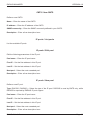
Email – Enter the email address You are looking for.
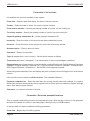
Contract ID – Search for contract identification code.
Comment – Search for comments.
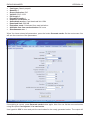
• Edit user:
DMA Softlab LLC
Page 45