1
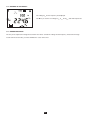
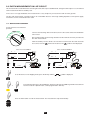
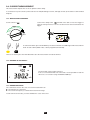
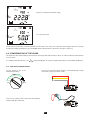
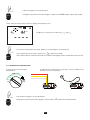
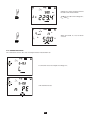
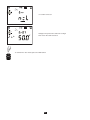
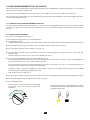
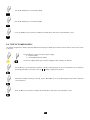
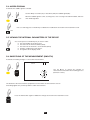
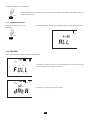
6. Storage 6.1. Organization of the memory The device has 100 memory locations to record measurements. These comprise measurements (TEST) that are arranged in blocks (OBJ.) A block number (OBJ.) may for example represent an installation and the measurement numbers (TEST) the various measurements made on the installation. 6.2. Storage As soon as a measurement is over, you can record the measurement result and all associated values (date, time, type of measurement, parameters, etc.). It is therefore important to check the date and time before storing any results (see §5.2) Press the MEM key. The slot proposed as default is the first free memory slot (FrEE). Here, OBJ. = 1 and TEST = 1. L P R 0 COM MEM MEM OBJ. TEST To change the slot (Object or Test), use the and or keys. The numbers must be between 01 and 99. If the slot is already taken, the device displays OCC, but you can even so overwrite it and put your new measurement in place of the old. Press the MEM key again. The FrEE symbol turns into rEC to report that the measurement is being recorded. The device then returns to voltage measurement mode. L P R 0 COM MEM OBJ. 51 TEST MEM