1
Section 2: Operation
WilComm CSV
(vii)
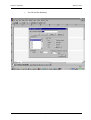
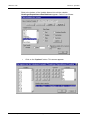
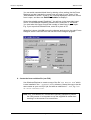
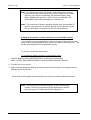
Press the Form tab. Fill in the prompts as follows:
Form Name: From the drop-down list, select the form you created in step 2.
Field Map Name: From the drop-down list, select the field map you created in
step 7.
Resolution: Any setting is OK.
Orientation: Must be Landscape
Comment: The above display has been completed correctly for our example CSV
task.
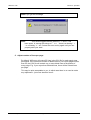
This completes the Distribution Wizard setup for the first step, whereby
WilPrint will create a CSV file in the NT Spooler.
Page 2-15
Wilkinson Computer Services