1
Generating drops
Generating drop collisions
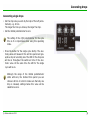
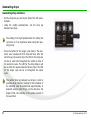
• Set the drop size you wish by the help of the left potentiometer.
• Using the middle potentiometer, set the time lag
between two drops.
The setting of the right potentiometer for setting the
cycle time is of no importance when using this operating mode.
• Press the button for the single cycle shortly. The electronic valve releases the first drop and then, after the
set time lag, the second drop. The LED for the drop size
will be on each time throughout the switch-on time of
the electronic valve. The LED for the drop distance will
be on within the pause between the two drops. The LED
for the single cycle will be on throughout the whole
cycle.
The perfect time lag between two drops in order to
generate drop collisions (leading to the formation of
an umbrella) must be determined experimentally. It
depends, among other things, on the drop size, the
height of fall, the viscosity or the surface tension of
the used fluid.
8
© eltima electronic 2013