1
Application Note AN-SERV-005
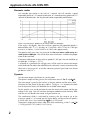
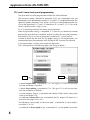
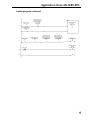
X1 is ON.
- An indicator of Home completed or not, associated to X2. Home completed is true
when X2 is ON.
- An indicator of At position or not, associated to X3. The servo output signal At
position is true when X3 is ON.
- 5 indicators of the stages, associated to S0 to S6.
The next step is to create the PLC program code.
We decided to use stage programming in this case.
See on the next section details of the code that will be programmed into the PLC.
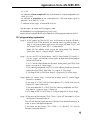
PLC programming explanation
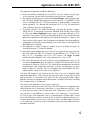
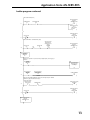
Stage 0 - At PLC power up: The first PLC scan or the return to Stage 0 will load a
value of K0 to CTA0 (Basically the counter counts are reset to zero). As
long as no jumps to other stages occur, this stage will keep C0-C17 and
PLC outputs Y10-Y17 reset. This is a safety feature.
When X6 (The selector switch to give the signal power ON) becomes
TRUE, then, there is a jump to Stage 1 "Power ON"
Stage 1- At start we SET Y10 "Servo Power" and Y11"Servo Enable" (Y10 and Y 11
turn on). Stage 1 will monitor various inputs to determine where program
control will JUMP to.
IF C113 (Search Home button on the touch screen panel) goes TRUE, then
there is a jump to S2 "Home Stage"
IF X2 (Homing completed) AND C114 (Start indexing button on the touch
screen panel) are TRUE, then there is a jump to S3 "Run Stage"
IF X12(Stop All PB) is FALSE then there is a jump to ISG 0 "Initial Stage"
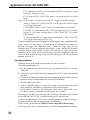
Stage 2-When S2 "Home Stage" is active the on delay timer T5 (Home Trigger
Duration) is enabled.
IF the stage S2 is TRUE AND the timer done bit T5 is FALSE, then turn on
Output Y12 "Home Command".
IF the timer done bit T5 is TRUE AND X2 (Homing completed) are TRUE ,
then there is a jump to Stage 1 "Power up"
IF X12 (Stop All PB) is FALSE, there is a jump to Stage ISG 0 "Initial Stage".
Stage 3-IF the count on the counter CT0 is CTA0 = 9, then SET the output Y14 (Turn
ON Position Command Select 0).
This will call Position 2 from the Servo. Position 2 has the offset necessary to
make an exact 360 degree revolution.
IF the count on the counter CT0 is CTA0 < > 9, then RST Y14 (Turn off
Position Command Select 0) .
9