1
NOTE: Do not upgrade Firmware unless you have downloaded all
data and data setups needed from the meter as the meter will
erase this data after upgrade.
To manually upgrade the meter:
1. download the firmware file for your meter at
http://www.powersight.com/downloads/index.cfm?list=Fir
mware.
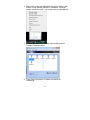
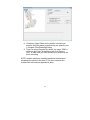
2. In PSM, connect to the meter and click on
TOOLS->Firmware Upgrade.
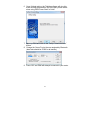
3. Once the Firmware upgrade window pops up, press
“Browse” and find the desired PSXXXX-XXX.s19 file,
press open, then press “Upgrade”.
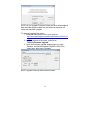
NOTE: Upgrade time may take several minutes.
23