1
Operator Workstation Appendix Technical Bulletin
27
Database Backup and Restore
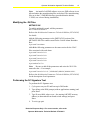
See the Detailed Procedures section for information on how to save
and restore your database.
Restore a Database
Restoring the database copies the database on tape to the workstation.
The tape copy overwrites the database at the workstation. Use the
following procedure to restore the database.
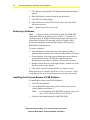
See the Restoring a Database detailed procedure in this document for
information on how to perform the procedure.
Unsupported Features
The following features are not supported on Windows NT operating
system or Windows 2000 Professional operating system workstations:
Fire OWS, GWS Interface, Guard Tour, and Remote User Interface.
Microsoft IntelliMouse Pointing Device
The Microsoft IntelliMouse pointing device is not supported on
Metasys Operator Workstations with Windows NT operating system
or Windows 2000 Professional operating system software at this time.
Some manufacturers install the wheel feature on this mouse as part of
their standard features. To use this mouse with the Metasys software,
you must disable the wheel. If the wheel is not disabled, problems such
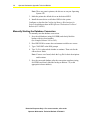
as system lockups may occur. See the Disabling the Microsoft
IntelliMouse Wheel detailed procedure in this document.
PREP-FOR
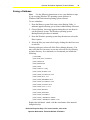
When running a PREP-FOR (Prep.for) on a Windows NT operating
system machine, use Cmd.exe, not Command.com, to execute the
DOS window. Follow the steps in the Using PREP-FOR with
Windows NT Operating System Software detailed procedure.
Historical Purposes Only—For current version, refer to the
Operator Workstation Technical Bulletin LIT-636013