1
1/2
C:\
Page
Disc
File folders in disc,
press ok to enter
Picture overview
Return
UP.png
200*200
1
1.bmp
Move
Preview
2
Resolution 1024x768
Size
200KBytes
Date
2010 / 08 / 08
Time
08 / 23 / 22
2.bmp
Menu
MENU
EXIT
Exit
OK
Picture
information
Select
Page
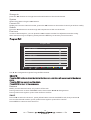
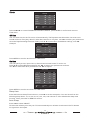
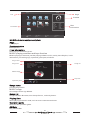
Indicates the total number of pages containing files. example as per picture - '1/2' represents page
1 of 2.
Picture list
U se ◄► ▲▼ to scroll through the picture list. Press OK to select the picture, a tick will appear on the file.
Press PLAY to view picture in full screen.
Preview window
Displays a preview of the highlighted picture in the Picture list.
Slide Show
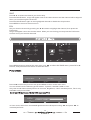
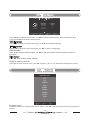
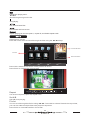
When in Picture List mode you can select multiple pictures to be viewed as part of a Slide Show.
Use ◄► ▲▼ to scroll through the list, press OK when the desired pictures are highlighted.
Press the PLAY button to enter Slide Show mode, the pictures will scroll after approximately 5
seconds.
A
Exit
Repeat ALL
Music
Play List
Info.
90
90
Rotate
Rotate
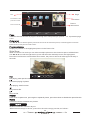
Exit playing, enter previous menu.
Full screen playing of photos.
Stop playing, enter list menu.
Play previous file.
Play next file.
Repeat
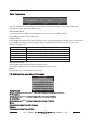
Press once to repeat once, press again to repeat all photos, press three times to disable the repeat function.
Rotate
Clockwise/ counter clockwise turn pictures.
MUSIC
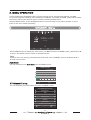
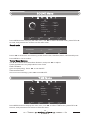
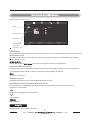
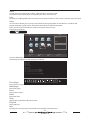
Multimed i a MUSIC submenu layout.
When selected songs in the list, press OK to show the songs preview, as follows:
20