1
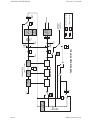
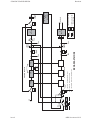
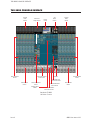
MONITOR & FACILITIES SECTION
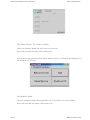
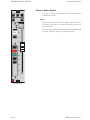
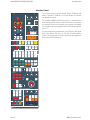
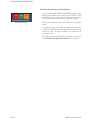
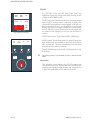
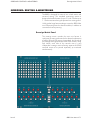
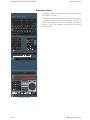
Monitor Panel
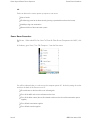
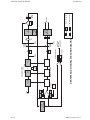
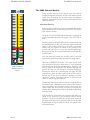
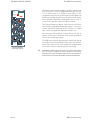
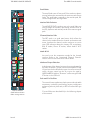
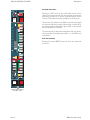
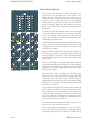
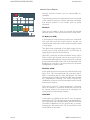
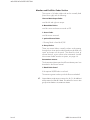
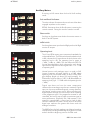
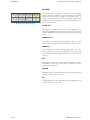
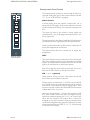
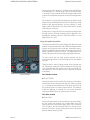
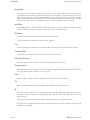
Internal Monitor Selector
GRP
TAPE
STEM
A
STEM
B
STEM
C
STEM
D
EXT
1
EXT
2
EXT
3
EXT
4
EXT
5
EXT
6
EXT
7
EXT
8
EXT
9
EXT
10
EXT
11
EXT
12
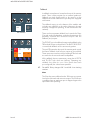
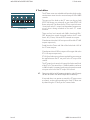
This set of buttons is used to select the internal monitor
source in the following way:
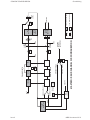
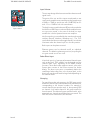
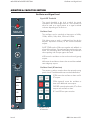
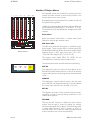
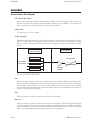
Aux 1 to 8
EXTERNAL
AUX
1
AUX
2
AUX
3
AUX
4
MIX
1/2
(2T)
MIX
3/4
MIX
5/6
6T
MIX
AUX
5
AUX
6
AUX
7
AUX
8
CUE
1
CUE
2
CONT
MIX
SUM
INTERNAL
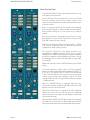
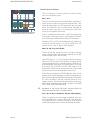
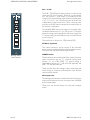
This set of switches are always interlocked with each other in
mono or stereo irrespective of the sel mode selected. They
select the appropriate Aux O/P signal after the jack insert
point. The auxiliaries can be selected and cancelled as
mono or stereo sources by just pressing one switch (for
mono) or two together (for stereo).
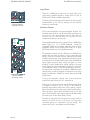
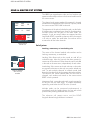
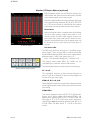
SEL MODE
INT
EXT
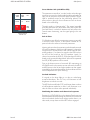
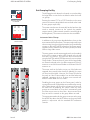
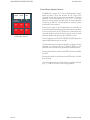
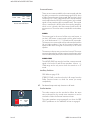
Internal/External Monitor Selectors
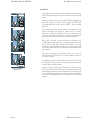
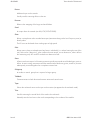
If Aux 1 is already selected and Aux 1 and 2 are required as
a stereo pair ,then pressing Aux 1 and 2 together will leave
Aux 1 selected and add Aux 2 as the RHS of a stereo pair.
Similarly, if Aux 1 and 2 were already selected, deselecting
just Aux 2 would leave Aux 1 on, which would force the
monitor of Aux 1 out of both L and R speakers.
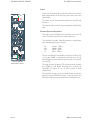
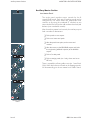
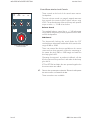
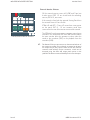
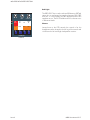
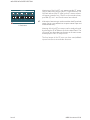
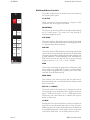
Mix 1/2, 3/4, 5/6, and 6T Mix
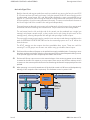
This set of switches selects the main mix outputs after the
output insertion jacks. The operation depends on the SEL
mode selected (CONT MIX or SUM).
When ST (stereo), 7.1, 5.1 or 4T is selected on the reassign
panel, Mix 1/2, 3/4 and 5/6 will behave as regular stereo
sources appearing on the L and R speakers in both the I/L
and SUM modes. Selecting 6T will route busses 1/2 to L and
R, 3/4 to C & S, and 5/6 to LS & RS. If SEL mode is set to
SUM, INT6, other stereo or surround sources will be mixed
onto the front and surround speakers respectively.
If the monitor is selected to CONT MIX then MIX 1/2 will
appear on the L and R speakers, but MIX 3/4 will appear on
the C and S speakers and MIX 5/6 will appear on LS and RS.
6T will be as before, with the 6 busses routed to the 6
speaker outputs. This would be the same effect as selecting
MIX monitor mode and pressing MIX 1/2, MIX 3/ 4 and MIX
5/6 in SUM and CONT MIX format.
-
Regardless of the monitor SEL mode, selecting 6TMix will
always de-select any other mix output selection.
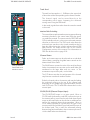
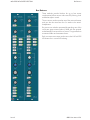
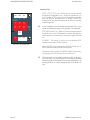
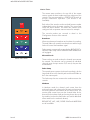
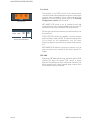
Cue 1 & 2 or Cue 1/2 and Cue 3/4 (for 4 Cue option)
These two switches are also always interlocked with each
other regardless of the monitor SEL mode. They select the
cue outputs after the cue output insertion jacks and can be
mixed with any other source in the SUM monitor SEL mode.
Issue 3
88RS User Manual 5:12