1
.....
TE L E P H O N E U S E R G U I D E
Making Telephone Calls
To place a call
•
Lift the handset and dial the desired number.
or
•
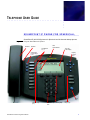
Press the Speaker Audio Path control key and dial the desired number.
ANSWERING A CALL
You can answer calls coming to your telephone extension or to others in your group.
To answer a call coming to you directly, lift the handset.
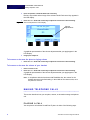
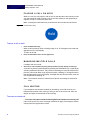
When a new call arrives, a flashing image of a bell will appear next to that call
appearance in the LCD display.
ENDING A CALL
To end a call
If using the handset:
•
Hang up the handset.
or
If using the speaker:
•
Press the Speaker Audio Path control key.
MUTING A CALL
While on a call, you can mute the handset, preventing the party you are speaking to
from hearing what you or someone else in the room is saying. When using the
speaker, your call is automatically muted if the handset is in the cradle.
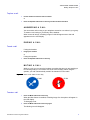
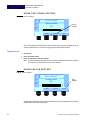
Figure 6 Mute Audio Path Control Key
IP 400
IP 500
To mute a call
1
Press the Mute Audio Path control key.
When the Mute feature is enabled, a flashing image of a microphone will appear in
the LCD display.
To disengage mute:
2
Press the Mute Audio Path control key again.
The flashing icon will disappear.
SoundPoint IP Phone Integration Manual
7