1
Solar Controller
GP-PWM-30
Owner’s Manual
1
© 2013 Carmanah Technologies Corporation
GP-PWM-30
________________________________________________________________________
2
© 2013 Carmanah Technologies Corporation
GP-PWM-30
________________________________________________________________________
CONTENTS
1.0
Installation Overview
4
1.1 Introduction
4
1.2 Specifications
5
2.0
Warnings
6
3.0
Tools and Materials Needed
7
4.0
Choosing a Location
7
5.0
Installation Instructions
8
6.0
Operating Instructions
10
7.0
Frequently Asked Questions (FAQs)
16
8.0
Troubleshooting
17
8.1 Problems with the Display
17
8.2 Problems with Voltage
18
8.3 Problems with Current
18
Limited Warranty
20
9.1 Repair and Return Information
20
10.0
Installation Template
20
11.0
Wiring Diagram
9.0
211
3
© 2013 Carmanah Technologies Corporation
GP-PWM-30
________________________________________________________________________
1.0 Installation Overview
1.1
Introduction
A Solar Controller (or Charge Controller / Regulator) is an essential
component of your photovoltaic solar system. The Controller maintains
the life of the battery by protecting it from overcharging. When your
battery has reached a 100% state of charge, the Controller prevents
overcharging by limiting the current flowing into the batteries from your
solar array.
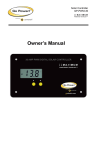
The GP-PWM-30 is a 12 volt flush mounted photovoltaic (PV) charge
controller rated for a continuous solar current input of 30 amps. The GPPWM-30 uses Pulse Width Modulation (PWM) technology and a unique
four stage charging system that includes an optional equalize setting to
charge and protect your battery bank. The GP-PWM-30 features an LCD
digital display that shows solar array charge current, system battery
voltage and battery capacity. The GP-PWM-30 also features Maximum
Power Boost Technology™ for manual bulk charge at any stage of the
charge cycle.
4
© 2013 Carmanah Technologies Corporation
GP-PWM-30
________________________________________________________________________
1.2
Specifications
Description
Value
Nominal System Voltage
12V
Max. Solar Array Current
30 amps
Battery Voltage Range
Max. Solar Voltage
6V – 15.5V
28V
Operating Consumption
Display Consumption
6mA
10mA
Bulk/Absorption Voltage
14.1/14.4V
(25°C / 77°F), 1 - 2h / Day
Float Voltage
Equalization Voltage
Temperature
Compensation
Operating Temperature
Display Operating
Temperature
Humidity
Protection
13.7 (25°C / 77°F)
14.8V (25°C / 77°F),
2h / 28 Day or V < 12.1
Dimensions (H x W x D):
107 x 190 x 35 mm
4.25 x 7.5 x 1.38 in
Weight: 172 grams
6 oz
Maximum Wire Gauge: #6 AWG
Warranty: 5 years
•
•
•
•
•
- 4mV/cell*K
•
•
•
- 40 to 85°C / - 40 to 185°F
- 20 to 55°C / - 4 to 131°F
•
•
99% N.C.
PWM Charging
3 Battery Charging profiles
4 Stage Charging
Monthly Equalize option
Displays Charging Current,
Battery Voltage and Battery
State of Charge
Reverse Polarity protected
Temperature Compensated
RoHS Compliant,
environmentally safe
Accepts up to 495 watts of
solar at 12 volts
Maximum Power Boost
Technology
Battery Reverse Polarity,
Solar Array Reverse Polarity,
Over Temperature, PV Short
Circuit, Over Current
The total rated Maximum Power Current (Imp) of the PV
input should not exceed 30 Amps.
The GP-PWM-30 will limit PV current above 30 Amps.
Although the GP-PWM-30 will accept PV current greater
than 30 Amps for a short duration, damage may occur if the
GP-PWM-30 operates continuously with greater than 30
Amps of PV input.
5
© 2013 Carmanah Technologies Corporation
GP-PWM-30
________________________________________________________________________
2.0 Warnings
Disconnect all power
sources
Battery and wiring
safety
Wiring connections
Work safely
Observe correct
polarity
Do not exceed the
GP-PWM-30 Amp
current and max
voltage ratings
Electricity can be very dangerous.
Installation should be performed
only by a licensed electrician or
qualified personnel.
Observe all safety precautions of
the battery manufacturer when
handling or working around
batteries. When charging, batteries
produce hydrogen gas, which is
highly explosive.
Ensure all connections are tight
and secure. Loose connections
may generate sparks and heat. Be
sure to check connections one
week after installation to ensure
they are still tight.
Wear protective eyewear and
appropriate clothing during
installation. Use extreme caution
when working with electricity and
when handling and working around
batteries.
Reverse polarity of the battery
terminals will cause the controller
to give a warning tone. Reverse
connection of the array will not
cause an alarm but the controller
will not function. Failure to correct
this fault could damage the
controller.
The current rating of the solar
system is the sum of the Maximum
Power Current (Imp) of the solar
PV strings in parallel. The resulting
system Imp current is not to
exceed 30A. The voltage of the
array is the rated open circuit
voltage (Voc) of the PV array and
is not to exceed 28V. If your solar
system exceeds these ratings,
contact your dealer for a suitable
controller alternative.
6
© 2013 Carmanah Technologies Corporation
GP-PWM-30
________________________________________________________________________
3.0 Tools and Materials Needed
•
Phillips Screwdriver
If the GP-PWM-30 Controller was purchased with a Go
Power! RV Solar Power Kit then UV resistant wire is
included. For instructions regarding the Go Power! RV
Solar Power Kit installation, please refer to the
Installation Guide provided with the Kit.
4.0 Choosing a Location
The GP-PWM-30 is designed to be mounted flush against a wall, out of
the way but easily visible.
The GP-PWM-30 should be:
• Mounted as close to the battery as possible
• Mounted on a vertical surface to optimize cooling of the unit
• Indoors, protected from the weather
In a RV, the most common controller location is above the refrigerator.
The wire from the solar array most commonly enters the RV through the
fridge vent on the roof. PV connections should connect directly to the
controller. Positive and negative battery connections must connect
directly from the controller to the batteries. Use of a positive or negative
distribution bus is allowed between the controller and battery as long as
it is properly sized, electrically safe and an adequate wire size is
maintained.
7
© 2013 Carmanah Technologies Corporation
GP-PWM-30
________________________________________________________________________
5.0 Installation Instructions
1. Prepare for mounting. Use the template provided at the end of
the manual to mark the four mounting holes and the “cutting line
for flush mounting.”
2. Complete the installation of the solar modules. If this GPPWM-30 was purchased as part of a Go Power! Solar Power Kit,
follow the Installation Guide provided. Otherwise, follow
manufacturer’s instructions for solar module mounting and
wiring.
3. Select wire type and gauge. If this GP-PWM-30 was
purchased as part of a Go Power! Solar Power Kit, appropriate
wire type, gauge and length is provided. Please continue to
Section 6, “Operating Instructions.” If the GP-PWM-30 was
purchased separately, follow the instructions included here.
Wire type is recommended to be a stranded aluminium UV resistant wire.
Wire fatigue and the likelihood of a loose connection are greatly reduced
in stranded wire compared to solid wire. Wire gauge should be able to
sustain rated current as well as minimizing voltage drop.
Suggested Minimum Wire Gauge
(Cable length 25 ft. max. from solar array to battery bank)
50 Watt
80 Watt
95 Watt
110 Watt
125 Watt
160 Watt
240 Watt
Terminal Screw Torque
#14 Wire Gauge
#12 Wire Gauge
#10 Wire Gauge
#10 Wire Gauge
#10 Wire Gauge
#10 Wire Gauge
#10 Wire Gauge
16 inch pounds (1.8N.m)
IMPORTANT: Identify the polarity (positive and negative) on the
cable used for the battery and solar module. Use colored wires or
mark the wire ends with tags. Although the GP-PWM-30 is
protected, a reverse polarity contact may damage the unit.
8
© 2013 Carmanah Technologies Corporation
GP-PWM-30
________________________________________________________________________
4. Wiring the GP-PWM-30. Wire the GP-PWM-30 according to the
wiring schematic in Section 11. Run wires from the solar array
and the batteries to the location of the GP-PWM-30. Keep the
solar array covered with an opaque material until all wiring is
completed.
5. Torque all terminal screws to 16 inch pounds (1.8N.m).
Connect the battery wiring to the controller first and then connect
the battery wiring to the battery.
IMPORTANT: Always use appropriate circuit protection on any
conductor attached to a battery.
With battery power attached, the controller should power up and
display information. Connect the solar wiring to the controller and
remove the opaque material from the solar array. The negative
solar array and battery wiring must be connected directly to the
controller for proper operation. Do not connect the negative solar
array or negative battery controller wiring to the chassis of the
vehicle.
6. Mounting the GP-PWM-30. Mount the GP-PWM-30 to the wall
using the included four mounting screws.
IMPORTANT: You must set the battery type on the GP-PWM-30
before you begin to use the controller. The default battery setting is
for AGM batteries.
Congratulations, your GP-PWM-30 should now be operational. If the
battery power is low and the solar array is producing power, your battery
should begin to charge.
7. Re-torque: After 30 days of operation, re-torque all terminal
screws to ensure the wires are properly secured to the controller.
9
© 2013 Carmanah Technologies Corporation
GP-PWM-30
________________________________________________________________________
6.0 Operating Instructions
Power Up
When the GP-PWM-30 is
connected to the battery, the
GP-PWM-30 will go into Power
Up mode.
Icons Displayed: Three
horizontal dashes
Setting the Battery Type / Charging Profile
Set the Battery Type / Charging
Profile by holding down the B
Button for 5 seconds. When the
display shows a single digit
number, release the B Button.
Set the Battery Type by toggling
through the Charging Profile
numbers 1, 2 or 3 by pressing
the B Button.
NOTE: Non-volatile memory: Any settings made on the GP-PWM-30
will be saved even when the power has been disconnected from the
controller.
10
© 2013 Carmanah Technologies Corporation
GP-PWM-30
________________________________________________________________________
Refer to the Battery
Charge Profile Chart on
page 13 for details on
each profile.
Confirm the Battery Type / Charging
Profile selection by pressing the A
Button.
Depending on the battery voltage when the GP-PWM-30 Power Up
occurs, the GP-PWM-30 may do a Boost Charge or quickly go into Float
Charge. The Charging Profile selected will commence the following day
after a Power Up.
11
© 2013 Carmanah Technologies Corporation
GP-PWM-30
________________________________________________________________________
Maximum Power Boost Technology™
Maximum Power Boost Technology™ (MPBT) is a new feature on the
GP-PWM-30 that allows you to override the normal charging algorithm of
the solar controller. This feature will make the GP-PWM-30 go into a
boost mode, bringing the voltage up to 14.4 VOC for 30 minutes
regardless of the batteries state of charge. This feature should not be
used more than twice a day as it could cause your batteries to require
more distilled water top-ups due to more gassing of the batteries.
MPBT is designed to be used before the end of the day if you know you
will require a lot of loads through the night. The MPBT feature can also
be used when you have just installed the solar controller, to put batteries
on a boost charge up to 14.4 right away.
IMPORTANT: Do not use the Maximum Power Boost function more
than twice a day.
To activate the Maximum Power Boost
Technology™, hold the A Button for 5
seconds to put Controller into Max.
Power Boost. As long as there is full
sunlight present, your batteries
(flooded only) will be boosted to 14.4V
for 30 minutes
Icons Displayed: 4 dots at bottom right of display
12
© 2013 Carmanah Technologies Corporation
GP-PWM-30
________________________________________________________________________
Battery Charge Profile Chart
Battery Type
Charging Profile #
FLOODED
AGM
GEL
1
2
3
Float Charge @ 25°C:
13.7V (+/- 0.1V)
Bulk/Absorption Charge @ 25°C:
14.4V (+/- 0.1V)
14.1V
(+/- 0.1V)
14.4V (+/- 0.7V)
14.1V
(+/- 0.1V)
Applied for 1h each morning
Boost Charge
Applied for 2 hours if the battery voltage drops
below 12.3 volts.
Equalization Charge
Applied for 2 hours every 28 days and if the
battery voltage drops below 12.1 volts.
14.8V
N/A
N/A
(+/-0.1V)
The Boost Charge will occur in addition to the Bulk Charge. The Equalization Charge will
occur in addition to the Boost Charge.
If a charging cycle is unable to complete in a single day, it will continue the following day.
The terms FLOODED, AGM and GEL are generic battery designations. Choose the
charging profile that works best with your battery manufacturer’s recommendations.
Auto Equalize: The GP-PWM-30 has an automatic equalize feature that
will charge and recondition your batteries once a month at a higher
voltage to ensure that any excess sulfation is removed. This feature is
recommended for Flooded batteries only. Check with your battery
manufacturer.
IMPORTANT: This feature is only available for wet cell or flooded
batteries (Charging Profile 1).
13
© 2013 Carmanah Technologies Corporation
GP-PWM-30
________________________________________________________________________
Viewing the Controller display information
To toggle between State of
Charge (SOC), Battery
Voltage and PV Charging
Current, press the B Button.
The battery state of charge is
shown as a percentage.
Icons Displayed: Battery,
Percent Symbol
Push the B Button to show
the battery voltage.
Icons Displayed: Battery,
Volt Symbol (V)
Push the B Button to show
the PV charging current. The
GP-PWM-30 will begin to
limit the current as the
battery reaches a full charge.
Icons Displayed: Sun,
Battery, Current Symbol (A)
14
© 2013 Carmanah Technologies Corporation
GP-PWM-30
________________________________________________________________________
Errors
Over Voltage
If the GP-PWM-30 experiences a
battery over voltage (15.5V), the
controller will stop operating and the
display will begin to flash. The
controller will resume operating
when the error is cleared.
Icons Displayed: Battery, Volt
Symbol, Lightning Bolt
Low Voltage
If the GP-PWM-30 experiences the
battery state of charge reaching 0
%, a lightning bolt symbol will
begin to flash in the lower right
corner of the display. The
controller will continue operating.
The controller will only stop
operating if the voltage drops
below 6 volts.
Icons Displayed: Battery, Percent Symbol, Lightning Bolt
15
© 2013 Carmanah Technologies Corporation
GP-PWM-30
________________________________________________________________________
7.0 Frequently Asked Questions (FAQs)
Before a problem is suspected with the system, read this section. There
are numerous events that may appear as problems but are in fact
perfectly normal. Please visit gpelectric.com for the most up-to-date
FAQs.
It seems like my flooded batteries are losing water over time.
Flooded batteries may need to have distilled water added periodically to
replace fluid loss during charging. Excessive water loss during a short
period of time indicates the possibility of overcharging or aging batteries.
When charging, my flooded batteries are emitting gas.
During charging, hydrogen gas is generated within the battery. The gas
bubbles stir the battery acid allowing it to receive a more full state of
charge. Ensure they are in a well-ventilated space.
My voltmeter shows a different reading than the GP-PWM-30 display
The meter value on the GP-PWM-30 display is an approximate reading
intended for indication purposes only. There is an approximate 0.1 volt
inherent error present that may be accentuated when compared with
readings from another voltmeter.
There may be a slight difference between the battery voltage displayed
on the GP-PWM-30 display and the battery voltage measured at the
battery terminals. When troubleshooting using a voltmeter, check both
the battery voltage at the GP-PWM-30 controller terminals and battery
voltage at the battery terminals. If a difference of more than 0.5 volts is
noted, this indicates a large voltage drop possibly caused by loose
connections, long wire runs, small wire gauge, faulty wiring, a faulty
voltmeter or all the above. Consult the Suggested Minimum Wire Gauge
chart in Section 5 for wiring suggestions and check all connections.
16
© 2013 Carmanah Technologies Corporation
GP-PWM-30
________________________________________________________________________
8.0 Troubleshooting Problems
How to read this section
Troubleshooting Problems is split into three sub-sections, grouped by
symptoms involving key components. Components considered irrelevant
in a diagnosis are denoted ‘Not Applicable’ (N/A). A multimeter or
voltmeter may be required for some procedures listed.
It is imperative all electrical precautions stated in the Warning Section
and outlined in the Installation Section are followed. Even if it appears
the system is not functioning, it should be treated as a fully functioning
system generating live power.
8.1
Problems with the Display
Display Reading: Blank
Time of Day: Daytime/Nighttime
Possible Cause:
(1) Battery or fuse connection and/or solar array connection (Daytime only).
(2) Battery or fuse connection (Nighttime only).
How to tell:
(1) & (2) Check the voltage at the controller battery terminals with a voltmeter and compare
with a voltage reading at the battery terminals.
If there is no voltage reading at the controller battery terminals, the problem is in the wiring
between the battery and the controller. If the battery voltage is lower than 6 volts the
controller will not function.
For the solar array, repeat steps 1 and 2 substituting all battery terminals with solar array
terminals.
Remedy:
(1) & (2) Check all connections from the controller to the battery including checking for
correct wire polarity. Check that all connections are clean, tight, and secure. Ensure the
battery voltage is above 6 volts.
17
© 2013 Carmanah Technologies Corporation
GP-PWM-30
________________________________________________________________________
8.2
Problems with Voltage
Voltage Reading: Inaccurate
Time of Day: Daytime/Nighttime
Possible Cause:
(1) Excessive voltage drop from batteries to controller due to loose connections, small wire
gauge or both.
How to tell:
(1) Check the voltage at the controller battery terminals with a voltmeter and compare with
the voltage reading at the battery terminals. If there is a voltage discrepancy of more
than 0.5 V, there is an excessive voltage drop.
Remedy:
(1) Check all connections from the controller to the battery including checking for correct
wire polarity. Check that all connections are clean, tight, and secure. Shorten the
distance from the controller to battery or obtain larger gauge wire. It is also possible to
double up the existing gauge wire (i.e. two wire runs) to simulate a larger gauge wire.
8.3
Problems with Current
Current Reading: 0 A
Time of Day: Daytime, clear sunny skies
Possible Cause:
(1) Current is being limited below 1 Amp as per normal operation.
(2) Poor connection between solar array and controller.
How to tell:
(1) The State of Charge (SOC) screen is close to 100% and the Sun and Battery icon are
present with an arrow between.
(2) With the solar array in sunlight, check the voltage at the controller solar array terminals
with a voltmeter. If there is no reading at the controller solar array terminals, the
problem is somewhere in the wiring from the solar array to the controller.
Remedy:
(2) Hold down the A Button for approximately 5 seconds to activate Maximum Power
Boost. This will allow the controller to charge batteries to 14.4 +/- 0.1V with all current
the solar array is producing.
(2) Check all connections from the controller to the array including checking for correct wire
polarity. Check that all connections are clean, tight, and secure. Continue with the
solutions below for additional help on low current readings.
18
© 2013 Carmanah Technologies Corporation
GP-PWM-30
________________________________________________________________________
Current Reading: Less than expected
Time of Day: Daytime, clear sunny skies
Possible Cause:
(1) Current is being limited below 1 Amp as per normal operation.
(2) Incorrect series/parallel configuration and/or wiring connections and/or wire gauge.
(3) Dirty or shaded module or lack of sun.
(4) Blown diode in solar module when two or more modules are connected in parallel.
How to tell:
(1) Battery State of Charge screen is close to 100% and the Sun and Battery icon are
present with an arrow in between.
(2) Check that the modules and batteries are configured correctly. Check all wiring
connections.
(3) Modules look dirty, overhead object is shading modules or it is an overcast day in which
a shadow cannot be cast. Note: Avoid any shading no matter how small. An object as
small as a broomstick held across the solar module may cause the power output to be
cut to almost nil. Overcast days may also cut the power output of the module to
almost nil.
(4) Disconnect one or both array wires from the controller. Take a voltage reading between
the positive and negative array wire. A single 12 volt module should have an open
circuit voltage between 17 and 22 volts. If you have more than one solar module, you
will need to conduct this test between the positive and negative terminals of each
module junction box with either the positive or negative wires disconnected from the
terminal.
Remedy:
(2) Reconnect in correct configuration. Tighten all connections. Check wire gauge and
length of wire run. Refer to Suggested Minimum Wire Gauge in Section 5.
(3) Clean modules, clear obstruction or wait for conditions to clear.
(4) If the open circuit voltage of a non-connected 12 volt module is lower than the
manufacturer’s specifications, the module may be faulty. Check for blown diodes in
the solar module junction box, which may be shorting the power output of module.
19
© 2013 Carmanah Technologies Corporation
GP-PWM-30
________________________________________________________________________
9.0 Limited Warranty
1. Carmanah warrants the GP-PWM-30 for a period of five (5)
years from the date of shipment from its factory. This warranty is
valid against defects in materials and workmanship for the five
(5) year warranty period. It is not valid against defects resulting
from, but not limited to:
•
•
•
•
•
Misuse and/or abuse, neglect or accident
Exceeding the unit’s design limits
Improper installation, including, but not limited to, improper
environmental protection and improper hook-up
Acts of God, including lightning, floods, earthquakes, fire,
and high winds
Damage in handling, including damage encountered during
shipment
2. This warranty shall be considered void if the warranted product is
in any way opened or altered. The warranty will be void if any
eyelet, rivets, or other fasteners used to seal the unit are
removed or altered, or if the unit’s serial number is in any way
removed, altered, replaced, defaced, or rendered illegible.
9.1
Repair and Return Information
Visit www.gpelectric.com to read the “frequently asked questions” section of
our website to troubleshoot the problem. If trouble persists:
1. Call your Go Power!™ Technical Support team (1-866-247-6527).
2. Return defective product to place of purchase
10.0 Installation Template
(see last page)
20
© 2013 Carmanah Technologies Corporation
GP-PWM-30
________________________________________________________________________
11.0 Wiring Diagram
Solar Array
The GP-PWM-30 is based on a 30 amp max
input from the solar modules.
E.G. Three modules in parallel with an input of
7 amps each equal a total input of 21 amps.
Most solar modules list the input amps on their
specifications label.
Solar Panel +
Solar Panel –
Battery +
Battery Fuse
Battery
BatteryBank
Bank
Note: The fuse or breaker used
should be no larger than 30 amps
21
© 2013 Carmanah Technologies Corporation
GP-PWM-30
________________________________________________________________________
22
© 2013 Carmanah Technologies Corporation
GP-PWM-30
________________________________________________________________________
23
© 2013 Carmanah Technologies Corporation
© 2012 GO POWER!™ By Carmanah Technologies
MOBI_MAN_GP-PWM-30_vD
gpelectric.com