1
4 Operation
SNMP Trap
Manager
Configuration
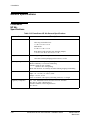
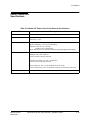
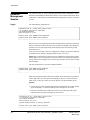
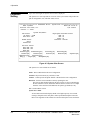
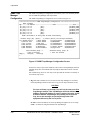
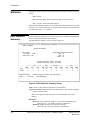
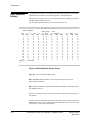
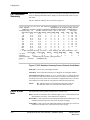
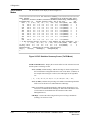
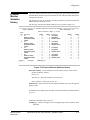
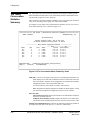
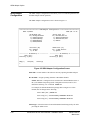
The SNMP Trap Manager Configuration screen allows you to view and alter parameters for SNMP Trap Manager related operations.
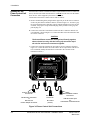
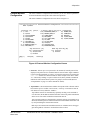
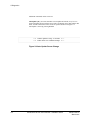
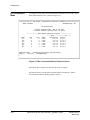
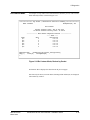
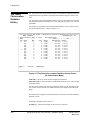
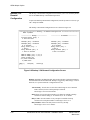
The SNMP Trap Manager Configuration screen is shown in Figure 4-7.
*********************** SNMP Trap Manager Configuration ************************
Name: F@43802
Mgr ------ IP Address ----- ---------------- Name ---------------- ---- Path --#1 [T1=]:0.0.0.0
[N1=]:
[P1=WorP]:WAN
#2 [T2=]:0.0.0.0
[N2=]:
[P2=WorP]:WAN
#3 [T3=]:0.0.0.0
[N3=]:
[P3=WorP]:WAN
#4 [T4=]:0.0.0.0
[N4=]:
[P4=WorP]:P/C
#5 [T5=]:0.0.0.0
[N5=]:
[P5=WorP]:P/C
#6 [T6=]:0.0.0.0
[N6=]:
[P6=WorP]:P/C
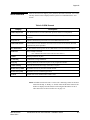
NOTE: Each Name & IP entry must be made individually.
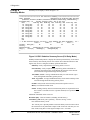
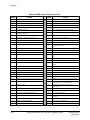
Disable Traps [B=] ([B=m,n,...r] and/or
>> 1)Authen Fail<<
7)Netw Thresh
2)Carrier Loss
8)User Thresh
3)Out of Serv
9)DTR Loss
4)DSU Failure
10)DtePowerLoss
5)LMI NetwFail
11)Modem Fail
6)LMI UserFail
12)DialLineFail
Help[?]
>
Clear Holdoff [H=#]: 5
1 thru 15 minutes
Save[SA]
Cancel[X]
[B=m-n] for multiple disables)
13)ContactSense
19)ISDN Backup
14)BECN/FECN
20)ISDN Demand
15)IsdnAdptFail
21)PVCDrpdThres
16)IsdnLineFail
22)PVCDlvdThres
17)PVCDly Thresh
23)PVCAvailable
18)Login Fail
24)PVCUnavail
Terminate Delay [D=#]: 45
1 thru 120 seconds
Figure 4-7 SNMP Trap Manager Configuration Screen
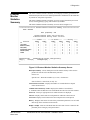
Occurrences of any Traps (unless disabled), will be sent to all Trap Managers defined,
including Traps sent Out-of-Band (dial-out) using the FrameSaver NP 64+ internal
modem.
Out-of-Band Traps, however, will only be sent provided the modem is not already in
use when the trap occurs.
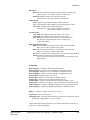
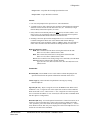
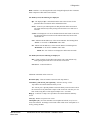
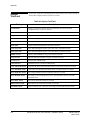
1. Mgr # n (1-6) - Parameters to be selected for each Trap Manager are as follows:
Each Trap Manager defined will be sent a copy of each Trap (alarm) that occurs.
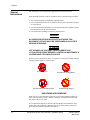
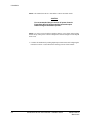
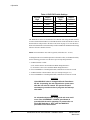
CAUTION
The Loss-of-Power (cry-for-help) Trap will only be sent to the First
Trap Manager defined. This Trap Manager should be defined with
a WAN or Payload IP Address to ensure receipt of this trap. A CPE
IP Address defined Trap Manager will probably not receive this
Trap, due to this message not passing through other CPE
equipment affected by the loss of power.
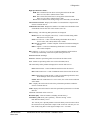
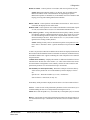
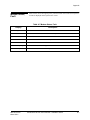
IP Add - Sets the IP Address for each Trap Manager designated to receive Traps.
Name - 32-character string that identifies the Trap Manager.
4-18
FrameSaver NP 64+ User’s Manual - Installation Guide
980-001-0221C
March 2001