1
5.7 ADJUST
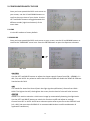
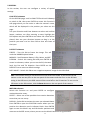
SHARPNESS submenu
This submenu lets you switch the SHARPNESS function off or
on, and lets you select the LEVEL of sharpness. It also lets
you switch the RESOLUTION function off or on.
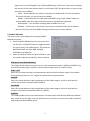
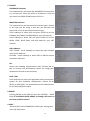
MONITOR submenu
This submenu lets you choose which monitor type is closest
to the type you are using. It also lets you fine-tune the
signal that is sent to the selected monitor type.
Scroll sideways to select LCD and press ENTER to set the
GAMMA, BLUE GAIN, and RED GAIN for your LCD monitor.
Scroll sideways to select CRT and press ENTER to set the
BLACK LEVEL, BLUE GAIN, and RED GAIN for your CRT
monitor.
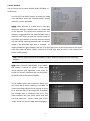
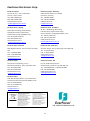
OSD submenu
TEXT COLOR – Scroll sideways to select the most suitable
color for the OSD text.
OUTLINE – Scroll sideways to switch OFF or ON the outline
around the OSD text.
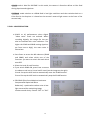
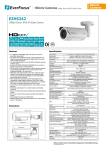
LSC
Switch Lens Shading Compensation (LSC) function ON or
OFF to corrects the phenomenon where the image gets
darkened or blurred on the periphery.
NTSC / PAL
Scroll sideways to select the applicable video transmission
system for your hardware configuration. Choose 30 Hz
(NTSC) or 25Hz (PAL); this also determines the video format
for the SD (CVBS) test output.
5.8 RESET
Pressing ENTER in this field will open the FACTORY … RESET
field. IF YOU PRESS ENTER AGAIN, all settings will return to
the factory default values!
5.9 EXIT
Selecting EXIT will AUTOMATICALLY SAVE your settings and
close the OSD screen.
19