1
g
GE Security
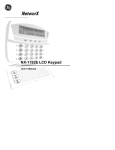
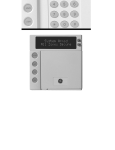
KEYPAD DISPLAY & LED’S
Understanding the lights
Fire Light
Ready Light
Up & down
scroll keys
Armed Light
Power Light
Programmable
emergency
activation keys
5 function keys
Numeric
code entry keys
the door is detachable
and can be removed
or replaced when
desired
The appropriate
stickers should be
applied on the door
of your keypad for
the Emergency
Activation keys that
are programmed to
work with your
system
Armed Light
The armed light is “on” when the system is armed. The armed light is “off” when it is
disarmed. The armed light will flash when there has been an alarm during the previous arm
cycle.
Bypass Light
The bypass light is “on” when any zone in this keypad’s partition is bypassed. If the bypass
light is “off”, no zones are bypassed.
Cancel Light
The cancel light will flash during an abort delay time. Entering a code followed by the
[CANCEL] key during or after an alarm report to the central station will cause the cancel
light to come on. It will stay on until the central station has received the cancel report.
NOTE: The cancel feature must be enabled. (See "Cancel/Abort Feature")
Chime Light
The chime light is “on” when the chime feature is “on”; “off” otherwise.
NX-148E User manual
Page 6
04/10/04