1
•
Searching can be targeted at specific medie, for instance searching only indexed PDF files, HTML-files, Word-files,
Typo3-pages or everything
•
The engine is language sensitive based on the multiple-language feature of Typo3's CMS frontend.
•
Searching can be performed in specific sections of the website.
•
Results can be sorted descending or ascending and ordered by word frequency, weight, location relative to page top,
page modification date, page title, etc.
•
The display of search results can be intelligently divided into sections based on the internal page hierarchy. Thus results
are primarily grouped by relation, then by hit-relavance.
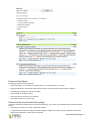
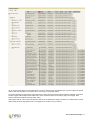
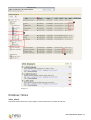
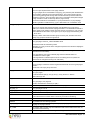
This shows the full range of default options for “advanced search”:
User manual
Adding the search plugin to a page
That is really easy:
1. Create a page called “Search” or something like that. This is where the seach box will appear.
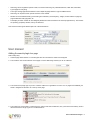
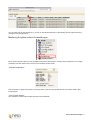
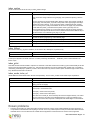
2. Then create a new content element on that page. From the Web>Page module you can do it like this:
3. Then select some plugin-type if you can. It doesn't matter if it's a guestbook or forum. Or if no plugins are available, just
select a “Regular text element” as in the top of the page.
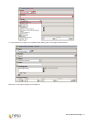
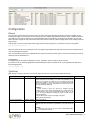
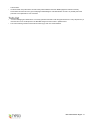
4. Then make sure “Insert plugin” is selected (if not, select it and save the element, then you'll see the form below), enter a
title and select the “Plugin” type to be “Indexed search”:
EXT: Indexed Search Engine - 3