1
Rob4319x_USER.qxd
U-2
6/5/02
6:31 AM
Page U-2
CD-ROM USER MANUAL Integrating Technology Across the Curriculum
Part I: Introduction
■
What Is the Integrating Technology Across the
Curriculum Database?
Integrating Technology Across the Curriculum is a collection
of over 500 technology integration ideas stored in a computer program called a “database.” Database programs let
people put information into the computer in such a way that
it is easy to get out only those items of information that meet
a certain need. For example, a teacher may want lesson ideas
that use multimedia/hypermedia at elementary levels. Rather
than reading each lesson to find those that meet this particular need, the teacher simply tells the database to list only
those lessons that use multimedia with Grades K–5.
Classroom-tested technology integration examples
have been published in many formats (e.g., articles, books,
on the Web). Lessons were gleaned from several of these
sources. They were summarized and placed on a database
developed with FileMaker Pro® software.
■
■
Locating an idea to meet a certain need. Teachers
can use it to answer questions such as: “Can technology be used to support teaching writing in an interdisciplinary way?” or “What are some good examples of
using spreadsheets in mathematics?”
Illustrating technology integration strategies for
various resources. Have students ask, “How can word
processing be used in areas other than language arts?”
Teaching database use and searches. Show preservice
students how to locate all lessons for a given grade level,
content area, and/or type (e.g., plans in science at the fifth
grade level), or teach them how to add lessons of their own.
What Do You Have to Know to Use It?
This product was designed for non-technical teachers and
students. You do not have to know much about databases to
use it. That is because this manual gives explanations and
examples to help new users, and the database structure itself is very intuitive and easy to use.
New in This Version
Why Was This Collection Developed?
This collection of lesson ideas was developed to promote
and support the integration of technology into teaching in
content areas such as mathematics, science, and language
arts. These “technology integration strategies,” or descriptions of when, where, and how to use technology to help
teach school topics, help schools take advantage of technology’s power and potential in several ways. They help:
■
■
■
■
Focus teacher training on technology integration
strategies, rather than on how various technologies work
Allow teachers to look at good, classroom-tested examples of integration strategies in many content areas
Give preservice/inservice teachers and teacher educators good models for how to use technology resources
(e.g., multimedia, spreadsheets, the Internet)
Help teachers find specific technology integration
strategies to meet their classroom needs.
In this, the second version of Integrating Technology Across
the Curriculum, several new and valuable features have
been added:
■
■
Who Can Use This Product?
Integrating Technology Across the Curriculum is useful for:
■
■
■
Classroom teachers looking for resources and lesson
ideas
Teacher educators and trainers showing examples
of technology integration in various content areas
Inservice/preservice teachers learning how to use
databases.
How Can It Be Used?
This database could supplement and enhance any teacher
training course or workshop; or it could be useful to teachers in classrooms. Activities that could be done with it include the following.
Over 250 additional lesson ideas. Many of the new
entries focus on the Internet and online learning and
have been drawn from sites recommended by Blue
Web ‘n, an online collection of prize-winning Internet
teaching and learning strategies. Other new entries
have been based on articles from 1999–2002 issues of
ISTE’s Learning and Leading with Technology.
Relative advantage emphasis. This new lesson descriptor focuses on the unique or powerful aspects technology
resources bring to a lesson, thus allowing teachers to do
something they could not do or could not do as well as
they could without the resources. Relative advantage is a
term used by diffusion of innovations expert Everett
Rogers to refer to perceptions by those considering the
adoption of an innovation of the benefits of the new
method or resource over what they currently use. (See
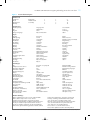
the list of the types of Relative Advantage in Figure 1.)
Part II: Contents of the Database
An Overview of the Lessons
The 500 lesson ideas in this database are drawn from
these sources:
■
The International Society for Technology in Education’s (ISTE) Learning and Leading with Technology
(formerly The Computing Teacher). Many articles
from this popular periodical, now in its 30th year of publication by the country’s premier educational technology