1
USER MANUAL
2. PATRIOT System Commands
2.1 Overview
This section specifies the PATRIOT Command Interface. It defines the structure and
function of PATRIOT commands and responses.
The interface is comprised of ASCII commands and binary or ASCII response frames.
The ASCII commands are designed to work in a ‘dumb terminal’ mode, thus keeping the
communications protocol simple and easy to use. These commands are the basis of the
Polhemus APIs.
Additional information is provided in this document to give the reader some background
in the terminology and general science behind the Polhemus tracking technology.
All commands are input on the RS-232 serial port or USB port.
2.2 Command Syntax
2.2.1 Notation
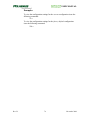
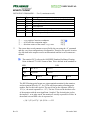
The following notation is used in this manual to describe the PATRIOT command
syntax:
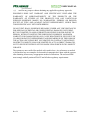
[]
Items shown inside square brackets are optional. To include
optional items, type only the information inside the brackets. Do
not type the brackets.
<>
Represents an ASCII carriage return or “enter” (‘^M’, 0x0d).
Whenever shown this value must be present to terminate the
command sequence.
...
An ellipsis indicates that you can repeat an item.
,
A comma represents a delimiter in a list of optional parameters.
The comma must be present for those parameters which are
omitted except for the case of trailing commas. For example:
Qs,p1,,,p4<>
is the proper command format when omitting parameters p2 and
p3. Commas following the parameter p4 are not required if
parameters p5 and p6 are omitted.
|
A vertical bar means either/or. Choose one of the separated items
and type it as part of the command. For example,
“ON|OFF” indicates that you should enter either ON or OFF, but
not both. Do not enter the vertical bar.
Rev. B
18
November 2004