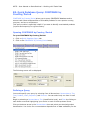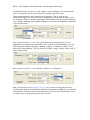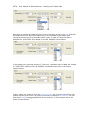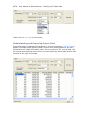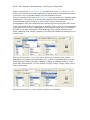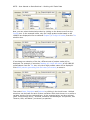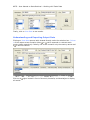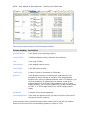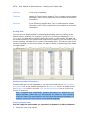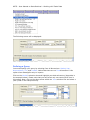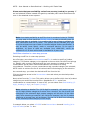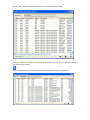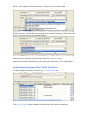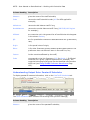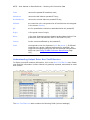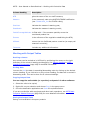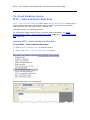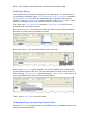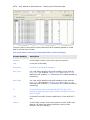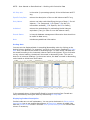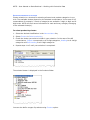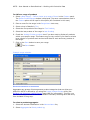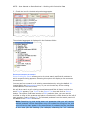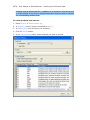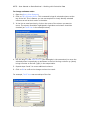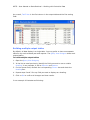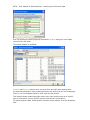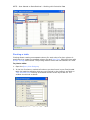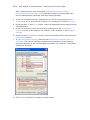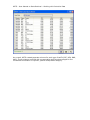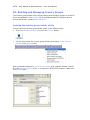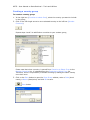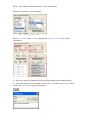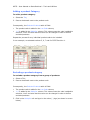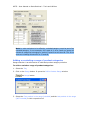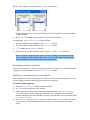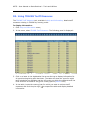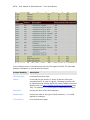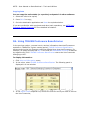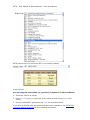
1
World Integrated Trade Solution User Manual Volume 1: Data Retrieval in WITS Version 0.9 September 2006 THE WORLD BANK Authors: Azita Amjadi, Information Officer, DEC Data Group; Philip Schuler, Senior Economist, PREM Trade Olivier Jammes, WITS Project Coordinator, DEC Data Group For feedback, please send emails to Olivier Jammes ([email protected]) or go to WITS online discussion forum at: http://wits.worldbank.org/witsweb/Forum/default.aspx For updates and an electronic version of this document, please go to: http://wits.worldbank.org/witsweb/forum/?f=18 2 WITS – Help on Data Retrieval Table of Contents: Introduction ............................................................................................. 8 How to use this manual ..............................................................................8 Typographical conventions..........................................................................8 A. WITS BASICS ....................................................................... 9 A1. Module Overview and Objectives .......................................................10 A2. What is WITS? ...................................................................................10 WITS is software ..................................................................................... 10 WITS is client-server based ...................................................................... 11 WITS Features ........................................................................................ 11 Getting access to WITS ............................................................................ 11 A3. Exploring WITS Workspace................................................................12 The Five Menus ....................................................................................... 13 A4. Databases: Principles, data and coverage..........................................14 Database content and coverage................................................................. 15 A5. Understanding and Exploring Nomenclatures ....................................16 Exploring nomenclatures .......................................................................... 17 Available nomenclatures in WITS ............................................................... 19 A6. Checking Data Availability (Catalogs) in WITS ..................................21 Checking Data Availability in COMTRADE .................................................... 21 Checking Data Availability in TRAINS ......................................................... 23 Checking Data Availability in WTO IDB ....................................................... 25 Checking Data Availability in WTO CTS ....................................................... 27 A7. Converting nomenclatures: Principles ...............................................29 A8. Checking product Concordances in WITS ...........................................31 Concordance Table Content Description...................................................... 33 Sorting a concordance table...................................................................... 33 Saving a concordance table ...................................................................... 33 B. WORKING WITH TRADE DATA ............................................ 34 B1. Working with Trade Data - Review and Objectives ............................35 B2. Background and principles about trade information ..........................36 Sources of Trade Information in WITS ........................................................ 36 Imports, Exports and Mirror Data with COMTRADE....................................... 37 Exports versus Re-exports in COMTRADE.................................................... 37 Imports versus Re-imports in COMTRADE ................................................... 38 WITS – Help on Data Retrieval Using World as a Reporter ........................................................................ 38 European Union and Trade Statistics .......................................................... 38 B3. Quick Database Query: COMTRADE by Country/Period ......................39 Opening COMTRADE by Country/Period ...................................................... 39 Defining a Query ..................................................................................... 39 Understanding and Exporting Output Data .................................................. 42 B4. Quick Database Query: COMTRADE by Product ..................................46 Opening COMTRADE by Product ................................................................ 46 Defining a Query ..................................................................................... 46 Understanding and Exporting Output Data .................................................. 49 B5. Quick Database Query: TRAINS – View and Export Raw Data ............51 Opening TRAINS – View and Export Raw Data............................................. 52 Defining a Query ..................................................................................... 52 Understanding and Exporting Output Data .................................................. 53 B6. Quick Database Query: TRAINS – Trade, Tariffs, NTBs.......................56 Opening TRAINS – Trade, Tariffs, NTBs ...................................................... 56 Defining a Query ..................................................................................... 57 Understanding and Exporting Output Data .................................................. 60 B7. Quick Database Query: WTO – View and Export Raw Data.................61 Opening WTO – View and Export Raw Data................................................. 61 Defining a Query ..................................................................................... 62 Understanding and Exporting Output Data .................................................. 63 B8. Quick Database Query: WTO Integrated Database.............................66 Opening WTO Integrated Database ............................................................ 66 Defining a Query ..................................................................................... 67 Understanding and Exporting Output Data .................................................. 69 B9a. Advanced Query on COMTRADE – Introduction ................................71 B9b. Advanced Query on COMTRADE – Defining a Query .........................72 Opening Advanced Query ......................................................................... 72 Selecting a Database and Naming the Query............................................... 72 Selecting Reporters.................................................................................. 73 Selecting Products ................................................................................... 75 Selecting Partners ................................................................................... 83 Selecting Years ....................................................................................... 85 Selecting Flows ....................................................................................... 85 Reviewing your query .............................................................................. 86 WITS – Help on Data Retrieval Saving the Query .................................................................................... 86 B9c. Advanced Query – Submission .........................................................87 Submitting the query ............................................................................... 88 B9d. Advanced Query – The Status Window.............................................88 Opening the Status window ...................................................................... 89 Refreshing the Status window information .................................................. 91 Opening Query Results............................................................................. 91 B9e. Advanced Query – The Result Table .................................................91 B9f. Advanced Query – Customizing Output Tables .................................94 Adding and Removing columns.................................................................. 95 Changing columns order ........................................................................... 97 Building multiple output tables .................................................................. 99 Pivoting a table ..................................................................................... 101 C.WORKING WITH PROTECTION DATA ................................. 104 C1. Working with Protection Data - Review and Objectives ...................105 WITS Tools ........................................................................................... 105 C2. Background on Trade Policy Measures in WITS................................106 Sources of Protection Data...................................................................... 106 Types of Tariffs ..................................................................................... 107 Forms of Import Tariffs .......................................................................... 111 Ad-Valorem Equivalents of non Ad-Valorem Tariffs .................................... 112 Non-Tariff Measures............................................................................... 112 C3. Quick Database Query: TRAINS – View and Export Raw Data ..........113 Opening TRAINS – View and Export Raw Data........................................... 113 Defining a Query: Tariff - Raw Data ......................................................... 114 Understanding Output Data: Tariff - Raw Data .......................................... 115 Defining a Query: Ad-Valorem Equivalent Tariffs ....................................... 116 Understanding Output Data: Ad-Valorem Equivalent Tariffs ........................ 117 Defining a Query: Non Tariff Measures ..................................................... 119 Understanding Output Data: Non-Tariff Measures ...................................... 119 Working with Output Tables .................................................................... 120 C4. Quick Database Query: TRAINS – Trade, Tariffs, NTBs.....................122 Opening TRAINS – Trade, Tariffs, NTBs .................................................... 122 Defining a Query ................................................................................... 123 Understanding Output Data: Tariff Schedules............................................ 125 WITS – Help on Data Retrieval Understanding Output Data: Paratariff Schedules ...................................... 126 Understanding Output Data: Non-Tariff Barriers ........................................ 127 Working with Output Tables .................................................................... 128 C5. Quick Database Query: WTO – View and Export Raw Data...............129 Opening WTO – View and Export Raw Data............................................... 129 Defining a Query ................................................................................... 130 Understanding and Exporting Output Data ................................................ 130 C6. Quick Database Query: WTO Integrated Database ...........................133 Opening WTO Integrated Database .......................................................... 133 Defining a Query ................................................................................... 134 Understanding and Exporting Output Data ................................................ 136 Working with Output Tables .................................................................... 137 C7. Quick Database Query: WTO CTS – View and Export Raw Data ........138 Opening WTO CTS – View and Export Raw Data ........................................ 138 Defining a Query ................................................................................... 139 Understanding and Exporting Output Data ................................................ 139 C8. Quick Database Query: WTO CTS – View and Export 6 Digit Raw Data ..............................................................................................................143 About 6-digit bound tariff aggregation...................................................... 143 Opening WTO CTS – View and Export 6 Digit Raw Data .............................. 143 Defining a Query ................................................................................... 144 Understanding and Exporting Output Data ................................................ 145 C9a. Advanced Query on TRAINS / IDB – Introduction..........................147 C9b. Advanced Query on TRAINS / WTO – Defining a Query..................148 Opening Advanced Query ....................................................................... 148 Selecting a Database and Naming the Query............................................. 149 Selecting Reporters................................................................................ 150 Selecting Products ................................................................................. 152 Selecting Partners ................................................................................. 161 Selecting Years ..................................................................................... 162 Reviewing your query ............................................................................ 162 Saving the Query .................................................................................. 163 C9c. Advanced Query – Submission .......................................................164 The General Tab .................................................................................... 164 The Tariff Tab ....................................................................................... 166 Optional Indices Tab .............................................................................. 171 WITS – Help on Data Retrieval Submitting the query ............................................................................. 171 C9d. Status Window...............................................................................171 C9e. Advanced Query – The Result Table ...............................................171 C9f. Advanced Query – Customizing Output Tables................................174 Adding and Removing columns................................................................ 175 Changing columns order ......................................................................... 177 Building multiple output tables ................................................................ 179 Pivoting a table ..................................................................................... 181 D. WITS TOOLS..................................................................... 184 D1. Building and Managing Country Groups ...........................................185 Opening the country group builder utility.................................................. 185 Creating a country group........................................................................ 186 Editing a country group .......................................................................... 187 Deleting a group.................................................................................... 188 D2. Building and Managing Product Groups ...........................................188 Opening the product group builder utility.................................................. 188 Creating a product group........................................................................ 189 Adding a product Category ..................................................................... 191 Excluding a product category .................................................................. 191 Adding or excluding a range of product categories ..................................... 192 Resetting product selection ..................................................................... 193 Editing an existing group of products ....................................................... 193 D3. Using TRAINS Tariff Measures .........................................................194 D4. Using TRAINS Preference Beneficiaries ...........................................196 E. ANNEXES .......................................................................... 198 Annex 1. About WITS HS Combined Nomenclature ................................199 Annex 2. WITS – Interface Components ................................................200 Annex 3. WITS – Basic Computer Related Concepts...............................208 Annex 4. Glossary of Trade and Market Protection Related Terms .........214 WITS – Help on Data Retrieval Introduction This document introduces you to the World Integrated Trade Solution (WITS). The manual gives an overview of the product, introduces conceptual information about trade and market access, and shows you how to build queries and retrieve data through a series of demonstrations and examples. This volume covers WITS features regarding data retrieval (Quick and Advanced Queries). A separate document discusses WITS simulation tools. The information in this manual is designed for all users, but beginners and intermediate users would notably benefit from the very detailed step-by-step explanations. How to use this manual This document is divided into four parts: WITS Basics (module 1) presents a general introduction to WITS and some very fundamental information about included databases. It is therefore highly recommended even to those who have been already using WITS. Working with Trade Data (module 2) explains how to retrieve and analyze trade data from the various databases within WITS. Working with Protection Data (module 3) mostly focuses on how to retrieve and analyze tariff data from the various databases within WITS. Annexes contain a Glossary of Trade and Market Protection Related Terms, a description of WITS Interface Components and some Basic Computer Related Concepts. You can read the chapters of this manual in order, or you can read WITS basics and then start with the chapter that best suits your interest. Typographical conventions The following typographical conventions are used in this manual: blue texts (or grey if black and white copy) indicate WITS commands, features and elements; Blue underlined texts indicate references to other documents or sections of the document; It may also indicate links to the web. Numbered lists describe step-by-step processes; Blue background notes (or grey if black and white copy) provide with important information. WITS – User Manual on Data Retrieval – Basics A. WITS BASICS WITS – User Manual on Data Retrieval – Basics A1. Module Overview and Objectives This module presents a general introduction to WITS and some very fundamental information about included databases. It is therefore highly recommended even to those who have been already using WITS. After completing this module, you should be able to: Understand how WITS operates Know about each database principles, contents and coverage; Know the difference between WITS as a software and its databases; Check data availability; Understand and review nomenclatures; Understand and review concordances; In this module, you will learn how to use the following Help and Information related tools available in WITS: Tools for checking data availability: o o o o COMTRADE Catalog TRAINS Catalog WTO IDB Catalog WTO CTS Catalog Nomenclature related tools: o o Available Classifications Available Product Concordances A2. What is WITS? WITS is software WITS gives access to international trade and protection related data and offers builtin analytical tools allowing users to assess the impact of tariff changes. WITS is software developed by the World Bank. It includes several databases provided by partner international organizations and other sources. This combination of various data sources within unique software makes data retrieval and analysis easy and more comprehensive. WITS – User Manual on Data Retrieval – Basics WITS is client-server based WITS relies on client-server technology mostly because of the size of the databases. The complete set of data available from WITS is equivalent to 600 CD-ROMs. The WITS client must be installed on your computer. It contains all features to define queries and to build simulations. It communicates through the Internet with the WITS server which hosts databases and performs computation. Result of each submitted job is transferred from the server to the client’s computer. WITS Features The WITS software is both: A gateway to trade and protection raw data (Quick Queries); An analytical tool able to produce aggregated statistics (Advanced Queries) and to simulate the impact of tariff changes on the various tariffs structures (Advanced Tariff Change Simulation tool) as well as on trade flows, tariff revenues and welfare (SMART, GSIM). Getting access to WITS WITS software is public and free. Access to the databases depends on the dissemination policy of each database owner (see The databases (page 14) for more information). You can use WITS without access to all databases. A 3 step process: 1. Individual registration is required and is done online at: http://wits.worldbank.org/witsweb/Register/default.aspx) 2. You will then receive an email confirming your registration. Download WITS client software by using the link included in the email and install it on your computer. You may want to review the technical requirements (at http://wits.worldbank.org/witsweb/Faq/Installation.aspx) in order to make sure your hardware and software configuration can operate WITS. 3. Use your internet browser to connect to the WITS server through the Internet. For all information on WITS you can visit our web site at: http://wits.worldbank.org/witsweb You can also visit WITS Discussion Forum at: http://wits.worldbank.org/witsweb/Forum/default.aspx WITS – User Manual on Data Retrieval – Basics A3. Exploring WITS Workspace WITS software operates within MS Internet Explorer the same way a web page does. To access WITS, go to wits.worldbank.org in MS Internet Explorer. WITS welcome page opens in your browser. Internet Explorer with WITS software welcome page Use the WITS menu bar to access all WITS modules and features. WITS menu bar To open a module: 1. Click on a menu title to view the corresponding options; 2. Click on any option/entry to open the corresponding module. WITS – User Manual on Data Retrieval – Basics Example: The Quick Database Query menu and list of options Clicking COMTRADE by Country/Period opens the corresponding tool As shown in the screenshot above, WITS uses dropdown lists, option boxes and buttons to help you define your query. It also uses text fields, child windows, tabs, tree controls and other Windows interface components extensively. If you are not familiar with these elements, you may want to have a look at WITS Interface Components (page 199) and WITS Basic Computer Related Concepts (page 208). The Five Menus Quick Database Query The Quick Database Query gives access to all database information at the raw data level. The principle of these modules is to define a simple query and obtain results quickly. For some databases, several modules are proposed to retrieve data along different dimensions (by country/period versus product in most cases). Quick queries are detailed later in this document. WITS – User Manual on Data Retrieval – Basics Analytical Tools The Analytical Tools Menu proposes several simulation tools to estimate the impact of tariff changes on the tariffs structures, on trade, tariff revenue and welfare. These features are detailed in Advanced Course - Analytical Tools in WITS. Advanced Query The Advanced Query module offers a lot of flexibility and options to define large and complex queries. This module uses HS 6-digit level aggregated data to produce comparable results among countries. Queries can handle country and product groups to generate aggregated statistics. Output tables can be customized to fit your reporting needs. Advanced queries are detailed later in this document, in Advanced Query on COMTRADE – Introduction (page 71) and in Advanced Query on TRAINS / WTO IDB – Introduction (page 147). Utilities The Utilities menu gathers various tools aimed at increasing your productivity with WITS like definition of product and country groups you often use in your queries. WITS utilities are introduced later in this course. Help and Information The Help and Information menu gives access to reference material like database catalogs, nomenclatures and concordances. All tools are detailed in the rest of the documentation. A4. Databases: Principles, data and coverage WITS is software fed by databases which can be queried individually or in combination. Thanks to this unique gathering of data, WITS offers the largest country/period coverage available on international trade and market access information. WITS includes 3 major databases maintained by partner international organizations: The UNCTAD TRAINS; The UNSD COMTRADE. The WTO IDB/CTS; It also includes some more specific databases: AMAD; The CEPPII MACMAP; WITS – User Manual on Data Retrieval – Basics Each organization monitors access to its own database through WITS, based on its own dissemination policy: UNSD COMTRADE: access is free to users in most international organizations but all other users (including government staff) must pay an annual fee; UNCTAD TRAINS: free access to users in international organizations as well as staff in developing country governments and regional organizations. Other users must pay an annual fee. WTO IDB/CTS: free access to all but WTO member government staff accesses the information at the national tariff line level (NTL) while others access information at the 6-digit level of the Harmonized System (HS) nomenclature (more aggregated level than the NTL). AMAD: free access to all users. CEPPII MACMAP: free access to all users for tariff information, UNSD COMTRADE subscribers can also access trade information. You do not need to have access to all databases to use WITS. For more information on database access aspects, you can visit our web site at: http://wits.worldbank.org/witsweb/Faq/basics.aspx Database content and coverage Databases are fed by collecting data from reporting countries on an annual basis. Missing information for a given country/period generally means the country did not report data for that specific time period. UNSD COMTRADE: contains annual trade flow information covering imports, exports and re-exports since 1962. COMTRADE contains trade value and quantity by product category in SITC (since 1962 and HS since 1988 (more details on nomenclatures in Understanding nomenclatures page 16). UNCTAD TRAINS: contains annual imports (values), tariffs structures (Bound, MFN Applied and Preferential tariffs, ad-valorem or not) and Non-Tariff Barriers information since 1988 at the National tariff line (NTL) level. The National tariff structure is country specific and may contain up to 15,000 distinct lines. WTO IDB/CTS: contains annual imports (values) and tariff structures (current and final Bound, MFN Applied and Preferential tariffs, ad-valorem or not) since 1996 at the National tariff line level for WTO member countries only. The National tariff structure is country specific and may contain up to 15,000 distinct lines. WITS – User Manual on Data Retrieval – Basics Summary data coverage by database Data Type UNSD COMTRADE UNCTAD TRAINS WTO IDB WTO CTS Since Countries Details Imports, Exports, Re-Exports 1962 274 HS 6-digit Imports 1988 70 NTL* Tariffs 1988 157 NTL Non-Tariff Barriers 1992 95 NTL Imports 1996 77 NTL Tariffs 1996 106 NTL Final Bound tariffs 1995 127 NTL * missing NTL imports are completed with HS 6-digit level imports from COMTRADE. A5. Understanding and Exploring Nomenclatures All queries in WITS are based on the nomenclature (or classification) principle which is therefore crucial when working with WITS. Nomenclatures in WITS are standard internationally recognized classifications used for trade, tariff, and industry and national income accounts’ purposes. These classifications are used by countries and international organizations to standardize the content, format and structure of outputs and make them comparable across countries. Nomenclatures are revised with time in order to take into account changes in international trade. For example, the Harmonized System (HS) nomenclature has been introduced in 1988 and has been through two major revisions since then. Each version corresponds to an extension overall but some product categories have also been deleted or aggregated with others during the revision process. Example: HS versions and respective number of products Version Starting Year # of products 0 1988 5018 1 1996 5113 2 2002 5224 WITS – User Manual on Data Retrieval – Basics In the COMTRADE database, data are recorded using several nomenclatures and versions depending on the country/period: SITC since 1962; HS since 1988. Note that some countries may be still using SITC to report trade information to UNSD COMTRADE. In TRAINS and IDB, data are recorded using HS only. Beside these two native (used by countries for reporting) nomenclatures, WITS proposes other nomenclatures. These are called derived nomenclatures. We will see in Converting Data Between Nomenclatures (page 29) how to use these derived nomenclatures but for now let’s look at how a nomenclature looks. Exploring nomenclatures All information on nomenclatures can be accessed from the Help and Information menu, by choosing Available Classifications: The following panel is displayed: WITS – User Manual on Data Retrieval – Basics By default, the SITC Revision 1 nomenclature is selected in the Nomenclature dropdown list and its structure is displayed. Nomenclatures are organized in product categories using a tree structure. Starting from Total Trade (the trunk) the structure goes into more details through several levels of product categories down to the leaf (product) level. Clicking on the folder icon ( ) expands a branch and display subcategories. Structure of the SITC Revision 1 nomenclature - Extract : closed folder stands for a contracted category. : sheet icon stands for a product category which does not contain any additional sub-categories (leaf level). : open folder stands for an expanded category. Double click on it to reverse to the contracted view. Let’s now open the HS 2002 nomenclature (using the dropdown list) to compare its structure with the SITC one. Structure of the HS 2002 nomenclature - Extract These two examples demonstrate the homogenous versus heterogeneous structure principle. Indeed, the HS nomenclature has a homogenous structure of product categories: a Chapter level (2-digit) category contains some Heading (4-digit) categories which include Sub-heading (6-digit) categories. The 6-digit categories do WITS – User Manual on Data Retrieval – Basics no contain any further sub-categories and are called the leaf level. The SITC nomenclature is heterogeneous and you may find the leaves at various levels of the structure depending on the category. For example, 10 is a leaf category while 11 is not, 110 is but 111 is not and so on. Structure of the GTAP nomenclature – Extract The example above demonstrates that some nomenclatures like the GTAP may have a very simple one level structure. There is no product category containing subcategories and the first level is the leaf level. The proper classification to use depends on the requirements of a particular study; and, that may entail potential trade-offs. For example, if the maximum level of trade detail is required, select the most current Harmonized System (HS); the trade-off is that the number of years available will be few since countries only began using this classification in 2002. If a maximum number of years is the requirement, use SITC, Revision 1 with data from 1962; the trade-off is that this trade classification has a less amount of detail. Available nomenclatures in WITS External Trade and Tariff Classifications Six international classifications applied to trade and tariff data are available in WITS: H2 - The Harmonized Commodity Description and Coding System, or Harmonized System (HS), 2002 version with data from 2002. This is a tariff and trade classification maintained by the World Customs Organization (WCO); H1 - HS 1996 version with data from 1996. This is a tariff and trade classification maintained by the World Customs Organization (WCO); it preceded HS02 and most countries using the Harmonized System as the basis for recording their trade and tariffs will make the transition to it; H0 - HS 1988/1992 version with data from 1988. This is a tariff and trade classification maintained by the WCO; it preceded HS96 and most countries using the Harmonized System as the basis for recording their trade and tariffs have made the transition to it; WITS – User Manual on Data Retrieval – Basics S3 - The Standard International Trade Classification (SITC), Revision 3 with data from 1986. This is a trade classification maintained by the United Nations (UN) and is the last in a series of three revisions of SITC which are used primarily for analysis of trade flows; S2 - SITC, Revision 2 with data from 1976. This is a trade classification maintained by the UN. It is the basis for Revision 3; and, S1 - SITC, Revision 1 with data from 1962. This is a trade classification maintained by the UN. It is the basis for Revision 2. Industry Classifications Two classifications are included in WITS: I3 - The International Standard Industrial Classification (ISIC) of All Economic Activities, Revision 3. This is an industry classification maintained by the UN. This classification of economic activities is arranged so that entities can be grouped according to the activity they carry out. ISIC, Revision 3, was introduced in 1989; and, I2 - ISIC, Revision 2 was introduced in 1968. This is an industry classification maintained by the UN. It is the basis for Revision 3. National Income Accounts A single classification is available: B1 - Classification by Broad Economic Categories (BEC). This is a national income accounts classification maintained by the UN. BEC is intended to categorize trade statistics into large economic classes of commodities and was developed in such a way as to provide elements that enable the construction of aggregates approximately comparable to those for the three basic classes of goods in the 1968 UN System of National Accounts (SNA). For detailed information on the international family of classifications and their uses, go to the United Nations Statistical Divisions Classifications Registry: http://esa.un.org/unsd/cr/. This web site also provides the complete structure of the classifications in several languages. Other WITS contains four other classifications that are used in the system which are not international standards: MTN – WTO Multilateral Trade Negotiation (MTN) aggregations of Agricultural and Industrial Products into broad categories of interest such as ‘Fish and Fish Products’, ‘Tropical Beverages’, Transport Equipment’, ‘Electric Machinery’, ‘Petroleum’, etc. Also covered are Stages of Processing: raw, semi, and finished product categories, each of which is subdivided into agriculture and industry. SIC - the United States Standard Industrial Classification (SIC). The SIC is the standard statistical classification for all economic statistics classified by industry. It is used to promote the comparability of establishment data describing the US economy, covers the entire field of economic activities and defines industries in accordance with the composition and structure of the economy. GTAP - The University of Purdue Global Trade Analysis Project (GTAP) was established in 1992, with the objective of lowering the cost of entry for those WITS – User Manual on Data Retrieval – Basics seeking to conduct quantitative analyses of international economic issues in an economy-wide framework. For more information, see the GTAP documentation at http://gtap.agecon.purdue.edu). HS Combined - the HS Combined nomenclature combines all current and historical revisions of HS. As a country reports its tariff scheduled for a given year in only one revision (HS88/92 (H0), HS96 (H1) or HS2002 (H2)), combining these different revisions enables users to choose products without knowing in which nomenclature a particular country reports in a particular year. We will come back to this nomenclature latter in the course in Using Advanced Query on TRAINS and WTO/IDB databases. (page 153). A6. Checking Data Availability (Catalogs) in WITS Checking data availability should be the very first task in WITS. It will help you define queries that will return results as expected. Information on data availability is stored in WITS in individual database catalogs. Since some types of data are available in more than one database (tariffs in TRAINS and IDB for example), you may want to compare what is actually available in each database to choose your data source. Basically you will review the following points: Country coverage; Type of data; Period coverage; Level of detail. Checking Data Availability in COMTRADE As described in The Databases (page 14) COMTRADE contains trade flow information (values and quantities) since 1962 based on SITC and HS classifications. To open the COMTRADE catalog: 1. Click on Help and Information menu; 2. Click on the COMTRADE Catalog option. WITS – User Manual on Data Retrieval – Basics The Help and Information Menu The following panel is displayed: COMTRADE Catalog Data availability is displayed in a table with countries in rows and years in columns. Therefore, there may be several rows (in most cases) for a given country, meaning that information is available through several nomenclatures and/or versions. For example in the case of Albania, trade is available in both HS and SITC in their different revisions (H0, H1 and H2 for HS, S1, S2 and S3 for SITC), which explains the 6 rows. In fact, each country usually reports trade information to UNSD using one nomenclature/version. UNSD automatically converts reported information in all previous nomenclatures/versions. For further details see Converting Nomenclatures: Principles (page 29). Each row contains the following information: Country: the reporting country full name; WITS – User Manual on Data Retrieval – Basics ISO3: the reporting country code using the UN ISO3 codification; NomenCode: the code of the nomenclature/version. Country Code: the reporting country numerical code; NomenName: the name of the nomenclature/version. Data Source: CMT stands for COMTRADE From there, columns list years in reverse order from the latest available year (2004 at the moment) and back to 1962 (first year of the database). Use the horizontal and vertical scroll bars to navigate through rows and columns respectively. For a given country/nomenclature/year, an empty cell indicates missing information. That is the case of Albania/HS2/2002 for example in the previous screenshot. Otherwise, the following codes indicate data availability: I: Imports are available R: Re-exports are available (less frequent) E: Exports are available You may notice that data are never available for a given nomenclature/version prior to a given year (for example no information in HS2 prior to 2002). We’ll explain in the next topic (Converting Nomenclatures: Principles, page 29) the rationale for this. Sorting the COMTRADE Catalog The catalog can be sorted by any column by clicking on the column’s label. This is particularly useful for identifying countries for which data is available for a given year: simply click on the year’s label. Copying the COMTRADE Catalog You can copy the entire catalog (or a portion) and paste it in other software: 1. Using the mouse, select the cells you want to copy; 2. Right-click on your selection and choose Copy in the popup menu 3. Go to the destination application and Paste the copied selection. If you are not familiar with copy/paste and other basic operations, see WITS Basic Computer Related Concepts (page 208) for more detailed information. Saving the COMTRADE Catalog The catalog can be saved as an Excel file by clicking on the Save button at the bottom of the panel. Checking Data Availability in TRAINS As described in The Databases (page 14) TRAINS contains information on Imports, Tariffs and Non-Tariff Measures using the HS nomenclature and from 1988 for earliest reporting countries. To open the TRAINS catalog: 1. Click on Help and Information to open the menu; WITS – User Manual on Data Retrieval – Basics 2. Click on the TRAINS Catalog entry. The Help and Information Menu The following panel is displayed: TRAINS Catalog Data availability is displayed in a table with countries in rows and years in columns with the following information: Country: the reporting country full name; Country Code: the reporting country numerical code; ISO3: the reporting country code using the UN ISO3 codification; From there, columns list years in reverse order from the latest available year (2005 at the moment) and back to 1988 (first year of the database). Use the horizontal and vertical scroll bars to navigate through rows and columns respectively. For a given country/year, an empty cell indicates missing information. That is the case of Angola/2005 in the example above. The following codes indicate data availability in: T: Tariffs; WITS – User Manual on Data Retrieval – Basics N: Non-Tariff Measures; I: Imports. Note: for tariffs and non-tariff measures (NTM), indication of availability does not insure complete coverage. For example, some countries may report their MFN Applied tariff structure only and preferential tariffs will be missing. NTM coverage may be partial too. For a comprehensive market access analysis, you may want to make sure protection data is as complete as possible by checking the WTO IDB database and external sources of information (National statistical office …) Sorting the TRAINS Catalog The catalog can be sorted by any column by clicking on the column’s label. This is particularly useful for identifying countries for which data is available for a given year: simply click on the year’s label. Copying the TRAINS Catalog You can copy the entire catalog (or a portion) and paste it in other software: 1. Select the cells to be copied; 2. Right-click on your selection and choose Copy in the popup menu 3. Go to the destination application and Paste the copied selection. If you are not familiar with copy/paste and other basic operations, see WITS Basic Computer Related Concepts (page 208) for more detailed information. Saving the TRAINS Catalog The catalog can be saved as an Excel file by clicking on the Save button at the bottom right of the panel. Checking Data Availability in WTO IDB As described in The Databases (page 14) WTO IDB contains information on Imports and Tariffs using the HS nomenclature from 1996 whenever available. To open the WTO IDB catalog: 1. Click on Help and Information to open the menu; 2. Click on the WTO IDB Catalog entry. WITS – User Manual on Data Retrieval – Basics The Help and Information Menu The following panel is displayed: WTO IDB Catalog Data availability is displayed in a table with countries in rows and years in columns with the following information: Country: the reporting country full name; Country Code: the reporting country numerical code; ISO3: the reporting country code using the UN ISO3 codification; From there, columns list years in reverse order from the latest available year (2005 at the moment) and back to 1996 (first year of the database). Use the horizontal and vertical scroll bars to navigate through rows and columns respectively. For a given country/year, an empty cell indicates missing information. That is the case of Argentina/2002 in the previous example. The following codes indicate data availability in: T: Tariffs; WITS – User Manual on Data Retrieval – Basics I: Imports. Note: for tariffs, indication of availability does not insure complete coverage. For example, some countries may report their MFN Applied tariff structure only and preferential tariffs will be missing. For a comprehensive market access analysis, you may want to make sure protection data is as complete as possible by checking the TRAINS database in WITS or external sources of information. Sorting the IDB Catalog The catalog can be sorted by any column by clicking on the column’s label. This is particularly useful for identifying countries for which data is available for a given year: simply click on the year’s label. Copying the IDB Catalog You can copy the entire catalog (or any portion) and paste it in other software: 1. Using the mouse, select the cells you want to copy; 2. Right-click on your selection and choose Copy in the popup menu 3. Go to the destination application and Paste the copied selection. If you are not familiar with copy/paste and other basic operations, see WITS Basic Computer Related Concepts (page 208) for more detailed information. Saving the IDB Catalog The catalog can be saved as an Excel file by clicking on the Save button at the bottom right of the panel. Checking Data Availability in WTO CTS As described in The Databases (page 14), WTO CTS contains final bound tariff information using the HS nomenclature from 1995 whenever available. To open the WTO CTS catalog: 1. Click on Help and Information to open the menu; 2. Click on the WTO CTS Catalog entry. The Help and Information Menu WITS – User Manual on Data Retrieval – Basics The following panel is displayed: WTO CTS Catalog Data availability is displayed in a table with countries in rows and years in columns with the following information: Country: the reporting country full name; Country Code: the reporting country numerical code; ISO3: the reporting country code using the UN ISO3 codification; From there, columns list years in reverse order from the latest available year (2003 at the moment) and back to 1995 (first year of the database). Use the horizontal scroll bar to navigate through rows. WTO member countries commit and report their final bound tariffs only once. Sorting the CTS Catalog The catalog can be sorted by any column by clicking on the column’s label. This is particularly useful for identifying countries for which data is available for a given year: simply click on the year’s label. Copying the CTS Catalog You can copy the entire catalog (or a portion) and paste it in other software: 1. Using the mouse, select the cells you want to copy; 2. Right-click on your selection and choose Copy in the popup menu 3. Go to the destination application and Paste the copied selection. WITS – User Manual on Data Retrieval – Basics If you are not familiar with copy/paste and other basic operations, see WITS Basic Computer Related Concepts (page 208) for more detailed information. Saving the CTS Catalog The catalog can be saved as an Excel file by clicking on the Save button at the bottom right of the panel. A7. Converting nomenclatures: Principles For a given country/period, the nomenclature/version used to organize data is called the native nomenclature. There may be cases where you want to use an alternative nomenclature to produce results in a more practical way. Alternative nomenclatures are called derived nomenclatures. Data to be exposed using a derived nomenclature must go through a process to convert from the native nomenclature/version to the derived nomenclature/version. WITS offers a lot of flexibility for converting data into other (derived) nomenclatures. Data can be converted from a more detailed nomenclature/version to a less detailed one. Example of conversion Nomenclature A Nomenclature B Product 1 Product 2 Product 3 Product a Product 4 Product b As presented in the above table, products 1, 2 and 3 from nomenclature A are allocated to product a in nomenclature B while product 4 from nomenclature A is allocated to product b in nomenclature B. WITS – User Manual on Data Retrieval – Basics Available Concordances: Derived Nomenclatures SICT2 SITC1 GTAP MTN BEC CCCN CPC ISIC3 ISIC2 US SIC HS0 SITC3 HS1 HS0 HS2 HS1 Native Nomenclature SITC3* SITC2* SITC1* * SITC nomenclatures are native in COMTRADE database only. As you can see from the above table, most concordances derive from the HS nomenclature since it’s the most detailed. For more information on each and every nomenclature, see Understanding and Exploring Nomenclatures (page 16). As you will see later in this course, concordances are not available in every WITS module. For example the Quick Query modules return data in their native nomenclature only while the Advanced Query module can produce result tables using any derived nomenclature. In COMTRADE, UNSD automatically converts data in any HS and SITC versions, starting from the nomenclature/version used by the country to report information. Therefore, data may be available natively in several nomenclatures/versions in COMTRADE. If country reports in HS2, data will be also natively available from COMTRADE in HS1, HS0, SITC3, SITC2 and SITC1. If another country reports in HS0, data will be also natively available in SITC3, SITC2 and SITC1 only. You will be able to compare data for these two countries only by using one of the shared native or derived nomenclatures/versions. The next topic demonstrates how to check available product concordances in WITS. WITS – User Manual on Data Retrieval – Basics A8. Checking product Concordances in WITS WITS includes an automatic conversion system between several nomenclatures and versions. You can therefore display your data using a derived nomenclature/version. The choice for a nomenclature/version is another important step when working with WITS. Indeed, if you want data to be consistent among several years, and/or countries and/or types of data (trade, tariffs, NTMs) you need to pay particular attention to the nomenclature/version you choose. The general rule here is that you must choose a common nomenclature/version for all selected years, countries and/or types of data. To check available product concordances: 1. Click on Help and Information to open the menu; 2. Click on the Available Product Concordances entry. The Help and Information Menu The following panel is displayed: WITS – User Manual on Data Retrieval – Basics 3. From the Select required Concordance dropdown list, select your desired concordance: HS 1988 to GTAP concordance file is displayed: The Available Product Concordances tool provides three levels of information: At a broad level, it indicates available derived nomenclatures for any native nomenclature; At the concordance level, the Row returned information (bottom left of the panel) reveals the coverage of the concordance. In the example above, WITS indicates 4933 rows from HS0 match with the GTAP product categories, meaning that less than a 100 rows (less than 2%) can’t be converted. It also details matching product codes between the two selected nomenclatures. This is very important information when you work on a specific sector and want to know where products of interest are located in a derived nomenclature. The WITS – User Manual on Data Retrieval – Basics example above shows GTAP cereal sector (03) concordance with various chapter 10 product categories. Concordance Table Content Description Column 1: destination nomenclature product codes (GP code in our example) Column 3: destination nomenclature product label (GP Product Name in our example) Column 2: source nomenclature product codes (H0 code in our example) Column 4: source nomenclature product label (H0 Product Name in our example) Multiplier: always return a value of 1 indicating that the source product is fully allocated to a unique destination product (no product split during the conversion process). Sorting a concordance table You can sort a concordance table based on any column’s content by clicking on the column’s label. This is a very useful feature for sorting the table by source nomenclature product codes instead of destination ones (by default). Saving a concordance table Any concordance table can be saved as an Excel file by clicking on the Save button. WITS – User Manual on Data Retrieval – Working with Trade Data B. WORKING WITH TRADE DATA WITS – User Manual on Data Retrieval – Working with Trade Data B1. Working with Trade Data - Review and Objectives The objective of this course module is to learn how to retrieve and analyze trade data from the three following databases within WITS: The United Nations COMTRADE; the World Trade Organization (WTO) IDB; The United Nations Conference on Trade and Development (UNCTAD)’s TRAINS; After completing this module, you should notably be able to: Choose among the various tools the most appropriate for your query; Identify major trading partners; Identify most traded products for one or many countries; Build trade time-series and cross-country comparison; Build group of products and group of countries and retrieve aggregated results. In this module, you will learn how to use two major types of tools available in WITS: The Quick Database Query tools offer the easiest and quickest way for retrieving simple information from the available databases. WITS offers six different tools: o o o o o o COMTRADE by Country/Period allows you to query COMTRADE database and to access trade values and quantities of all traded products for one reporter country, one year, and one or all partners using standard international nomenclatures. COMTRADE by Product allows you to query COMTRADE database and to access trade values and quantities for one product (or product category) at a time but for one or multiple years, reporters and partner countries using standard international nomenclatures. TRAINS – View and Export Raw Data allows you to query TRAINS database and to retrieve import values and quantities of all traded products for one reporter country, one year, and one or all partners at the national tariff line level. TRAINS - Trade, Tariffs, NTBs allows you to query TRAINS database and to retrieve import values and quantities for one product at the national tariff line level for all partners. WTO – View and Export Raw Data allows you to query WTO IDB database and to retrieve import values and quantities of all traded products for one reporter country, one year, and one or all partners at the national tariff line level. WTO Integrated Database allows you to query WTO IDB database and to retrieve import values and quantities for one product at the national tariff line level for all partners. Since TRAINS and WTO IDB contains not only trade data but also market protection related information, their respective Quick Database Query tools allow retrieving both types of information. This module will focus on trade related WITS – User Manual on Data Retrieval – Working with Trade Data features of those tools; protection related aspects will be introduced in another course module. The Advanced Query tool offers many more features, notably flexibility for Multi-country/period/product extractions of trade data as well as product or country aggregations. B2. Background and principles about trade information This topic discusses some general information and principles about trade related data in WITS. Sources of Trade Information in WITS WITS - World Integrated Trade Solution provides access to information on External Trade from the United Nations (UN) COMTRADE Data Base, The United Nations Conference on Trade and Development (UNCTAD) TRAINS Data Base and the World Trade Organization (WTO) IDB and CTS Data Bases. The data is reported by statistical offices of each country to relevant international organizations. As a rule, missing country/period data means that the reporting country had not reported data for that specific year. No trade information for any given product (or product category) indicates a non-traded product according to the reporting country. COMTRADE: Offers the largest country/period coverage of all three databases (from 1962 and virtually all countries). Records not only imports but also exports and re-exports. But information is not as detailed as in the 2 other databases (HS or SITC nomenclatures for COMTRADE, national tariff line level for TRAINS and IDB). COMTRADE is better fitted for cross-country analysis since information from all countries shares standard international nomenclatures. TRAINS: Contains information at the national tariff level which means more details compared with COMTRADE. Country/Period coverage (from 1988, less than 100 countries) is smaller than in COMTRADE. Contains only imported flows. TRAINS is best fitted for very detailed country or sector analysis with link to market access information; WITS – User Manual on Data Retrieval – Working with Trade Data IDB: Contains information at the national tariff level which means more details compared with COMTRADE. Country/Period coverage (from 1996, less than 100 countries) is smaller than in COMTRADE. Contains only imported flows. IDB is best fitted for very detailed country or sector analysis with link to market access information; Imports, Exports and Mirror Data with COMTRADE In a perfect world, country A reported imports from country B would match with country B reported exports to country A. Consequently, this would make mirroring (using information from the partner when a country does not report its trade) a transparent and error-free process. However, this is not the case for the following reasons: In COMTRADE, imports are recorded cif (cost insurance and freight) while exports are fob (free on board). This may represent a 10% to 20% difference. Despite all efforts made by national and international agencies, data quality may vary among countries. For a given country, imports are usually recorded with more accuracy than exports because imports generally generate tariff revenues while exports don’t. At a detailed level, a same good may be recorded in different categories by the exporter and the importer. For example, in 2001 Pakistan reported US$ 236 millions exports to China while China was reporting US4 557 millions. There will be cases where you can’t avoid using mirror data. In such cases, it is recommended to use reporters for which you believe statistics are the most accurate and to keep using the same reporter for the full period if you build time series. For example, if Rwanda’s imports from USA are missing for some selected years and you want a complete time series, it is better to rely on USA exports to Rwanda for each and every year, even if Rwanda’s imports from USA is available for some of them. Otherwise, year to year trade value variations may reflect a shift from USA to Rwanda as a reporter rather than actual variations in trade flows. Exports versus Re-exports in COMTRADE In addition to Exports, UNSD also records a flow called Re-exports (included in exports). WITS – User Manual on Data Retrieval – Working with Trade Data Note: for years, Exports and Re-exports used to be two separate aggregates in COMTRADE and you would obtain Gross Exports by summing them. In 2005, UNSD made some changes in COMTRADE. Now, Exports include ReExports. In other words, what used to be Gross Exports is now called Exports. Consequently, one need to subtract Re-Exports from Exports to obtain what used to be called Exports and which is now called Net Exports. Imports versus Re-imports in COMTRADE In addition to imports, UNSD recently introduced re-imports as trade flow. Reimports is included in imports. Note: in case your COMTRADE quick queries return trade values when the selected reporter is the same as the partner (China-China for example), what is returns by WITS is re-imports. If re-imports is not reported by a country, such query should return an empty table. Using World as a Reporter In Advanced Query (COMTRADE as data source), using All countries aggregate as reporter return inconsistent time series. Indeed, All countries means all available countries and you will end-up with different bundle of countries for different years. Therefore, it is better approach to check number of countries for which data is available for all the years of interest and form a group consisting of only those countries to be used as a reporter. This way you will assure that you have consistent time-series and data would be something between 85 to 90% of actual world trade. European Union and Trade Statistics European Union is treated differently from on database to another. In COMTRADE: European Union (EU) was recently added as reporter and partner in COMTRADE. However, coverage is still very limited for EU as a reporter/partner in the database and it is not recommended to use European Union as an individual country in your COMTRADE advanced queries. It is recommended instead to use the EU groups of countries (EU15 and EEC25) in the Advanced Queries. Moreover, if you want to retrieve trade between EU and the rest of the world, you will have to create a specific World group, excluding EU members from the list. Otherwise, EU intra-trade flows will be included in the results. In TRAINS and WTO/IDB: In both databases, you will find EU as an individual reporter/partner. EU individual members are normally included in the databases only prior to their EU accession. The reason is that TRAINS and IDB are tariff driven and EU members use a common tariff structure. WITS – User Manual on Data Retrieval – Working with Trade Data B3. Quick Database Query: COMTRADE by Country/Period COMTRADE by Country/Period allows you to query COMTRADE database and to access trade values and quantities of all traded products for one reporter country, one year, and one or all partners. This query module is especially helpful if you want to identify most traded products (imports and exports) for a given country. Opening COMTRADE by Country/Period To open COMTRADE by Country/Period: 1. Click on Quick Database Query tab. 2. Click on the COMTRADE by Country/Period entry. The following screen will be displayed. Defining a Query You would specify your query by selecting from all dimensions: Nomenclature, Tier, Flow, Product, Years, Reporters, and Partners. You can select only one item in each list. Begin by selecting a Nomenclature, Tier (classification level), and Flow by clicking on each down arrow and highlighting your choice in each of the drop down boxes. Click on the down-arrow in the Nomenclature box and select your desired product classification. You choice for a nomenclature depends first on data availability for the WITS – User Manual on Data Retrieval – Working with Trade Data considered country and then on your needs in terms of details (HS nomenclatures offer more details but less country/period coverage than SITC ones). These nomenclatures are all hierarchical in structure. That is, they are all constructed to go from very low levels of aggregation to successively higher ones. For example, HS96 is a 6-digit classification (Sub-Headings) which can be collapsed into 4-digits (Headings) and 2-digits (Chapters). We select HS 1988/92 as displayed in the screen below. Next, select from the Tier box. This option allows you to define which level of aggregation of the data you would like to see. In case of HS classification, you can select from Sub-Heading (6-digit), Heading (4-digit), or Chapter (2-digit). If you select SITC classifications, Tier will consist of 1-digit, 2-digit, 3-digit, 4-digit, and 5digit product codes. Next, select from the Flow box (imports, exports, or re-exports). Now, you select from the Reporting Country list. These are countries who have reported their data to United Nations Statistical Department (UNSD) for the selected nomenclature. Simply select the desired country (China in the example below). You can select only one reporting country from the list. WITS – User Manual on Data Retrieval – Working with Trade Data Next step is to select the desired year. Click on the down arrow in the Year selection box and select 2004. Note that depending on the selected nomenclature and reporting country the list of available years varies. In case of China the data is available for years 1992-2004 based on the HS 1988/92 nomenclature. If we change our reporting country to “Comoros”, available years of data will change to “1995-2000” based on the HS 1988/92 nomenclature as seen in the screen capture below. Finally, make you selection from the Partner Country list. You can select either one partner country at a time or all partner countries by selecting All Partners. You can also select World one aggregated flow for all partners. In the example below, we select “United States”. WITS – User Manual on Data Retrieval – Working with Trade Data Finally click on View data to see results. Understanding and Exporting Output Data The output table is organized with products in rows and sorted by Product Code by default. The table below displays China’s imports from United States for the year 2004 and for all 2-digit HS product codes. There are total of “98” rows of data. Use the vertical and horizontal scroll-bars to view all remaining rows of data and all other columns to the right of the table. WITS – User Manual on Data Retrieval – Working with Trade Data The table contains the following fields (column headings): Column Heading Description Product Code is the code based on your selected product nomenclature and tier; Description provides the description for each product code; Partner ISO3 is the ISO3 alphabetic country code used for the partner country; Partner Name is the trading partner country’s name; Trade Value reported in thousands of US dollars (current dollars, fob for exports, cif for imports); Quantity is the quantity/volume of traded goods. Quantities are not available for high levels of aggregation because different quantity units can’t be aggregated. For example, you will find quantities (if reported by the reporter country) for products based on HS 4 and 6-digit codes but not for 2-digit codes. Similarly, you will find quantities for product codes based on SITC 3, 4, and 5-digits and not for 1 and 2-digit product codes; Short Name is the unit of quantity such as kg for kilogram; NetWeight is weight of the reported quantity. Sorting Data You can sort the displayed data in ascending/descending order by clicking on the desired column heading. For example if you click on the column heading of Trade Value once, the data will be sorted in ascending order. In other words, the data will be sorted according to the lowest trade value to the highest. If you click twice on any column heading, the data will be sorted in descending order. This can be done for all columns headings. In the screen below, the data is sorted in descending order based on trade values. WITS – User Manual on Data Retrieval – Working with Trade Data Sorting by descending trade values makes easier identifying China’s most imported products from USA as demonstrated above. Displaying Product Description Product codes are not self-explanatory (What is 84?). You can put a checkmark in Show product descriptions box to see product descriptions. As shown below, a Description column is added next to the Product Code column. To remove the description column, uncheck Show product descriptions box. WITS – User Manual on Data Retrieval – Working with Trade Data Copying Output Data You can copy the entire table (or a portion) and paste it in other software: 1. Select the cells to be copied; 2. Right-click on your selection and choose Copy in the popup menu. 3. Go to the destination application and Paste the copied selection. If you are not familiar with copy/paste and other basic operations, see WITS Basic Computer Related Concepts (page 208) for more detailed information. Saving the Output Table To save the entire table, click on the Save button located in the lower right hand corner of the output screen. Doing so opens a Windows Save As screen which allows the specification of the Directory on your computer where the output is to be saved along with the file type (Excel [xls], Tab [txt] or Comma [csv] delimited) and a name. The next topic presents an alternative way of querying COMTRADE which is product category centered and allows for selecting several years, reporters and partners. WITS – User Manual on Data Retrieval – Working with Trade Data B4. Quick Database Query: COMTRADE by Product COMTRADE by Product allows you to query COMTRADE database and to access trade values and quantities for one product (or product category) at a time but for one or multiple years, reporters and partner countries. This query module is specially helpful if you want to identify a country’s major trading partners (importers or exporters) for a specific product category. Opening COMTRADE by Product To open COMTRADE by Country/Period: 1. Click on Quick Database Query tab. 2. Click on COMTRADE by Product. The following screen will be displayed. Defining a Query You would specify your query by selecting from all dimensions: Nomenclature, Tier, Flow, Product, Years, Reporters, and Partners. WITS – User Manual on Data Retrieval – Working with Trade Data Begin by selecting a Nomenclature, Tier (classification level), Flow and Product by clicking on the down arrow and highlighting a choice in each of the dropdown boxes. In this tool, only one product category can be selected at a time. Click on the down-arrow from the Nomenclature box and select your desired product classification. You choice for a nomenclature depends first on data availability for the considered country and then on your needs in terms of details (HS nomenclatures offer more details but less country/period coverage than SITC ones). These classifications are all hierarchical in structure. That is, they are all constructed to go from very low levels of aggregation to successively higher ones. For example, HS 1996 is a 6-digit classification (Sub-Headings) which can be collapsed into 4digits (Headings) and 2-digits (Chapters). We select HS 1988/92 as displayed in the screen below. Next, select from the Tier box. This option allows you to define which level of aggregation of the data you would like to see. In case of HS classification, you can select from Sub-Heading (6-digit), Heading (4-digit), or Chapter (2-digit). If you select SITC classifications, Tier will consist of 1-digit, 2-digit, 3-digit, 4-digit, and 5digit product codes. Next, select from the Flow box (imports, exports, or re-exports) WITS – User Manual on Data Retrieval – Working with Trade Data Now, you can select the desired product by clicking on the down-arrow from the Product box. In the example below, only the 2-digit product codes based on HS 1988/92 are displayed since we selected Chapter (all 2-digit HS codes) from the Tier selection box. If we change our selection of the tier, different sets of product codes will be displayed. For example, if we select Heading (all 4-digit HS codes) of HS 1988/92 nomenclature from the Tier box, only the 4-digit product codes will be displayed. Click 8502 (electric generating sets and rotary converters) to select it. Then select Years, Reporters and Partners by clicking in the check boxes. Multiple selections can be made for each of these variables. With check boxes, to un-select a variable, simply click on a selected item. In the example below, we have selected years “2002 through 2004”, “Armenia, Australia, and Azerbaijan” as reporters, and “Ukraine, USA, and World” (not shown) as partners. WITS – User Manual on Data Retrieval – Working with Trade Data Finally, click on View Data to see results. Understanding and Exporting Output Data Clicking on View data opens a table located directly under the selection box. Column 1 of the output screen contains either or , which expands or contracts each country table respectively. Initially, the screen contains only the country names and a in the first column. Click on all all results. signs located in front of Armenia, Australia, and Azerbaijan to display WITS – User Manual on Data Retrieval – Working with Trade Data The results table contains the following columns: Column Heading Description ReporterName is the name of the reporting country; ReporterISO3 is ISO3 alphabetic country codes for the reporters; Year is the year of data; PartnerName is the trading partner name; PartnerISO3 is the ISO country code; Trade Value is value of trade in thousands of US dollars; Quantity is the quantity/volume of traded goods. Quantities are not available for items that are at a higher level of aggregation because they may mix different quantity units. For example, you will find quantities (if reported by the reporter country) for products based on HS 4 and 6-digit codes but not for 2-digit codes. Similarly, you will find quantities for product codes based on SITC 3, 4, and 5-digits and not for 1 and 2-digit product codes; NetWeight is weight of the reported quantity; ComtradeQtyCode is the code for quantity units (you have to use the scroll-bar to the right to see all columns). In the example above, Australia shows import value of $271,199,180 for product 8502 from the world. The corresponding quantity is equal to 5,376. WITS – User Manual on Data Retrieval – Working with Trade Data Sorting Data For each country table, information is sorted by descending year and trade value. You can also sort the displayed data in ascending/descending order by clicking on the desired column heading. For example if you click on the column heading of PartnerName once, the data will be sorted in ascending order. In other words, the data will be sorted according to the first partner in alphabetical order to the last. If you click twice on any column heading, the data will be sorted in descending order. Copying Output Data You can copy the entire catalog (or a portion) and paste it in other software: 1. Select the cells to be copied; 2. Right-click on your selection and choose Copy in the popup menu. 3. Go to the destination application and Paste the copied selection. If you are not familiar with copy/paste and other basic operations, see WITS Basic Computer Related Concepts (page 208) for more detailed information. Saving the Output Table Given the structure of the output, saving is not available in this module. B5. Quick Database Query: TRAINS – View and Export Raw Data TRAINS – View and Export Raw Data option within Quick Database Query allows you to query TRAINS database and to retrieve tariffs, imports and non-tariff measures at the national tariff line level for the complete tariff structure, one reporting country, and one year. This topic focuses on trade data retrieval. For information about using this tool to retrieve protection information, see Quick Database Query: TRAINS – View and Export Raw Data (page 113) in Working with protection data (page 105). As explained in Background and principles about trade information (page 36), TRAINS contains more detailed information on imports (tariff line level versus HS 6digit level) but a narrower coverage in terms of country/period compared with information retrieved from COMTRADE. This module is especially useful if you want to retrieve a country’s most detailed data on all imported goods from one or all partners. WITS – User Manual on Data Retrieval – Working with Trade Data Opening TRAINS – View and Export Raw Data To open TRAINS – View and Export Raw Data: 1. Click on Quick Database Query tab. 2. Click on the TRAINS – View and Export Raw Data entry. The following screen will be displayed: Defining a Query You would define your query by selecting from all dimensions. Since this topic focuses on trade information, select first Tariff Line Imports in Select Data Type. WITS – User Manual on Data Retrieval – Working with Trade Data The Duty Code list which appears on the previous screenshot will be replaced by Partners. Select a reporter in the Reporter list as reproduced below. Select a year in the Year list. As seen previously, year availability depends on the selected reporter. Select from the list of Partners. You can select either one partner country at a time or all partner countries by selecting All Partners. You can also select World as one aggregated flow for all partners. Finally, click on View Data to retrieve results. Understanding and Exporting Output Data Clicking on View Data sends the query to the WITS server and displays results in the table as demonstrated below. WITS – User Manual on Data Retrieval – Working with Trade Data The table above displays imports of European Union from Algeria for the year 2003. For example, EU imports value of 152,000 US $ from Algeria for product code “03061990” (last line in the above table). There are total of “954” lines of imports based on national tariff line level 8-digit classification as shown at the bottom of the table. The result table contains the following fields (column headings): Column Heading Description Reporter is the name of the reporting country; Reporter_ISO_Name is the 3-digit numeric code for the reporting country; Year is the year of the data; Product Code is a national tariff line level nomenclature based on the harmonized system classification; Trade Flow is the numeric code used in defining trade flows. Since this option is only for imports, the value in this column should always be equal to 1; Product Description is the description of the product code; Partner is the name of the alphabetic name of the trading partner; Partner_ISO_N is the 3-digit numeric code of the trading partner; TradeValue is the value of trade in 1,000 US$; QuantityUnit1 is the numeric quantity code; WITS – User Manual on Data Retrieval – Working with Trade Data Quantity1 is the value of quantity; TCMCode stands for Trade control measure. This is market access related information which will be explained in the module on protection information. DutyRate is the effectively applied tariff. This is market access related information which will be explained in the module on protection information. Sorting Data You can sort the displayed data in ascending/descending order by clicking on the desired column heading. For example if you click on the column heading of Trade Value once, the data will be sorted in ascending order. In other words, the data will be sorted according to the lowest trade value to the highest. If you click twice on any column heading, the data will be sorted in descending order. This can be done for all columns headings. In the screen below, the data is sorted in descending order based on trade values. Displaying Product Description Product codes are not self-explanatory. You can put a checkmark in Show product descriptions box to see product descriptions. A Description column is added next to the Product Code column. Uncheck Show product descriptions box to remove the column if necessary. Note: compared with COMTRADE, product descriptions in TRAINS are not always available. When they are, descriptions are based on each reporting countries’ native files and therefore, do not follow international standards. For example, most of the time, text is in the national language. Copying Output Data You can copy the entire table (or a portion) and paste it in other software: 1. Select the cells to be copied; WITS – User Manual on Data Retrieval – Working with Trade Data 2. Right-click on your selection and choose Copy in the popup menu 3. Go to the destination application and Paste the copied selection. If you are not familiar with copy/paste and other basic operations, see WITS Basic Computer Related Concepts (page 208) for more detailed information. Saving the Output Table To save the entire table, click on the Save button located in the lower right hand corner of the output screen. Doing so opens a Windows Save As screen which allows the specification of the Directory on your computer where the output is to be saved along with the file type (Excel [xls], Tab [txt] or Comma [csv] delimited) and a name. B6. Quick Database Query: TRAINS – Trade, Tariffs, NTBs TRAINS – Trade, Tariffs, NTBs option within Quick Database Query allows you to query TRAINS database and to retrieve the tariffs, import values and non-tariff measures (NTMs) for a single tariff line, reporting country, and year. This topic focuses on trade data retrieval. For information about using this tool to retrieve protection information, see Quick Database Query: TRAINS – Trade, Tariffs, NTBs (page 122) in Working with protection data (page 105). As explained in Background and principles about trade information (page 36), TRAINS contains more detailed information on imports (tariff line level versus HS 6digit level) but a narrower coverage in terms of country/period compared with information retrieved from COMTRADE. This query module is particularly useful if you want to retrieve a country’s trading partners (or competitors on a selected market) for a specific product line. Opening TRAINS – Trade, Tariffs, NTBs To open TRAINS – Trade, Tariffs, NTBs: 1. Click on Quick Database Query tab. 2. Click on the TRAINS – Trade, Tariffs, NTBs entry. WITS – User Manual on Data Retrieval – Working with Trade Data The following screen will be displayed: Defining a Query You would specify your query by selecting from all dimensions: Market, Year, Nomenclature, Tier, and Product. Notice that there are no Flow dimension in this option since data applies only to imports. Click on the Market’s selection box and highlight your desired country (Argentina in the example below). Please note that you can select only one country at a time in this option. Next, click on the down-arrow within the Year selection box and select a year (1999 in the example below). WITS – User Manual on Data Retrieval – Working with Trade Data Please note that year availability varies from country (market) to country. If we had selected Zambia instead of Argentina, available years would be different as seen in the attached screen capture. Note: since trade availability at tariff line level is somehow limited in TRAINS, you may want to first check the TRAINS catalog in order to identify years for which trade data is available. It is possible that a year of data is available for tariff information and not for trade. The system lists as available, any year for which at least one type of data is recorded without further specification. It may be tariffs (most cases), trade or non-tariff barriers. In the case of Argentina, 14 years of data are available from 1988-2005; tariffs are available for 13 of them while trade is available for 6 years only. Tariff line selection is a two-step process Selecting a tariff line is a two-step process. As a first step, you select a Nomenclature and Tier in order to specify a Product category. The product category to be selected is the one which the tariff line belongs to. Indeed, each country’s national tariff line level structure is based on the HS nomenclature and all other listed nomenclatures are linked to HS using concordances. Therefore, once a nomenclature and a product category are selected, WITS is able to retrieve the list of all national tariff lines belonging to the selection. As a second step, you select the desired tariff line from the list. Click on the down-arrow in the Nomenclature box and select your desired product classification. Next, select from the Tier box. This option allows you to define which level of product categories you would like to select from. Breakdown of Tier varies from nomenclature to nomenclature. In case of HS, you can select from Sub-Heading (6digit), Heading (4-digit), or Chapter (2-digit). Note: selecting a detailed Tier (HS 6-digit for example), will result in a long list of 6-digit product categories to select from. However, the list of tariff lines belonging to the selected 6-digit product category will be short. On the other hand, when selecting a broad tier (HS 2-digit for example), the list of product categories to choose from will be shorter, but the list of tariff lines belonging to the selected product category will be longer. In example below, we select HS 1996 in the Nomenclature box and Heading (all 4digit HS codes) in the Tier box. WITS – User Manual on Data Retrieval – Working with Trade Data Now, you have to select from the Product selection box which contains all the 4-digit HS codes based on HS 1996 nomenclature. Let’s select product code “8703” as shown below. In case of Argentina, the most product details are based on HS 8-digit codes as shown in the screen below. You will also notice that all detailed level product descriptions are in Spanish. Selecting HS Heading “8703 – Motor cars and other motor vehicles principally designed for the transport of persons” for Argentina, would return fifteen tariff lines at 8-digit level beginning with 8703 as indicated in red. Select “87032100”. WITS – User Manual on Data Retrieval – Working with Trade Data Understanding and Exporting Output Data To display imports data, click on the Imports tab. The Imports screen contains the following fields (column headings): Column Heading Description Partner is the name of trading partner; Trade Value is value of trade with the specific partner in 1,000 US$; Quantity is the quantity/volume of traded data; Qty Name is the unit of quantity such as weight in kg (kilogram); Qty Unit is the numeric code associated with unit of quantity; Qty Code is the alphabetic code associated with unit of quantity; Partner Code is the numeric code associated with partner name. Resizing columns Any columns can be resized as in MS Excel by positioning the mouse on the right boundary of the column’s heading and dragging. See Column heading in WITS – Interface Components (page199) for detailed information. Sorting Data You can also sort the displayed data in ascending/descending order by clicking on the desired column heading. For example if you click on the column heading of Trade Value once, the data will be sorted in ascending order. In other words, the data will be sorted according to the lowest trade value to the highest. If you click twice on any WITS – User Manual on Data Retrieval – Working with Trade Data column heading, the data will be sorted in descending order. This can be done for all columns headings. Copying Output Data You can copy the entire table (or a portion) and paste it in other software: 1. Select the cells to be copied; 2. Right-click on your selection and choose Copy in the popup menu 3. Go to the destination application and Paste the copied selection. If you are not familiar with copy/paste and other basic operations, see WITS Basic Computer Related Concepts (page 208) for more detailed information. Saving the Output Table Saving is not available in this query module. B7. Quick Database Query: WTO – View and Export Raw Data WTO – View and Export Raw Data option within Quick Database Query allows you to retrieve tariffs and import values at the national tariff line level for the complete tariff structure, one reporting country, and one year. This topic focuses on trade data retrieval. For information about using this tool to retrieve tariff information, see Quick Database Query: WTO – View and Export Raw Data (page 61) in Working with protection data (page 105). As explained in Background and principles about trade information (page 36), IDB contains more detailed information on imports (tariff line level versus HS 6-digit level) but a narrower coverage in terms of country/period compared with information retrieved from COMTRADE. This module is specially useful if you want to retrieve a country’s most detailed data on all imported goods from one or all partners. Opening WTO – View and Export Raw Data To open WTO – View and Export Raw Data: 1. Click on Quick Database Query to open the menu; 2. Click on the WTO – View and Export Raw Data entry. WITS – User Manual on Data Retrieval – Working with Trade Data The following screen will be displayed: Defining a Query You would define your query by selecting from all dimensions. The specification of the variables is sequential. Once Tariff Schedules or Tariff Line Imports is selected in the Select Data Type list, WITS will automatically fill in Reporters that have the variable. That is Select Data Type must be specified before Reporter which, in turn, defines the available years to be selected from the Year dimension. Since this topic focuses on trade information, select first Tariff Line Imports in Select Data Type. The Duty Code list which appears on the previous screenshot will be replaced by Partners. Select “Croatia” from the Reporter selection box, and “2004” from the Year selection box. Please note that list of available countries vary according to the selected Data Type and list of available years vary depending on selected Reporter. WITS – User Manual on Data Retrieval – Working with Trade Data Select from the list of Partners. You can select either one partner country at a time or all partner countries by selecting All Partners. Note that selecting All Partners may result in a very large dataset which may take time to be displayed depending on your internet connection speed. In this case, select “Senegal” as the partner. Finally, click on View Data to retrieve results. Understanding and Exporting Output Data Clicking on View Data sends the query to the WITS server and displays results in the table as demonstrated below. The above table above displays imports of Croatia from Senegal for the year 2004 based on a detailed 8-digit national tariff structure. For example, US imports value of $238,000 from Senegal on product code “03026400” in 2004. There are total of 37 lines of imports based on national tariff structure as shown at the bottom of the table. WITS – User Manual on Data Retrieval – Working with Trade Data The result table contains the following fields (column headings): Column Heading Description Reporter is the 3-digit numeric code for the reporting country; Year is the year of the data; Name is the name of the partner country; TL is the tariff line in the national tariff line level; TLS is the tariff line level suffix. Suffixes are tariff lines sub-divisions when for example a good receives different tariffs based on the season; Description is the description of the product code; Partner is the 3-digit numeric code of the trading partner; Submission ID is a code included in the database for tracking purpose, useful for database management but not for analytical purpose; Value is the value of imports in thousand US dollars; NatValue is the value of imports in national (local) currency. Note that countries may report their national value also in US dollars. In those cases this column would be the same as Value column (both in US$); Record Status is a code included in the database for tracking purpose, useful for database management but not for analytical purpose; SQty Unit is the numeric code defining unit of reported quantity for each product line; SQty is the value of reported quantity; NomenCode is the HS nomenclature version on which the national tariff structure is based. Sorting Data You can sort the data in ascending/descending order by clicking on the desired column heading. For example if you click on the column heading of Value once, the data will be sorted in ascending order. In other words, the data will be sorted according to the lowest trade value to the highest. If you click twice on any column heading, the data will be sorted in descending order. This can be done for all columns headings. In the screen below, the data is sorted in descending order based on trade values. WITS – User Manual on Data Retrieval – Working with Trade Data This way, Croatia’s most imported products coming from Senegal are easily identified. In the next topic, you will see how, using the other IDB Quick Query module, we can learn more about Senegal’s competitors on the Croatian market for product 03026933 which ranks first in the above table. Displaying Product Description Product codes are not self-explanatory. You can put a checkmark in Show product descriptions box to see product descriptions. A Description column is added right after the Product Code column. Uncheck Show product descriptions to remove that column if necessary. Note: compared with COMTRADE, product descriptions in WTO IDB are not always available. When they are, descriptions are based on each reporting countries’ native files and therefore, do not follow international standards. For example, most of the time, they are in the national language only. Copying Output Data You can copy the entire table (or a portion) and paste it in other software: 1. Select the cells to be copied; 2. Right-click on your selection and choose Copy in the popup menu 3. Go to the destination application and Paste the copied selection. If you are not familiar with copy/paste and other basic operations, see WITS Basic Computer Related Concepts (page 208) for more detailed information. Saving the Output Table To save the entire table, click on the Save button located in the lower right hand corner of the output screen. Doing so opens a Windows Save As screen which allows the specification of the Directory on your computer where the output is to be saved WITS – User Manual on Data Retrieval – Working with Trade Data along with the file type (Excel [xls], Tab [txt] or Comma [csv] delimited) and a name. B8. Quick Database Query: WTO Integrated Database WTO Integrated Database option within Quick Database Query allows you to query WTO IDB database and to retrieve the tariffs, and import values for a single tariff line, reporting country, and year. This topic focuses on trade data retrieval. For information about using this tool to retrieve trade information, see Quick Database Query: WTO Integrated Database (page 133) in Working with protection data (page 105). As explained in Background and principles about trade information (page 36), IDB contains more detailed information on imports (tariff line level versus HS 6-digit level) but a narrower coverage in terms of country/period compared with information retrieved from COMTRADE. This query module is specially useful if you want to retrieve a country’s trading partners (or competitors on a selected market) for a specific product line. Opening WTO Integrated Database To open TRAINS – Trade, Tariffs, NTBs: 1. Click on Quick Database Query to open the menu; 2. Click on the WTO Integrated Database entry. The following screen will be displayed: WITS – User Manual on Data Retrieval – Working with Trade Data Defining a Query You would specify your query by selecting from all dimensions: Market, Year, Nomenclature, Tier, and Product. Notice that there are no Flow dimension in this option since data applies only to imports. Click on the Market’s selection box and highlight your desired country (Croatia as below to continue from last topic’s exercise). Please note that you can select only one country at a time in this option. Next, click on the down-arrow within the Year selection box and select a year (2004). Please note that year availability varies from country (market) to country. Note: since trade availability at tariff line level is somehow limited in WTO IDB, you may want to first check the WTO IDB catalog in order to identify years for which trade data is available. It is possible that a year of data is available for tariff information and not for trade. The system lists as available, any year for which at least one type of data is recorded without further specification. It may be tariffs (in most cases) or trade. Tariff line selection is a two-step process Selecting a tariff line is a two-step process. As a first step, you select a Nomenclature and Tier in order to specify a Product category. The product category to be selected is the one which the tariff line belongs to. Indeed, each country’s national tariff line level structure is based on the HS nomenclature and all other listed nomenclatures are linked to HS using WITS – User Manual on Data Retrieval – Working with Trade Data concordances. Therefore, once a nomenclature and a product category are selected, WITS is able to retrieve the list of all national tariff lines belonging to the selection. As a second step, you select the desired tariff line from the list. Click on the down-arrow in the Nomenclature box and select your desired product classification. Next, select from the Tier box. This option allows you to define which level of product categories you would like to select from. Breakdown of Tier varies from nomenclature to nomenclature. In case of HS, you can select from Sub-Heading (6digit), Heading (4-digit), or Chapter (2-digit). Note: selecting a detailed Tier (HS 6-digit for example), will result in a long list of 6-digit product categories to select from. However, the list of tariff lines belonging to the selected 6-digit product category will be short. On the other hand, when selecting a broad tier (HS 2-digit for example), the list of product categories to choose from will be shorter, but the list of tariff lines belonging to the selected product category will be longer. In example below, we select HS 2002 in the Nomenclature box and Sub-Heading (all 6-digit HS codes) in the Tier box. Now, you have to select from the Product selection box which contains all the 6-digit HS codes based on HS 2002 nomenclature. Let’s select product code “030269” as shown below. In case of Croatia, the national tariff structure is 8-digit sub-division of the nomenclature as shown in the screen below. Selecting HS Heading 030269 – Other WITS – User Manual on Data Retrieval – Working with Trade Data (a fish product) for Croatia, would return thirty two tariff lines at 8-digit level beginning with 030269 as indicated in red. Select 030269. Understanding and Exporting Output Data To display imports data, click on the Imports tab. The Imports screen contains the following fields (column headings): Column Heading Description Name is the name of the partner country; Partner is the 3-digit numeric code of the trading partner; Submission ID is a code included in the database for tracking purpose, useful for database management but not for analytical purpose; TLS is the tariff line level suffix. Suffixes are tariff lines sub-divisions when for example a good receives different tariffs based on the season; Imports is the value of imports in thousand US dollars; NatValue is the value of imports in national (local) currency. Note that countries may report their national value also in US dollars. In those cases this column would be the same as Value column (both in US$); Record Status is a code included in the database for tracking purpose, useful for database management but not for analytical purpose; SQty Unit is the numeric code defining unit of reported quantity for each product line; SQty is the value of reported quantity; WITS – User Manual on Data Retrieval – Working with Trade Data The table above displays the list of all competitors in the Croatian market for the selected tariff line. Sorting Data You can sort the displayed data in ascending/descending order by clicking on the desired column heading. For example if you click on the column heading of Trade Value once, the data will be sorted in ascending order. In other words, the data will be sorted according to the lowest trade value to the highest. If you click twice on any column heading, the data will be sorted in descending order. This can be done for all columns headings. Copying Output Data You can copy the entire table (or a portion) and paste it in other software: 1. Select the cells to be copied; 2. Right-click on your selection and choose Copy in the popup menu; 3. Go to the destination application and Paste the copied selection. If you are not familiar with copy/paste and other basic operations, see WITS Basic Computer Related Concepts (page 208) for more detailed information. Saving the Output Table Saving is not available in this query module. WITS – User Manual on Data Retrieval – Working with Trade Data B9a. Advanced Query on COMTRADE – Introduction The Advanced Query tool gives users the ability to construct sophisticated queries using the data available in COMTRADE, TRAINS, and WTO IDB databases. In this module, we are covering the data retrieval from COMTRADE database only, TRAINS and WTO IDB being tariff oriented databases. In principle, an Advanced Query works the same way as a Quick Query: you define query parameters and submit your job to see results. However, there are a few differences: As you saw in previous topics, Quick Database Query offers separate tools for working with different databases. Advanced Query is a common tool for querying different databases (COMTRADE, TRAINS and IDB). Therefore, you must start any query by specifying the database to be used; Advanced Queries can be saved and reused. This is particularly useful for more complex queries. While a Quick Query deals with only one item for most dimensions (reporter, partner, product, year), you can include several reporters, partners, products and years in a single Advanced Query. Product and country group builder tools allow you to retrieve aggregated results (trade values for a group of products and or countries). COMTRADE Quick Queries allow for retrieving data only as they are stored in the database: you can only use one of the few native nomenclatures at a time and one Tier. In Advanced Query, you can select and retrieve trade for products defined using several native and derived nomenclatures and mix product categories from different Tiers. While Quick Queries are immediately processed, Advanced Queries are queued on WITS server. Compared to Quick Queries, Advanced Queries are generally much larger and require more time to be processed. Once you submit an Advanced Query, you can check the status of your job periodically to find-out when results are ready. Advanced Query results are stored on WITS server and can be reviewed later while Results of Quick Query are lost once you close the application. One main disadvantage of Advanced Query vis-a-vis Quick Query (covered in previous modules) is that maximum level of product details is at 6-digit harmonized system classification whereas in a Quick Database Query of TRAINS and WTO, output is available at the tariff line level (e.g., 8- or 10-digits.) WITS – User Manual on Data Retrieval – Working with Trade Data B9b. Advanced Query on COMTRADE – Defining a Query Opening Advanced Query To open Advanced Query: 1. Click on Advanced Query to open the menu; 2. Click on the Query Definition entry. The following screen will be displayed. Selecting a Database and Naming the Query As mentioned in introduction, any Advanced Query is saved and so requires a name and a description. Moreover, since Advanced Query is multi-database tool, you must WITS – User Manual on Data Retrieval – Working with Trade Data specify what database you want to obtain information from since your choice will affect the parameters to be specified. In the General panel: 1. Enter a Query Name (25 characters maximum) and a Query Description (100 characters maximum) in corresponding text areas; 2. Select COMTRADE in Data Source. Once you select COMTRADE as your Data Source, a set of folders is displayed on the upper left side of the panel: In order for you to form a query, you would have to make selections from all 5 listed dimensions (folders): Reporters (Markets) Partner Countries Products Years Trade Flow Selecting Reporters Reporters are countries from which you want to retrieve trade information. Click on Reporters (Markets) to open the corresponding selection panel. WITS – User Manual on Data Retrieval – Working with Trade Data The Reporters (Markets) panel contains two lists: The Available markets list allows you to select individual countries by placing a checkmark in the check box to the left of each country. Go through the list of all existing countries by using the vertical scrollbar to the right of the selection box. As you select new countries, their names will appear in the query definition tree under the Reporters (Markets) folder. To delete a previously selected country, click on the box with a checkmark. Select all individual countries in a single click. Reset your individual country selections. The Regions list is where you can select from pre-defined group aggregates or your own customized groups. Place a checkmark next to the desired country group(s). Use the scroll-bar to the right of the selection box to view all existing country aggregates. As you select new groups, their names will appear in the query definition tree under the Reporters (Markets) folder. To delete a previously selected region(s), click on the box with a checkmark. In Advanced Query, a region (or group of country) can be used to: o o Select set of individual countries in one click (useful if you often use the same countries in your queries). WITS will return individual trade values for each country belonging to the group in the output table (you need to select this option once you submit your job). And/or select a group of countries to see the aggregated results. To learn how to create customized country groups, see Building and Managing Country Groups (page 185). WITS – User Manual on Data Retrieval – Working with Trade Data In our example, we select Turkey, USA, and Brazil as individual country reporters and NAFTA (North American Free Trade Agreement) comprising of Canada, Mexico, and United States as an aggregate. They appear under Reporters (Markets) as you add them. Please note that you can select as many countries and country aggregates as you require. Note: to navigate rapidly through the Markets (Regions) list, you can type the first letter of your desired country. This will move the selection to the first country starting with the entered letter. Continue typing the same letter until the country (region) you want is highlighted, and then type the space bar to select it. For example, to select USA, you would type U to reach Uganda (the first country in the list starting with U), then you would type U four more times to reach United States, and then you would press the space bar to select it. Selecting Products Selected products are those for which you would like to see individual (or aggregate) trade flows. Click on Products to display the product selection panel as reproduced below. Elements of the Product Selection panel The product selection panel is composed of 3 main areas identified by red rectangles in the below picture: WITS – User Manual on Data Retrieval – Working with Trade Data The nomenclature selection list (1) allows choosing the nomenclature you want to use for selecting product categories. The product selection mode (2) offers several ways of selecting products categories (see below) The product selection area (3) is where you actually make your product selection. Product selection always starts by choosing a Nomenclature. Then you can select products, product categories or product groups within the selected nomenclature using different modes of selection. Note that you can select products from different nomenclatures in the same query. Selecting a Nomenclature The first step in any product selection is to choose a nomenclature. Each nomenclature has its own product structure and level of details. Nomenclatures can be categorized into two groups: COMTRADE’ native nomenclatures: these are the ones used in COMTRADE to store and organize information, namely SITC (revision 1, 2 and 3) and HS (198892, 1996 and 2002). WITS derived nomenclatures: these are nomenclatures included in WITS for which information is not natively reported in COMTRADE but to which information are converted by using the concordance files. For any selected reporter and time period, your query will return results only if products are available in COMTRADE for the selected nomenclature, or if a concordance table exists between a native nomenclature and the selected derived nomenclature. For example, no results will be returned in HS 2002 if you select any year prior to 2002. The reason is that the concordance files do not convert HS 2002 WITS – User Manual on Data Retrieval – Working with Trade Data codes to nomenclature files that existed prior to HS 2002. However, there may be concordance files converting HS 2002 to previous nomenclatures To select a nomenclature: 1. Open the Nomenclature dropdown list; 2. Click on the desired nomenclature. The product classification corresponding to the selected nomenclature is displayed in the product selection area. Products can be selected using through four modes of selection you choose from the product selection area titled Select product by: Items Aggregates Clusters Search Selecting products by Item The selection by Items is the most common and basic way for selecting product categories. You can pick product categories at various levels of details. To make a selection by items, select Items in Select product by. Product categories are generally structured like a tree, total trade being always the most aggregated category with several levels of sub-categories attached to it. A folder icon ( ) in front of a product category indicates it contains sub-categories. Click on the category name to expand the branch and display the subcategories: WITS – User Manual on Data Retrieval – Working with Trade Data Note than when a category is expanded, its folder icon is changed into an open folder icon ( ). You can close an expanded branch by double-clicking on the parent category. Once the end of the structure (the leaf) is reached, there is no more subcategory and the leaf category is identified by a sheet icon ( ). To select products by item: 1. Select the desired classification in the Nomenclature list; 2. Select Items in Select product by; 3. Expand the corresponding branch in order to display the desired category. 4. Check the box in front of the desired category. The selected category is added in the Products folder. 5. Repeat steps 1 and 2 until your selection is completed. Selected items are displayed in the Products folder: WITS – User Manual on Data Retrieval – Working with Trade Data Note that you can shift to another nomenclature anytime and select further items. Your selection will then include items from different nomenclatures as reproduced below (HS 1996 and GTAP selections): Note: when you select a product category, trade value should be equal to the sum of all items belonging to it. However, you may find cases where it does not match, either because of reporting errors, or when a reporter does not want to provide information on a strategic product. Selecting products by cluster Cluster selection is a shortcut for selecting all same level product categories in one click. The available clusters depend on the selected nomenclature. In the case of HS nomenclature for example, 3 levels of categories are available: 2-digit, 4-digit and 6digit levels. WITS will then return information for each and every category belonging to the selected cluster(s). WITS – User Manual on Data Retrieval – Working with Trade Data To select product by cluster: 1. Select the desired classification in the Nomenclature list; 2. Select Clusters in Select product by; 3. Check the cluster you want to include in your selection. In the case of the HS nomenclature, Chapter corresponds to all 2-digit categories, Heading to all 4-digit categories and Sub-Heading to all 6-digit categories. 4. Repeat steps 1 to 3 until your selection is completed. The selected cluster is displayed in the Products folder: You can also define ranges of products using Clusters option. To define a range of product: 1. Select <New Range> - Define cluster as a range of items in the Clusters panel. The Define Product Range window is displayed. The same nomenclature used in the Cluster option will be kept for this option (HS 1996 in this case). 2. Enter a name for the range in the Range Name text area; 3. Select a level of details in Tier; WITS – User Manual on Data Retrieval – Working with Trade Data 4. Select the first product of the range in First Product; 5. Select the last product of the range in Last Product; 6. Check the Include Children products box if you also want to display all products within your specific range. This feature may be very useful if you want to select a large number of products and retrieve trade values for each and every product in the range. 7. Click on the Save button to save your range. The Save button Example range selection Selecting products by aggregate Aggregates are groups of heterogeneous product categories that are either predefined in WITS or defined by you using the Create Product Groups utility (see Building and Managing Product Groups (page 188) for information). This way, you can select many products in one click instead of manually selecting each and every item included in the group. To select products by aggregate: 1. Select the desired classification in the Nomenclature list; 2. Select Aggregates in Select product by; 3. Check the box for the desired product aggregate. 4. Repeat steps 1 to 3 until your selection is completed. WITS – User Manual on Data Retrieval – Working with Trade Data The selected aggregate is displayed in the Products folder: Selecting product by search Select Product By Search allows you to do a text search and find all products in which a specific string appears. Selecting this option will display a new screen as shown below. You can perform a search in all existing nomenclatures by using the default ALL located within the Nomenclature box; or you can choose any of the existing nomenclatures from the list box. We will do a search on all existing nomenclatures and find all items in which the word Textile appears. Type Textile in the Search Text box and click on Search button. The system finds total number of 680 products. Now, you can use the scrollbar to view all the products and place a checkmark in check boxes to the left of each product. Finally, click on OK. The selected products from the search panel will be added to the Products dimension. Note: Searching by string does not guaranty that you will retrieve desired products if their description does not specifically include the string. The Search tool is mostly helpful if you know a product description and you want to retrieve the corresponding product code. WITS – User Manual on Data Retrieval – Working with Trade Data Selecting Partners Trade partners are countries for which bilateral trade information with the selected reporters will be retrieved. Click on Partner Countries to display the corresponding selection panel. The partner selection is exactly the same as reporter country selection. WITS – User Manual on Data Retrieval – Working with Trade Data The Partner countries panel contains two lists: The Partner countries list allows you to select individual countries by placing a checkmark in the check box to the left of each country. Go through the list of all existing countries by using the vertical scrollbar to the right of the selection box. As you select new countries, their names will appear in the query definition tree under the Partner Countries folder. To delete a previously selected country, click on the box with a checkmark. Select all individual countries in a single click. Reset your individual country selections. The Partner regions list is the list where you can select from pre-defined group aggregates or your own customized groups. Place a checkmark next to the desired country group(s). Use the scrollbar to the right of the selection box to view all existing country aggregates. As you select new groups, their names will appear in the query definition tree under the Partner Countries folder. To delete a previously selected region(s), click on the box with a checkmark. In Advanced Query, a region (or group of country) can be used to: o o Select corresponding individual countries in one click (useful if you often use the same countries in your queries). WITS will return individual trade values for each country belonging to the group in the output table. And/or select a group of countries to return aggregated results. To learn how to create customized country groups, see Building and Managing Country Groups (page 185). You will specify when submitting the query whether you want aggregated or individual results for selected group of countries. WITS – User Manual on Data Retrieval – Working with Trade Data Note: to navigate rapidly through the Markets (Regions) list, you can type the first letter of your desired country. This will move the selection to the first country starting with the entered letter. Continue typing the same letter until the country (region) you want is highlighted, and then type the space bar to select it. For example, to select USA, you would type U to reach Uganda (the first country in the list starting with U), then you would type U four more times to reach United States, and then you would press the space bar to select it. Selecting Years Click on Years to open the corresponding selection panel as reproduced below. Place a checkmark next to desired years. You can use the Clear button to clear the selected years. You can also use the Ascending/Descending options to change the sorting order of the list. Compared to year selection in Quick Queries, the year list is static and does not reflect data availability. You may want to check COMTRADE catalog in order to identify available years for a specific nomenclature before defining your query. Selecting Flows Finally, click on Trade Flow and place a checkmark next to desired trade flows. Please note that you can select all from this box by placing a checkmark next to each flow. If you select Albania as reporter, Algeria as partner and Imports as trade flow, WITS will retrieve Albania’s imports from Algeria. WITS – User Manual on Data Retrieval – Working with Trade Data Reviewing your query Review your query before proceeding to the next step of submitting it. Advanced Queries may take some time to be processed depending on the number of selected parameters. In our example, we defined the following query: Reporters: is a mix of individual countries (Brazil, Turkey and USA) and a group of countries (NAFTA); Products: we mixed products from two nomenclatures: o o HS 1996: Total trade, Chapter 30 and a custom range (0205 – 0210) are included; SITC 3: the Food aggregate; Partners: we selected World (meaning all trading partners as a group), Australia and the Mercosur group of countries; Years: 2004, 2002, and 2000 Trade Flow: Imports Saving the Query Before you can submit your query, you must save it. To save you query: 1. Click the Save button located at the top of the Advanced Query panel. WITS – User Manual on Data Retrieval – Working with Trade Data 2. In the Save Query window, enter a name and a description 3. If you had entered a name and a description in the General panel when starting your query definition, you can keep the same name or enter a new one. 4. Finally, click on OK. In the next topic, you will learn how to submit your COMTRADE Advanced Query. B9c. Advanced Query – Submission Once you define and save your query, you can submit your job. To submit an advanced query, click on the Submit button located at the top of the Advanced Query panel. Please note that gray (disable) Submit button indicates your query is not completed (at least one dimension is not selected) or needs to be saved. When you click on Submit, the following window is displayed: WITS – User Manual on Data Retrieval – Working with Trade Data When submitting a COMTRADE Advanced Query a few options are available: Breakdowns If groups of countries (reporters or/and partners) are included in the query, this options allows including individual country results in addition to group aggregates. Check Include market (reporter) group breakdowns to produce individual tariff results for each and every reporter belonging to groups selected as reporter; Check Include partner country group breakdowns to produce individual tariff results for each and every partner belonging to groups selected as partner; Include product group breakdowns is a feature to be released in a future version of WITS. Trade Options These features will be released in a future version of WITS. Notifications These features will be released in a future version of WITS. Submitting the query When you are ready to submit, click on the OK button. The following message box will be displayed, notifying the query was submitted. Otherwise, click Cancel to close the Submission window without sending the query to WITS server. B9d. Advanced Query – The Status Window As indicated before, a submitted advanced query is not instantly available. When your query is sent to WITS server, it is queued with other advanced queries run by other users. The rule is first come first serve, but depending on the size of the query, you query may be completed before other queries. WITS – User Manual on Data Retrieval – Working with Trade Data Overall, time required to get results ready depends on the size of your query, its rank in the queue and the size of all other queries. It may take from few seconds to several hours (infrequently) before results are ready. To see if your query is completed and to access results, use the Status window. Opening the Status window You can open the Status window in two different ways: If the Advanced Query definition window is open, click on the Status button located on the top toolbar. You can also access the Status window by choosing Query View in the Advanced Query menu. Both commands display the Status panel, as a separate window if called from the Advanced Query panel, or as a panel in WITS main window if called from the Advanced Query menu. The Status window (called from the Advanced Query window) WITS – User Manual on Data Retrieval – Working with Trade Data The Status panel (called from the Advanced Query menu) Query related information and behaviors are the same in both cases. In what follows, we will use the generic term Status window. The Status window lists your advanced queries. You will see in the Advanced Course that results form other WITS analytical tools can be accessed from the same window. Queries are listed in rows, starting with the last one you submitted (first row). For each query, the system provides a set of information. We will describe those which are relevant. Query Name: displays your query names. Delete: click on the trash icon ( ) to delete the corresponding query results. This does not delete the saved query definition. View: indicates whether a query is completed and results are ready (a binocular icon ( ) is displayed) or not (empty cell). Log: click on the document icon ( ) to open a basic information page about your query. Source: indicates the source database (COMTRADE, TRAINS or WTO for Advanced Queries, depending on the chosen source database, or something else for queries coming from other WITS tools). Date: returns the date and time the query was submitted. Status: indicates your query’s current status which can be Waiting (query is queued but not processed), Running (query is currently being processed by WITS server), Completed (processing is finished and results are ready) or Aborted (there was a problem with query and the process did not go through). Query ID: is unique number given to each and every query. WITS – User Manual on Data Retrieval – Working with Trade Data Data Source: indicates the queried database (CMT for COMTRADE, TRN for TRAINS or WTO for IDB). Refreshing the Status window information Let’s say your query is not ready when you first check the Status window. Since the job is not ready the binocular icon will not be displayed in the View column. Moreover, the Status column will indicate Waiting or Running. It may also indicate Aborted and in such a case the binocular will never be displayed. Information in the Status window is not automatically updated but is refreshed when you click on the Refresh button (reproduced below). Using the Refresh button is equivalent to closing and reopening the Status window: information is updated. After a while your query will be completed and results ready as indicated by the binocular in the View column. Opening Query Results Results can be accessed only when your query is completed. To open the Result window, click on the binocular in front of the specific query. B9e. Advanced Query – The Result Table When clicking on the binocular in the Status window, the following result window will be displayed. WITS – User Manual on Data Retrieval – Working with Trade Data You can resize the window or maximize it using the Maximize window button located on the top right corner. In the example below, window’s width was enlarged to display all columns. WITS – User Manual on Data Retrieval – Working with Trade Data The Query Name is indicated right above the table (My First Query is our example) and the number of Rows returned is given below the table (207 in our example). Information is organized in rows and contains the following fields (column headings): Column Heading Description Nomen is the nomenclature used; Reporter is the 3-digit alphabetic country code for reporters; Reporter Name is the full name of the reporting country; Partner is the 3-digit alphabetic country code for partners; Partner Name is the full name of the partner country; Year is the year of the data; Product is the product code based on your selected product nomenclature; Product Name provides the description for each product code; Flow name is the name of the trade flow; Trade Value is given in thousands of US dollars; Rows are sorted first by Nomenclature, then by Reporter, Partner, Year, Product and Flow. This table can’t be sorted by clicking on a column’s heading. You will see in the next topic how to customize the output table. Copying Output Data You can copy the entire table (or a portion) and paste it in other software: 1. Select the cells to be copied; 2. Right-click on your selection and choose Copy in the popup menu. 3. Go to the destination application and Paste the copied selection. If you are not familiar with copy/paste and other basic operations, see WITS Basic Computer Related Concepts (page 208) for more detailed information. Saving the Output Table To save the entire table, click on the Save button located in the lower right hand corner of the output screen. Doing so opens a Windows Save As screen which allows the specification of the Directory on your computer where the output is to be saved along with the file type (Excel [xls], Tab [txt] or Comma [csv] delimited) and a name. WITS – User Manual on Data Retrieval – Working with Trade Data Closing the output table window To close the output table window, click on the Close button located on the bottom right of the window. B9f. Advanced Query – Customizing Output Tables In Advanced Query – The Result Table (page 91), you saw how an Advanced Query output table looks like by default: information corresponding to your query definition is displayed as a unique table following ordering rules we described previously. Depending on your query and your needs, this data organization may not be the most efficient. Hopefully, the output table can be customized with a lot of flexibility. To customize an Advanced Query output table: 1. Open the table from the Status window; 2. On the output window, click on the Alter View button to open the Query View Designer window which allows customizing the output. Alter View button WITS – User Manual on Data Retrieval – Working with Trade Data Adding and Removing columns The first change you can make in your table is to add or remove columns. The Query View Designer window lists all fields of information to include in the output table. The list contains three columns: Heading: we will discuss this column in the next section; Long Names contains each column’s name. Column allows you to choose whether a column should be included or not in the output table. WITS – User Manual on Data Retrieval – Working with Trade Data To add or remove a column: 1. If necessary, use the vertical scrollbar to display the column for which you want to change the status; 2. To include a column, check the Column facing box. To remove it from the output table, uncheck the box. 3. Repeat steps 1 and 2 to complete you selection. 4. Click on OK to validate changes and close the Query View Designer. In the example below, Reporter Name and Partner Name are removed from the table: If you scroll down the list, you will find columns which are unchecked. They are not included in the output report by default. You can add any of these optional fields by checking the corresponding Column box. Additional Indicators: Flow is the numeric code (1 for imports, 2 for exports, 3 for re-exports); Qty Unit is the unit of quantity used (such as kg). Quantity is the quantity/volume of traded goods. Quantities are not available for items that are at a higher level of aggregation because different quantity units can’t be aggregated. For example, you will find quantities (if reported by the reporter country) for products based on HS 4 and 6-digit codes but not for 2-digit codes. Similarly, you will find quantities for product codes based on SITC 3, 4, and 5-digits and not for 1 and 2-digit product codes; Qty Token is the numeric code assigned to each unit of quantity with the following codes: o o o o o 0:Not reported 1:No Quantity (all quantities zero, standard if 0-3 digits) 2:Area in square meters 3:Electrical energy in thousands of kilowatt-hours 4:Length in meters WITS – User Manual on Data Retrieval – Working with Trade Data o o o o 5:Number of items 6:Number of pairs 7:Volume in liters 8:Weight in kilograms Row Count is the number of flows between a pair of reporter-partner for a given product category or product group. If both the reporter and the partner are individual country, and the considered product is a product category, WITS counts one flow and return 1 as Row Count. If now the reporter is a group of 4 countries, partner is a group of 3 and product is an aggregate made of 2 product categories, then the maximum number of flows would be 24 (4*3*2). In that case, a Row Count of 24 means each and every individual reporter trades on the 2 product categories with each and every partner. Below example shows the result when Reporter Name and Partner Name are unchecked. Changing columns order You can also change columns order using the Query View Designer. This will alter rows order since the table is sorted according to the columns order. To change columns order: 1. Open the Query View Designer; 2. Click on Tally Selected Items. This command brings all selected columns at the top of the list. This is feature you can use anytime in Query View Designer to clearly identify selected columns as well as their order in the table. 3. In the list we used previously, click on the name of the column you want to move. The column should be highlighted in light blue and column should be checked (as Year in the example below). WITS – User Manual on Data Retrieval – Working with Trade Data 4. Use the large up and down arrows (red rectangles in the screenshot) to move the selected column respectively up and down in the list. Moving a column up (down) brings it further to the left (right) in the output table. 5. Repeat steps 2 and 3 to move additional columns. 6. Click on OK to confirm the change and see the result. For example, Year was moved top of the list: As a result, Year is the first column in the output table and the first sorting field: WITS – User Manual on Data Retrieval – Working with Trade Data Building multiple output tables By default, all data are gathered in a single table. You may prefer to have one separate table for say each selected year and reporter. The Query View Designer also proposes this type of customization. To build multiple output tables: 1. Open the Query View Designer; 2. In the list we used previously, identify the field you want to use as a table Heading. In our example, it will be Year and Reporter. 3. For the chosen field, uncheck the corresponding Column box and check the Heading Box. 4. Repeat steps 2 and 3 for any field you want to display as a heading. 5. Click on OK to confirm all changes and view results. In our example it illustrates as following: The output window is modified: WITS – User Manual on Data Retrieval – Working with Trade Data Year and Reporter columns were removed from the table and replaced with corresponding dropdown lists located right above the table. There is now one separate table for each Year and for each Reporter. This feature allows producing smaller table (less rows) focusing on a specific type of information (here a specific year and reporter). To display another table, select another year and/or reporter from the dropdown lists: WITS – User Manual on Data Retrieval – Working with Trade Data Pivoting a table Pivoting allows creating one separate column for each value of a given column. A good case is to create one separate column for each Year, and to fill them with Trade Value. The pivoting feature works with one statistic at a time. To pivot a table: 1. Open the Query View Designer; 2. In the list of columns, uncheck all columns you don’t want in your final pivoted table (at least the statistics which are not involved in the pivoting) and click on Tally Selected Items to bring all selected columns at the top of the list. The window should look as below: 3. In the list of columns, select the one which is going to be the base variable (the one to be shown as columns). In our example, it will be Year. 4. Using the larger Up and Down arrows, move the selected column at the bottom of the list of included columns. 5. In the list of columns, select the one which is going to be the presentation variable (the one to be shown as cell content). In our example, it will be Trade Value. 6. Using the larger Up and Down arrows, move the selected column right above the base variable column. 7. In Data Transposing Settings, check the box Use last two selected columns to pivot data. The name of you base variable and presentation variable columns should be displayed in the corresponding fields below the check box. WITS – User Manual on Data Retrieval – Working with Trade Data 8. Click on OK to confirm the change and view results. WITS – User Manual on Data Retrieval – Working with Trade Data As a result, WITS created separate columns for each year (time series for trade values). These columns are filled with corresponding trade values by partner and product. Note that, in order to demonstrate that the several customization features can be combined, we kept Reporter as a heading. WITS – User Manual on Data Retrieval – Working with Protection Data C.WORKING WITH PROTECTION DATA WITS – User Manual on Data Retrieval – Working with Protection Data C1. Working with Protection Data - Review and Objectives The objective of this course module is to learn how to retrieve and analyze data on tariffs and non-tariff measures. After completing this module, you will be able to conduct the following: Choose the most appropriate tools and databases the for your analysis Systematically assess a country’s import tariff policies Identify different trade policy measures affecting a particular product or country Identify market access barriers facing a country’s exports Export a country’s tariff schedule for analysis outside of WITS This section will be useful for … Supporting trade negotiations Analyzing the structure of incentives facing a country’s imports Analyzing market access barriers facing a country’s exports We will learn about different forms of customs duty rates, different types of tariffs, sources of data. WITS Tools In this module, you will learn how to use two major types of tools available in WITS: The Quick Database Query tools offer the easiest and quickest way for retrieving simple information from the available databases. WITS offers six different tools: o o o o o TRAINS – View and Export Raw Data allows you to query TRAINS database and to retrieve import values and quantities of all traded products for one reporter country, one year, and one or all partners at the national tariff line level. TRAINS - Trade, Tariffs, NTBs allows you to query TRAINS database and to retrieve import values and quantities for one product at the national tariff line level for all partners. WTO – View and Export Raw Data allows you to query WTO IDB database and to retrieve import values and quantities of all traded products for one reporter country, one year, and one or all partners at the national tariff line level. WTO Integrated Database allows you to query WTO IDB database and to retrieve import values and quantities for one product at the national tariff line level for all partners. WTO CTS – View and Export Raw Data allows you to query WTO IDB database and to retrieve import values and quantities for one product at the national tariff line level for all partners. WITS – User Manual on Data Retrieval – Working with Protection Data Since TRAINS and WTO IDB contain trade data but also market protection related information, their respective Quick Database Query tools allow retrieving both types of information. This module focuses on protection policy measures (tariffs and non-tariff barriers); aspects related to trade flows are discussed in Working with Trade Data. The Advanced Query tool offers many more features. It can compute summary statistics (minimum, maximum, mean, standard deviation, etc.) on tariff rates applied to user-specified groups of products and countries. C2. Background on Trade Policy Measures in WITS This section of the module introduces you to different the different types of protection data that are available through WITS. We will cover the following issues: the different types of tariffs (bound vs applied; MFN vs preferential) different forms of tariff rates (ad valorem, specific, compound) and using WITS to estimate ad valorem equivalents importance of binding coverage and binding overhangs types of non-tariff measures available through WITS Sources of Protection Data WITS includes three databases that contain protection data disaggregated to the tariff line level. UNCTAD’s Trade Analysis Information System (TRAINS) WTO’s Consolidated Tariff Schedules database (CTS) WTO’s Integrated Database (IDB) The matrix below shows the different measures that each of these databases currently contains, plus the number of countries for which the database has information. You can identify the coverage for each given year by looking at the catalogs under the Help and Information menu. WITS – User Manual on Data Retrieval – Working with Protection Data Information available in each database MFN applied tariffs Preferential applied tariffs WTO-bound tariffs Non-tariff measures TRAINS 161 88 95 91 IDB 120 43 CTS 131 Note: figures represent the number of countries for which the source database has information. Types of Tariffs Most-Favored Nation Tariffs In current usage, MFN tariffs are what countries promise to impose on imports from other members of the WTO, unless the country is part of a preferential trade agreement (such as a free trade area or customs union). This means that, in practice, MFN rates are the highest (most restrictive) that WTO members charge one another. Some countries impose higher tariffs on countries that are not part of the WTO. In some rare cases, WTO members/GATT contracting parties have invoked the “NonApplication Clause” of WTO/GATT agreements and chosen not to extend MFN treatment to certain other countries. Preferential Tariffs Virtually all countries in the world joined at least one preferential trade agreement, under which they promise to give another country’s products lower tariffs than their MFN rate. In a customs union (such as the Southern Africa Customs Union or the European Community) or a free trade area (e.g., NAFTA), the preferential tariff rate is zero on essentially all products. These agreements are reciprocal: all parties agree to give each other the benefits of lower tariffs. Some agreements specify that members will receive a percentage reduction from the MFN tariff, but not necessarily zero tariffs. Preferences therefore differ between partners and agreements. Many countries, particularly the wealthier ones, give developing countries unilateral preferential treatment, rather than through a reciprocal agreement. The largest of these programs is the Generalised System of Preferences (GSP), which was initiated in the 1960s. The European Union, Japan, United States offer multiple unilateral preference programs. The EU’s Everything But Arms (EBA) program is one example. Exporting countries may have access to several different preference programs from a given importing partner and for a given product. Bound Tariffs Bound tariffs are specific commitments made by individual WTO member governments. The bound tariff is the maximum MFN tariff level for a given commodity line. When countries join the WTO or when WTO members negotiate tariff levels with each other during trade rounds, they make agreements about bound tariff rates, rather than actually applied rates. WITS – User Manual on Data Retrieval – Working with Protection Data Bound tariffs are not necessarily the rate that a WTO member applies in practice to other WTO members’ products. Members have the flexibility increase or decrease their tariffs (on a non-discriminatory basis) so long as they didn’t raise them above their bound levels. If one WTO member raises applied tariffs above their bound level, other WTO members can take the country to dispute settlement. If the country did not reduced applied tariffs below their bound levels, other countries could request “compensation” in the form of higher tariffs of their own. In other words, the applied tariff is less than or equal to the bound tariff in practice for any particular product. The gap between the bound and applied MFN rates is called the “binding overhang.” Trade economists argue that a large binding overhang makes a country’s trade policies less predictable. This gap tends to be small on average in industrial countries and often fairly large in developing countries as illustrated below. Binding overhang principle . Bound and MFN applied simple average tariff for all products WITS – User Manual on Data Retrieval – Working with Protection Data The binding coverage—the share of tariff lines with WTO-bound rates—also varies across countries. Until the Uruguay Round of the GATT, which ended in 1994, countries agreed to bind tariffs only on manufactured goods; trade in agricultural products was excluded from the GATT when it was written in the late-1940s. Even within manufactured products, countries were not obligated to bind all tariff lines. Reflecting their relative lack of participation in previous trade rounds, developing countries tended to bind fewer tariff lines than industrial countries. During the Uruguay Round, countries committed to bind tariffs on all agricultural products. New members of the WTO have been asked to bind all manufactured tariff lines as well. The binding coverage varies by region. In Latin America, practically all countries bind all tariff lines. In Asia, the binding coverage varies from less than 15 percent in Bangladesh to 100 percent in Mongolia. Binding Coverage by country (all products) WITS – User Manual on Data Retrieval – Working with Protection Data When you use WITS to conduct simulations of the Doha Development Agenda’s tariff-cutting exercise, you will need to take into consideration differences in binding coverage across countries. Comparing Types of Tariffs The 3 types of tariffs may exist for the same commodity line. In general, the bound rate is the highest tariff, the preferential the lowest one, and the MFN applied is generally somewhere in between the other two as illustrated below. 3 types of tariff for a given product Effectively Applied Tariff When analyzing the effects of preferential tariffs on trade flows you will need to be careful with assumptions about which tariff rate is actually applied to a particular import. The importing country will apply the MFN tariff if the product fails to meet the country’s rules that determine the product’s country of origin. For example, some former European colonies find it easier to satisfy the rules of origin under the Cotonou Agreement rather than the Everything But Arms (EBA) program, even where preferential tariffs are lower under the EBA. WITS uses the concept of effectively applied tariff which is defined as the lowest available tariff. If a preferential tariff exists, it will be used as the effectively applied tariff. Otherwise, the MFN applied tariff will be used. National Tariff Line Level (TLL) Each national tariff schedule defines products in slightly different ways. Countries generally base their tariff schedules on the World Customs Organization’s Harmonized System (HS) nomenclature, which emerged through international cooperation during the 1970s and 1980s as a trade facilitation measure. (See http://www.wcoomd.org/ie/En/AboutUs/fiche2%20A%20ng.pdf for more information.) The HS specifies products using six digits, from 010110 (purebred breeding live horses, asses, and ninnies) to 970600 (antique works of art exceeding 100 years in age). Countries then append additional digits to distinguish between different tariff lines. The graphics below shows that the 2005 U.S. tariff schedule has three different tariff lines under the HS sub-heading 950611 (Skis). WITS – User Manual on Data Retrieval – Working with Protection Data Some countries disaggregate tariff lines even further for statistical purposes. For example, the U.S. tariff line is disaggregated to 8 digits. Forms of Import Tariffs Regardless of whether a tariff is bound or applied on preferential versus nondiscriminatory basis, the tariff can take several forms. The most common is an ad valorem tariff, which means that the customs duty is calculated as a percentage of the value of the product. Many countries’ tariff schedules also include a variety of non ad valorem tariffs. Specific tariffs are computed on the physical quantity of the good being imported, e.g., Australia’s 2005 schedule includes a tariff of $1.22/kg on certain types of cheeses and the United States charges $0.68 per live goat. The physical quantity may be expressed in ways that are difficult to determine without laboratory equipment. The European Union charges duties on certain dairy products based on the weight of lactic matter in the product, and the United States charges a tariff on raw cane sugar that varies with the sucrose content of sugar: “1.4606 cents/kg less 0.020668 cents/kg for each degree under 100 degrees (and fractions of a degree in proportion) but not less than 0.943854 cents/kg.” Mixed tariffs are expressed as either a specific or an ad valorem rate, depending on which generates the most (or sometimes least) revenue. For example, Indian duties on certain rayon fabrics are either 15 percent ad valorem or Rs. 87 per square meter, whichever is higher. Compound tariffs include both ad valorem and a specific component. For example, Pakistan charges Rs. 0.88 per liter of some petroleum products plus 25 percent ad valorem. Tariff rate quotas are made up of a low tariff rate on an initial increment of imports (the within-quota quantity) and a very high tariff rate on imports entering above that initial amount. Trade economists typically argue that these non ad valorem tariffs are less transparent and more distorting, i.e., that they drive a bigger wedge between domestic and international prices. In addition, their economic impact changes as world prices change. The share of tariff lines with non ad valorem rates varies across countries. WITS Advanced Query can compute the share of non-ad valorem tariff lines when it profiles a county’s tariff schedule. WITS – User Manual on Data Retrieval – Working with Protection Data Ad-Valorem Equivalents of non Ad-Valorem Tariffs UNCTAD has computed ad valorem equivalents (AVEs) of specific tariffs in a handful of selected countries. Australia - 2000 European Union - 2000, 2001 Canada - 2000, 2001 Japan - 2000, 2001 Norway - 2001 Switzerland - 2000, 2001 United States – 2001 These AVEs are included in the tariff schedules when you view an entire tariff schedule using Quick Query, and they can be included when Advanced Query computes average tariff rates. AVEs are calculated using two methods: UNCTAD 1: a three-step method for estimating unit values: (1) from tariff line import statistics of the market country available in TRAINS; then (if (1) is not available) (2) from the HS 6-digit import statistics of the market country from COMTRADE; then (if (1) and (2) are not available) (3) from the HS 6-digit import statistics of all OECD countries. Once a unit value is estimated, then it is used for all types of rates (MFN, preferential rates, etc) UNCTAD 2: Step (3) of the above. This produces unique unit value for each product common to all importing countries and all types of rates. It also preserves the margin of preference in the preferential rates. Non-Tariff Measures Import tariffs are not the only policy measures affecting international commodity trade. Over the course of the past century, governments have expanded regulatory controls over economic activity, often in pursuit of social, public health, environmental, or other non-economic policy objectives. As countries increasingly reduce tariff rates, these non-tariff measures can become more important. The UNCTAD Trains database contains information on non-tariff measures. (Use the Trains Catalog—under the Help and Information menu—to find out which countries have submitted information on non-tariff measures.) WITS – User Manual on Data Retrieval – Working with Protection Data Non-Tariff Measures in TRAINS Code Measure Example 3 Price Control minimum import price 4 Finance Advance payment of customs duties 5 Licensing Prior surveillance 6 Quantity controls Seasonal quotas 7 Monopolistic Sole importing agency 8 Technical Packaging requirement C3. Quick Database Query: TRAINS – View and Export Raw Data TRAINS – View and Export Raw Data option within Quick Database Query allows you to query TRAINS database and to retrieve tariffs, imports and non-tariff measures at the national tariff line level for the complete tariff structure, one reporting country, and one year. This topic focuses on protection data (tariffs and non-tariff measures) retrieval and you will learn in the following how to retrieve, raw tariff lines information, estimated ad-valorem equivalents and non tariff measure information. For information about using this tool to retrieve trade information, see Quick Database Query: TRAINS – View and Export Raw Data (page 51) in Working with trade data (page 34). Opening TRAINS – View and Export Raw Data To open TRAINS – View and Export Raw Data: 1. Click on Quick Database Query tab. 2. Click on the TRAINS – View and Export Raw Data entry. WITS – User Manual on Data Retrieval – Working with Protection Data The following screen will be displayed: Defining a Query: Tariff - Raw Data When you select Tariff – Raw Data as the data type, WITS retrieves tariff data as reported by countries. This data type offers the largest country-period coverage. Make sure Tariff – Raw Data is selected in the field named Select Data Type and selected the country for which you want to retrieve tariffs in Reporter. Select a year in the Year list. As seen previously, year availability depends on the reporter that you select. Select from the list of Duty Codes. You can select either one specific tariff structures (MFN for example) at a time or all of them by selecting All Duty Codes. However, retrieving all duty codes in one query is not recommended since the output will be a table that is very large and difficult to manage. WITS – User Manual on Data Retrieval – Working with Protection Data Finally, click on View Data to retrieve results. Understanding Output Data: Tariff - Raw Data Clicking on View Data sends the query to the WITS server which returns results in the table as demonstrated below. The result table contains the following fields (column headings) Column Heading Description NomenCode is the code for the HS nomenclature version on which the national tariff structure is based; Reporter_ISO_N is the 3-digit numeric code for the reporting country; Year is the year of the data; Product Code is a national tariff line code based on the harmonized system classification; Product Description is the description of the product code (this column is displayed when Show Product Description is checked); WITS – User Manual on Data Retrieval – Working with Protection Data Partner is the 3-digit numeric code of the country facing the displayed tariff structure (000 for world when MFN tariff is selected); If affected countries are a group (regional agreement for example), the countries belonging to the group can be identified using another WITS tool (see Using TRAINS Preference Beneficiaries page 195). Name is the name of the country facing the displayed tariff structure (World when MFN tariff is selected); AdValorem is the value of the ad-valorem tariff if any (in %); MeasureCode is the code for the considered duty (002 for MFN applied tariff for example); MeasureName returns the name for the considered tariff structure; NonAdValorem returns the description for the non ad-valorem tariff if any (10.2% + 93.1 EUR/100 kg/net for example in the screenshot above); Affected lists countries to which the considered protection applies. The screenshot above displays the MFN applied tariff structure of European Union for the year 2005. For example, EU MFN applied tariff is 7.7% for product code 0101109010. There are total of 14982 MFN applied tariff lines based on national tariff line level 10-digit classification as shown at the bottom of the table. Defining a Query: Ad-Valorem Equivalent Tariffs Ad-Valorem equivalent tariffs (AVEs) are retrieved as estimated by UNCTAD. This data type offers more limited country-period coverage than raw tariff data. In Select Data Type, choose: Tariff – AdVal Equiv. Only to retrieve only tariff lines with estimated AVEs or Tariff – Total (Incl. AVEs) if you want to retrieve all tariff lines including AVE estimation when relevant. Select the country for which you want to retrieve tariffs in Reporter. You will notice that Reporter offers a short list of countries (7), those for which AVEs have been calculated. WITS – User Manual on Data Retrieval – Working with Protection Data Hopefully, these countries are the largest markets and/or users of non ad-valorem tariffs. Select a year in the Year list. As seen previously, year availability depends on the selected reporter. Again, since AVEs need to be estimated, availability is limited to a single year in most cases. Select from the list of Duty Codes. You can select either one specific tariff structures (MFN for example) at a time or all of them by selecting All Duty Codes. However, retrieving all duty codes in one query is not recommended since the output will be a table that is very large and difficult to manage. AVEs were estimated by UNCTAD using two different methods as described before (see Ad-Valorem Equivalents of non Ad-Valorem Tariffs (page 112) in Background on Trade Policy Measures in WITS). Choose one or all methods in Estimation method. However, retrieving AVEs based on both methods in one query is not recommended since the output will be a table that is very large and difficult to manage. Finally, click on View Data to retrieve results. Understanding Output Data: Ad-Valorem Equivalent Tariffs Clicking on View Data sends the query to the WITS server which returns results in the table as demonstrated below. WITS – User Manual on Data Retrieval – Working with Protection Data Since Tariffs – AdVal Equiv. Only was initially selected with AVEs of non Ad-Valorem tariffs. The structure of the table is the same as for raw tariff data except for the AdValorem Equivalent column which replaces the AdValorem in the previous table. WITS returns 377 lines with AVEs. For example, tariff line 01051121 is non AdValorem tariff of 0.86ï each (ï should be ¢, character conversion problem) with an estimated AVE at 1.83%. If you initially selected Tariffs – All (Incl. AVEs) in your query, the output table includes both Ad-Valorem tariffs and AVEs for non Ad-Valorem tariffs as illustrated below: This table includes Ad-Valorem tariffs and AVEs for non Ad-Valorem tariffs in the same column (AdValorem). WITS – User Manual on Data Retrieval – Working with Protection Data Defining a Query: Non Tariff Measures Non-tariff measure data can also be retrieved from TRAINS – View and Export Raw Data. However, this information is often old and only partially reported, and should be used with caution. In Select Data Type, choose Non-Tariff Measures (NTM) as shown below: Select the country for which you want to retrieve NTM in Reporter and a Year. Finally, choose All Measures or a single one in Measure Name. The list of available measure is based on the UNCTAD/TRAINS codification. Understanding Output Data: Non-Tariff Measures Clicking on View Data sends the query to the WITS server which returns results in the table as reproduced below. WITS – User Manual on Data Retrieval – Working with Protection Data The result table contains the following fields (column headings): Column Heading Description NomenCode is the code for the HS nomenclature version on which the national tariff structure is based; Reporter_ISO_N is the 3-digit numeric code for the reporting country; Year is the year of the data; Product Code is a national tariff line code based on the harmonized system classification; Product Description is the description of the product code (this column is displayed when Show Product Description is checked); Measure Name is the measure’s description; NTMCode is the measure’s code using UNCTAD/TRAINS classification (see C3-Add-NTM_List for all NTM codes); StartYear indicates the measure’s starting year; StartMonth indicates the measure’s starting month; PartialCoverageIndicator is filled with * if the measure partially covers the considered product line Sources is the reference of the regulation establishing the NTM; CountryList returns the list of affected partner countries (an empty cell means all countries); Footnotes includes any additional information. Working with Output Tables The following features can be used with all types of data (tariffs, AVEs or NTM). Sorting Data You can sort the displayed data in ascending/descending order by clicking on the desired column heading. For example if you click on the column heading of AdValorem once, the data will be sorted in ascending order. In other words, the data will be sorted according to the lowest ad-valorem tariff to the highest. If you click twice on any column heading, the data will be sorted in descending order. This can be done for all columns headings. In the screen below, the data is sorted in descending order based on Ad-Valorem tariff value. WITS – User Manual on Data Retrieval – Working with Protection Data Displaying Product Description Product codes are not self-explanatory. You can put a checkmark in Show product descriptions box to see product descriptions. A Description column is added next to the Product Code column. Uncheck Show product descriptions box to remove the column if necessary. Note: compared with COMTRADE, product descriptions in TRAINS are not always available. When they are, descriptions are based on each reporting countries’ native files and therefore, do not follow international standards. For example, they are usually in the national language only. Copying Output Data You can copy the entire table (or a portion) and paste it in other software: 1. Select the cells to be copied; 2. Right-click on your selection and choose Copy in the popup menu 3. Go to the destination application and Paste the copied selection. If you are not familiar with copy/paste and other basic operations, see WITS Basic Computer Related Concepts (page 208) for more detailed information. Saving the Output Table To save the entire table, click on the Save button located in the lower right hand corner of the output screen. Doing so opens a Windows Save As screen which allows the specification of the Directory on your computer where the output is to be saved along with the file type (Excel [xls], Tab [txt] or Comma [csv] delimited) and a name. WITS – User Manual on Data Retrieval – Working with Protection Data C4. Quick Database Query: TRAINS – Trade, Tariffs, NTBs TRAINS – Trade, Tariffs, NTBs option within Quick Database Query allows you to query TRAINS database and to retrieve the tariffs, import values and non-tariff measures (NTMs) for a single tariff line, reporting country, and year. This topic focuses on protection data (tariffs and non-tariff measures) retrieval. For information about using this tool to retrieve trade information, see Quick Database Query: TRAINS – Trade, Tariffs, NTBs (page 56) in Working with trade data (page 34). Opening TRAINS – Trade, Tariffs, NTBs To open TRAINS – Trade, Tariffs, NTBs: 1. Click on Quick Database Query tab. 2. Click on the TRAINS – Trade, Tariffs, NTBs entry. The following screen will be displayed: WITS – User Manual on Data Retrieval – Working with Protection Data Defining a Query You would specify your query by selecting from all dimensions: Market, Year, Nomenclature, Tier, and Product. Click on the Market’s selection box and highlight your desired country (European Union in the example below). Please note that you can select only one country at a time in this option. Next, click on the down-arrow within the Year selection box and select a year (2005 in the example below). Note: It is possible that a year of data is available for tariff information and not for trade. The system lists as available, any year for which at least one type of data is recorded without further specification. It may be tariffs (most cases), trade or non-tariff barriers. In the case of European Union, tariffs are available for 2005 but NTBs for 1999 only. You may want to first check the TRAINS catalog in order to identify years for which the type of data to be retrieved is available. WITS – User Manual on Data Retrieval – Working with Protection Data Tariff line selection is a two-step process Selecting a tariff line is a two-step process. As a first step, you select a Nomenclature and Tier in order to specify a Product category. The product category to be selected is the one which the tariff line belongs to. Indeed, each country’s national tariff line level structure is based on the HS nomenclature and all other listed nomenclatures are linked to HS using concordances. Therefore, once a nomenclature and a product category are selected, WITS is able to retrieve the list of all national tariff lines belonging to the selection. As a second step, you select the desired tariff line from the list. Click on the down-arrow in the Nomenclature box and select your desired product classification. Next, select from the Tier box. This option allows you to define which level of product categories you would like to select from. Breakdown of Tier varies from nomenclature to nomenclature. In case of HS, you can select from Sub-Heading (6digit), Heading (4-digit), or Chapter (2-digit). Note: selecting a detailed Tier (HS 6-digit for example), will result in a long list of 6-digit product categories to select from. However, the list of tariff lines belonging to the selected 6-digit product category will be short. On the other hand, when selecting a broad tier (HS 2-digit for example), the list of product categories to choose from will be shorter, but the list of tariff lines belonging to the selected product category will be longer. In example below, we select HS 2002 in the Nomenclature box and Heading (all 4digit HS codes) in the Tier box. Next, select from the Product selection box which contains all the 4-digit HS codes based on HS 2002 nomenclature. Let’s choose product code 0803 as shown below. WITS – User Manual on Data Retrieval – Working with Protection Data WITS searches for all tariff lines belonging to the product selection (0803) and lists them in the next list box as illustrated below. Make your final selection by choosing a tariff line in the Item box. After a few seconds, WITS displays the retrieved information in the output table. Understanding Output Data: Tariff Schedules To display tariff information, click on the Tariff Schedules tab. The Tariff Schedules table contains the following fields (column headings) WITS – User Manual on Data Retrieval – Working with Protection Data Column Heading Description Measure gives the name of the tariff schedule; Code returns the tariff schedule’s code (002 for MFN applied for example); AdValorem returns the Ad-Valorem tariff if any; NonAdValorem returns the non Ad-Valorem tariff if any (680 EUR/1000 kg/net for example); Affected are countries not in the general list of beneficiaries which appear in the column Partner; QR are for quantitative restrictions associated with the (preferential) rate; Origin is for special rules of origin; Other is for other footnotes such as detailed product descriptions if the preference does not affect all items in the tariff line, etc; Partner list the countries affected by the tariff; Code corresponds to the list of partners (000 for World…); If affected countries are a group (regional agreement for example), the countries belonging to the group can be identified using another WITS tool (see Using TRAINS Preference Beneficiaries page 195). Understanding Output Data: Paratariff Schedules To display paratariff measure information, click on the ParaTariff Schedules tab. The Tariff Schedules table contains the following fields (column headings) Column Heading Description Measure gives the name of the paratariff schedule; WITS – User Manual on Data Retrieval – Working with Protection Data Code returns the paratariff schedule’s code; AdValorem returns the Ad-Valorem paratariff if any; NonAdValorem returns the non Ad-Valorem paratariff if any; Affected are countries not in the general list of beneficiaries which appear in the column Partner; QR are for quantitative restrictions associated with the paratariff; Origin is for special rules of origin; Other is for other footnotes such as detailed product descriptions if the preference does not affect all items in the tariff line, etc; Partner list the countries affected by the paratariff; Code corresponds to the list of partners (000 for World…); If affected countries are a group (regional agreement for example), the countries belonging to the group can be identified using another WITS tool (see Using TRAINS Preference Beneficiaries page 195). Understanding Output Data: Non-Tariff Barriers To display non-tariff measure information, click on the Non-Tariff Barriers tab. Please note that this information is often old and only partially reported, and should be used with caution. The Non-Tariff Barriers table contains the following fields (column headings) WITS – User Manual on Data Retrieval – Working with Protection Data Column Heading Description NTB gives the name of the non-tariff measure; Measure is the measure’s code using UNCTAD/TRAINS codification (see C3-Add-NTM_List for all NTM codes); StartYear indicates the measure’s starting year; StartMonth indicates the measure’s starting month; PartialCoverageIndicator is filled with * if the measure partially covers the considered product line. Sources is the reference of the regulation establishing the NTM; Affected returns the list of affected partner countries (an empty cell means all countries); Footnotes includes any additional information. Working with Output Tables Resizing columns Any column can be resized as in MS Excel by positioning the mouse on the right boundary of the column’s heading and dragging. See Column heading in WITS – Interface Components (page 199) for detailed information. Sorting Data You can also sort the data in ascending/descending order by clicking on the desired column heading. If you click twice on any column heading, the data will be sorted in descending order. This can be done for all columns headings. Copying Output Data You can copy the entire table (or a portion) and paste it in other software: 1. Select the cells to be copied; 2. Right-click on your selection and choose Copy in the popup menu 3. Go to the destination application and Paste the copied selection. If you are not familiar with copy/paste and other basic operations, see WITS Basic Computer Related Concepts (page 208) for more detailed information. Saving the Output Table Saving is not available in this query module. WITS – User Manual on Data Retrieval – Working with Protection Data C5. Quick Database Query: WTO – View and Export Raw Data WTO – View and Export Raw Data option within Quick Database Query allows you to retrieve tariffs and import values at the national tariff line level for the complete tariff structure, one reporting country, and one year. This topic focuses on tariff data retrieval. For information about using this tool to retrieve trade information, see Quick Database Query: WTO – View and Export Raw Data (page 61) in Working with trade data (page 34). Opening WTO – View and Export Raw Data To open WTO – View and Export Raw Data: 1. Click on Quick Database Query to open the menu; 2. Click on the WTO – View and Export Raw Data entry. The following screen will be displayed. WITS – User Manual on Data Retrieval – Working with Protection Data Defining a Query You would define your query by selecting from all dimensions. The specification of the variables is sequential. Once Tariff Schedules or Tariff Line Imports is selected in the Select Data Type list, WITS will automatically fill in Reporters that have the variable. That is Select Data Type must be specified before Reporter which, in turn, defines the available years to be selected from the Year dimension. First, make sure Tariff Schedules is selected in Select Data Type since this topic discusses tariff information retrieval. Next, select in Reporter the country for which you want to retrieve tariff schedules. Note that only WTO country members are listed. Next, select the Year for the tariff schedules to be retrieved. Next, select a Duty Code (tariff schedule). The list of available duty codes depends on the selected reporter and year. You can select either one duty code at a time or all by selecting <AllDutyCodes>. Note that selecting <AllDutyCodes>may result in a very large dataset which may take time to be displayed. Finally, click on View Data to retrieve results. Understanding and Exporting Output Data Clicking on View Data sends the query to the WITS server and displays results in the table as demonstrated below. WITS – User Manual on Data Retrieval – Working with Protection Data The query above retrieved the 2004 preferential tariff schedule granted by Costa Rica to imports from Canada. The result table contains the following fields (column headings) Column Heading Description Reporter is the 3-digit numeric code of the reporting country; Year is the year of the data; Description is the name of the tariff schedule; Duty Type is a code which identifies the tariff schedule jointly with the Duty Code. (for example 3 as Duty type and 1 as Duty code identifies tariff schedule 31, Preferences for Canada granted by Costa Rica) Duty Code is a code which identifies the tariff schedule jointly with the Duty Type. (for example 3 as Duty type and 1 as Duty code identifies tariff schedule 31, Preferences for Canada granted by Costa Rica) TL is the tariff line code at the national tariff line level. The number of digits varies among countries (10 digits for Costa Rica in 2004); TLS is the tariff line suffix (further subdivision) of the tariff line if any; Partner is the 3-digit numeric code of the partner country (IDB’s raw data do not report the actual beneficiary country code, however, but 000 (World)); WITS – User Manual on Data Retrieval – Working with Protection Data AV Duty rate is the value (in percentage points) of the Ad-Valorem tariff if any; Specific Duty Rate returns the description of the non Ad-Valorem tariff if any; Duty Nature returns one letter code identifying the type of duty (A for AdValorem, C for Compound, M for Mixed, N for Null (no information available), S for Specific, and O for Other); AvMethod returns the methodology for estimating the Ad-Valorem equivalent (if any) in case of a non Ad-Valorem tariff; Record Status is internal database management information that should not be useful to data users; Note includes any additional information. Sorting Data You can sort the displayed data in ascending/descending order by clicking on the desired column heading. For example if you click on the column heading of AV Duty Rate once, the data will be sorted in ascending order. In other words, the data will be sorted according to the lowest ad-valorem tariff to the highest. If you click twice on any column heading, the data will be sorted in descending order. This can be done for all columns headings. In the screen below, the data is sorted in descending order based on Ad-Valorem tariff value. In the example above, highest tariffs faced by imports coming from Canada are easily identified by sorting the table by descending AV Duty Rate. Displaying Product Description Product codes are not self-explanatory. You can put a checkmark in Show product descriptions box to see product descriptions. A Description column is added right after the Product Code column. Uncheck Show product descriptions to remove that column if necessary. WITS – User Manual on Data Retrieval – Working with Protection Data Note: compared with COMTRADE, product descriptions in WTO IDB are not always available. When they are, descriptions are based on each reporting countries’ native files and therefore, do not follow international standards. For example, most of the time, they are in the national language only. Copying Output Data You can copy the entire table (or a portion) and paste it in other software: 1. Select the cells to be copied; 2. Right-click on your selection and choose Copy in the popup menu 3. Go to the destination application and Paste the copied selection. If you are not familiar with copy/paste and other basic operations, see WITS Basic Computer Related Concepts (page 208) for more detailed information. Saving the Output Table To save the entire table, click on the Save button located in the lower right hand corner of the output screen. Doing so opens a Windows Save As screen which allows the specification of the Directory on your computer where the output is to be saved along with the file type (Excel [xls], Tab [txt] or Comma [csv] delimited) and a name. C6. Quick Database Query: WTO Integrated Database WTO Integrated Database option within Quick Database Query allows you to query WTO IDB database and to retrieve the tariffs, and import values for a single tariff line, reporting country, and year. This topic focuses on tariff data retrieval. For information about using this tool to retrieve trade information, see Quick Database Query: WTO Integrated Database (page 66) in Working with trade data (page 34). Opening WTO Integrated Database To open WTO – View and Export Raw Data: 1. Click on Quick Database Query to open the menu; 2. Click on the WTO Integrated Database entry. WITS – User Manual on Data Retrieval – Working with Protection Data The following screen will be displayed. Defining a Query You would specify your query by selecting from all dimensions: Market, Year, Nomenclature, Tier, and Product. Click on the Market’s selection box and highlight your desired country. Next, click on the down-arrow within the Year selection box and select a year. Please note that year availability varies from country (market) to country. WITS – User Manual on Data Retrieval – Working with Protection Data Note: since IDB includes both trade and tariff data, you may want to first check the WTO IDB catalog in order to identify years for which tariff data is available. It is possible that a year of data is available for trade information and not for tariff. The system lists as available, any year for which at least one type of data is recorded without further specification. It may be tariffs (in most cases) or trade. Tariff line selection is a two-step process Selecting a tariff line is a two-step process. As a first step, you select a Nomenclature and Tier in order to specify a Product category. The product category to be selected is the one which the tariff line belongs to. Indeed, each country’s national tariff line level structure is based on the HS nomenclature and all other listed nomenclatures are linked to HS using concordances. Therefore, once a nomenclature and a product category are selected, WITS is able to retrieve the list of all national tariff lines belonging to the selection. As a second step, you select the desired tariff line from the list. Click on the down-arrow in the Nomenclature box and select your desired product classification. Next, select from the Tier box. This option allows you to define which level of product categories you would like to select from. Breakdown of Tier varies from nomenclature to nomenclature. In case of HS, you can select from Sub-Heading (6digit), Heading (4-digit), or Chapter (2-digit). Note: selecting a detailed Tier (HS 6-digit for example), will result in a long list of 6-digit product categories to select from. However, the list of tariff lines belonging to the selected 6-digit product category will be short. On the other hand, when selecting a broad tier (HS 2-digit for example), the list of product categories to choose from will be shorter, but the list of tariff lines belonging to the selected product category will be longer. As shown below, we selected HS 2002 in the Nomenclature box and Heading (all 4digit HS codes) in the Tier box. Next, select from the Product selection box which contains all 4-digit HS codes based on HS 2002. Here we selected product code “8506” as shown below. WITS – User Manual on Data Retrieval – Working with Protection Data In case of Costa Rica, the national tariff structure is 10-digit sub-division of the nomenclature as shown in the screen below. Selecting HS Heading 8506 Primary cells and primary batteries, returns 10 tariff lines beginning with 8506 as indicated in Item. Understanding and Exporting Output Data To display tariff data, click on the Tariff Schedules tab. The query defined above returned all tariffs reported by Costa Rica for imports of 8506101000 in 2004. WITS – User Manual on Data Retrieval – Working with Protection Data Each row of the table corresponds to a distinct tariff schedule of the selected tariff line. The result table contains the following fields (column headings) Column Heading Description Description is the name of the tariff schedule; Duty Type is a code which identifies the tariff schedule jointly with the Duty Code. (for example 3 as Duty type and 1 as Duty code identifies tariff schedule 31, Preferences for Canada granted by Costa Rica) Duty Code is a code which identifies the tariff schedule jointly with the Duty Type. (for example 3 as Duty type and 1 as Duty code identifies tariff schedule 31, Preferences for Canada granted by Costa Rica) Partner is the 3-digit numeric code of the partner country (IDB’s raw data do not report the actual beneficiary country code but 000 (World) in any case); AV Duty rate is the value (in percentage points) of the Ad-Valorem tariff if any; TLS is the tariff line suffix (further subdivision) of the tariff line if any; Specific Duty Rate returns the description of the non Ad-Valorem tariff if any; Duty Nature returns one letter code identifying the type of duty (A for AdValorem, C for Compound, M for Mixed, N for Null (no information available), S for Specific, and O for Other); AvMethod returns the methodology for estimating the Ad-Valorem equivalent (if any) in case of a non Ad-Valorem tariff; Record Status is internal database management information that should not be useful to data users; Note includes any additional information. Working with Output Tables Resizing columns Any column can be resized as in MS Excel by positioning the mouse on the right boundary of the column’s heading and dragging. See Column heading in WITS – Interface Components (page 199) for detailed information. WITS – User Manual on Data Retrieval – Working with Protection Data Sorting Data You can also sort the data in ascending/descending order by clicking on the desired column heading. If you click twice on any column heading, the data will be sorted in descending order. This can be done for all columns headings. Copying Output Data You can copy the entire table (or a portion) and paste it in other software: 1. Select the cells to be copied; 2. Right-click on your selection and choose Copy in the popup menu 3. Go to the destination application and Paste the copied selection. If you are not familiar with copy/paste and other basic operations, see WITS Basic Computer Related Concepts (page 208) for more detailed information. Saving the Output Table Saving is not available in this query module. C7. Quick Database Query: WTO CTS – View and Export Raw Data WTO CTS – View and Export Raw Data option within Quick Database Query allows you to retrieve bound tariff schedules at the national tariff line level for one reporting country, and one year. For more information on bound tariffs, see Background on Trade Policy Measures in WITS (page 106). Opening WTO CTS – View and Export Raw Data To open WTO CTS – View and Export Raw Data: 1. Click on Quick Database Query to open the menu; 2. Click on the WTO CTS – View and Export Raw Data entry. WITS – User Manual on Data Retrieval – Working with Protection Data The following screen will be displayed: Defining a Query First, select in Reporter the country for which you want to retrieve bound tariffs. Note that only WTO country members are listed. The Year box displays only one year per country since bound tariffs are recorded only once for each WTO member in the database, when the country reported its bound tariffs to the WTO. Finally, click on View Data to retrieve results. Understanding and Exporting Output Data Clicking on View Data sends the query to the WITS server and displays results in the table as demonstrated below. WITS – User Manual on Data Retrieval – Working with Protection Data The query above retrieved the bound tariffs reported by Argentina in 1998. The result table contains the following fields (column headings) Column Heading Description TL is the tariff line code at the national tariff line level. The number of digits varies among countries (8 digits for Argentina); TLS is the tariff line suffix (further subdivision) of the tariff line if any; Ex is the TLS description; Bound Duty AV is the Ad valorem duty of the latest concession; Bound Duty Other returns the description of the non Ad-Valorem bound tariff; Bound Duty Binding Status indicates if the tariff line is reported as bound (coded as B for each and every tariff in the table since results include bound tariffs only); Bound Duty Binding Coverage is empty field because this information is not relevant at the tariff line level; Bound Duty unit is, where applicable, unit of specific or other duty; Bound Duty Nature returns one letter code identifying the type of duty (A for AdValorem, C for Compound, M for Mixed, N for Null (no information available), S for Specific, and O for Other); WITS – User Manual on Data Retrieval – Working with Protection Data Certified shows whether or not the concession had been certified. This has been included at the request of Members. Values could be Y (Yes) or N (No); Source indicates the source of the concession (e.g., Uruguay Round [UR], pre-UR, HS 1996, ITA, rectifications, etc); Base Duty AV is the Ad valorem duty rate used as the base rate in the most recent negotiations; Base Duty Other returns the description of the non Ad-Valorem base tariff if any; Base Duty Bounding Status indicates if the tariff line is reported as bound (coded as B or U for unbound); Base Duty Binding Coverage is empty field because this information is not relevant at the tariff line level; Base Duty Unit is, where applicable, unit of specific or other duty; Base Duty Nature returns one letter code identifying the type of duty (A for AdValorem, C for Compound, M for Mixed, N for Null (no information available), S for Specific, and O for Other); ODC Duty AV are Other Duties and Charges applicable to the tariff line (e.g., surcharges levied on imports above and beyond customs duties) - this can consist of ad valorem and specific elements or textual information; ODC Duty Other are Other Duties and Charges applicable to the tariff line - this can consist of ad valorem and specific elements or textual information; Special Safeguard indicates that the Special Safeguard provision is applicable to the tariff line or HS code (applicable only for agricultural products). Possible value could be "SSG"; Present Instrument returns WTO Legal instrument in which the present concession on the product was established (e.g. UR/94 for the Uruguay Round); Present INR text is WTO Member(s) holding Initial Negotiating Rights (INR's) on the present concession; First Instrument is, if available, WTO/GATT legal instrument in which the first concession on the product was established (e.g. G/47, T/51); Earlier INR Text is, if available, WTO Member(s) holding INRs on earlier concession(s); WITS – User Manual on Data Retrieval – Working with Protection Data Implementation From is start year of the first reduction; Implementation To is end year when the final concession is implemented. (For more information on the data in the CTS database, please see the technical note produced by the WTO Secretariat at <http://docsonline.wto.org/DDFDocuments/t/G/MA/63.doc>) Sorting Data You can sort the displayed data in ascending/descending order by clicking on the desired column heading. For example if you click on the column heading of Bound Duty AV once, the data will be sorted in ascending order. In other words, the data will be sorted according to the lowest ad-valorem tariff to the highest. If you click twice on any column heading, the data will be sorted in descending order. This can be done for all columns headings. In the screen below, the data is sorted in descending order based on Ad-Valorem tariff value. In the example above, highest bound tariffs are easily identified by sorting the table by descending Bound Duty AV. Displaying Product Description Product codes are not self-explanatory. You can put a checkmark in Show product descriptions box to see product descriptions. A Description column is added right after the Product Code column. Uncheck Show product descriptions to remove that column if necessary. Note: compared with COMTRADE, product descriptions in WTO CTS are not always available. When they are, descriptions are based on each reporting countries’ native files and therefore, do not follow international standards. For example, they are most of the time in the national language. Copying Output Data You can copy the entire table (or a portion) and paste it in other software: WITS – User Manual on Data Retrieval – Working with Protection Data 1. Select the cells to be copied; 2. Right-click on your selection and choose Copy in the popup menu 3. Go to the destination application and Paste the copied selection. If you are not familiar with copy/paste and other basic operations, see WITS Basic Computer Related Concepts (page 208) for more detailed information. Saving the Output Table To save the entire table, click on the Save button located in the lower right hand corner of the output screen. Doing so opens a Windows Save As screen which allows the specification of the Directory on your computer where the output is to be saved along with the file type (Excel [xls], Tab [txt] or Comma [csv] delimited) and a name. C8. Quick Database Query: WTO CTS – View and Export 6 Digit Raw Data WTO CTS – View and Export 6 Digit Raw Data option within Quick Database Query allows you to retrieve bound tariff schedules, aggregated at HS 6-digit, for one reporting country, and one year. For more information on bound tariffs, see Background on Trade Policy Measures in WITS (page 106). About 6-digit bound tariff aggregation While countries report raw tariff data at the tariff line level, HS 6-digit aggregation may be useful to some users. Two rules for aggregation: A HS 6-Digit product category is considered as bound if at least one tariff line falling within this category is bound (based on the bound status); The HS 6-digit bound value is the simple average of ad-valorem bound tariff lines. Therefore, non ad-valorem tariffs are not taken into account, except for their bound status. Opening WTO CTS – View and Export 6 Digit Raw Data To open WTO CTS – View and Export 6 Digit Raw Data: 1. Click on Quick Database Query to open the menu; 2. Click on the WTO CTS – View and Export 6 Digit Raw Data entry. WITS – User Manual on Data Retrieval – Working with Protection Data The following screen will be displayed: Defining a Query First, select in Reporter the country for which you want to retrieve 6-digit aggregated bound tariffs. Note that only WTO country members are listed. The Year box displays only one year per country since bound tariffs are recorded only once for each WTO member in the database, when the country reported its bound tariffs to the WTO. Next select a HS version in Nomenclature Code. By default, WITS displays the native version from which the national tariff structure is derived (HS 1996 in our example) but you can select another version if needed. WITS – User Manual on Data Retrieval – Working with Protection Data Note: if you use another HS version than the native one, the structure may be slightly affected both in terms of binding status and bound value. Finally, click on View Data to retrieve results. Understanding and Exporting Output Data Clicking on View Data sends the query to the WITS server and displays results in the table as demonstrated below. The query above retrieved the HS 6-digit aggregated bound tariffs based on tariff line level bound information reported by European Union. A HS 6-digit line with no value (010511 in the example above) includes non advalorem bound tariffs only. The result table contains the following fields (column headings) WITS – User Manual on Data Retrieval – Working with Protection Data Column Heading Description NomenCode returns the HS version code; CountryCode is the country’s UN 3-digit numeric code; ISO3 is the country’s UN 3-character ISO code; Name is the country’s name; Year is the year of the data; ProductCode is the HS 6-digit code; Boundrate is the aggregated bound tariff value; Bnd_Max_Rate is the value of the highest ad-valorem bound tariff value within the HS 6-digit category; Bnd_Min_Rate is the value of the lowest ad-valorem bound tariff value within the HS 6-digit category; Sorting Data You can sort the displayed data in ascending/descending order by clicking on the desired column heading. For example if you click on the column heading of BoundRate once, the data will be sorted in ascending order. In other words, the data will be sorted according to the lowest ad-valorem tariff to the highest. If you click twice on any column heading, the data will be sorted in descending order. This can be done for all columns headings. In the screen below, the data is sorted in descending order based on Ad-Valorem tariff value. In the example above, highest 6-digit bound tariffs are easily identified by sorting the table by descending BoundRate. WITS – User Manual on Data Retrieval – Working with Protection Data Displaying Product Description Product codes are not self-explanatory. You can put a checkmark in Show product descriptions box to see product descriptions. A Description column is added right after the Product Code column. Uncheck Show product descriptions to remove that column if necessary. Note: compared with tariff line CTS, product descriptions are HS standardized in this tool. Copying Output Data You can copy the entire table (or a portion) and paste it in other software: 1. Select the cells to be copied; 2. Right-click on your selection and choose Copy in the popup menu 3. Go to the destination application and Paste the copied selection. If you are not familiar with copy/paste and other basic operations, see WITS Basic Computer Related Concepts (page 208) for more detailed information. Saving the Output Table To save the entire table, click on the Save button located in the lower right hand corner of the output screen. Doing so opens a Windows Save As screen which allows the specification of the Directory on your computer where the output is to be saved along with the file type (Excel [xls], Tab [txt] or Comma [csv] delimited) and a name. C9a. Advanced Query on TRAINS / IDB – Introduction The Advanced Query tool gives users the ability to construct sophisticated queries using the data available in COMTRADE, TRAINS, and WTO IDB databases. In this module, we are covering the data retrieval from TRAINS and WTO IDB databases only, COMTRADE being trade oriented database. In principle, Advanced Queries work the same way as Quick Queries: you define query parameters and submit your job to see results. However, there are a few differences: Quick Database Query offers separate tools for working with different databases. Advanced Query is common tool for querying different databases (COMTRADE, TRAINS and IDB). Therefore, you must start any query by specifying the database to be used; Advanced Queries can be saved and reused. This is particularly useful for complex queries and reports that need to be reproduced on a regular basis. While a Quick Query deals with only one item for most dimensions (reporter, partner, product, year), you can include several reporters, partners, products and years in a single Advanced Query. WITS – User Manual on Data Retrieval – Working with Protection Data Product and country groups allow retrieving aggregated results. While Quick Queries are immediately processed, Advanced Queries are queued on WITS server. Compared to Quick Queries, Advanced Queries are generally much larger and require more time to be processed. Once you submit an Advanced Query, you can check the status of your job periodically to find-out when results are ready. Quick Queries allow for retrieving raw data only as they are stored in the databases. In Advanced Query, you can select and retrieve tariffs for products defined using various nomenclatures and mix product categories from different Tiers. Advanced Query results are stored on WITS server and can be reviewed later while Results of Quick Query are lost once you close the application. One main disadvantage of Advanced Query vis-a-vis Quick Query (covered in previous modules) is that maximum level of product detail of trade flows is at 6digit harmonized system classification whereas in a Quick Database Query of TRAINS and WTO, output is available at the tariff line level (e.g., 8- or 10digits.) C9b. Advanced Query on TRAINS / WTO – Defining a Query Opening Advanced Query To open Advanced Query: 1. Click on Advanced Query to open the menu; 2. Click on the Query Definition entry. The following screen will be displayed: WITS – User Manual on Data Retrieval – Working with Protection Data Selecting a Database and Naming the Query As mentioned in introduction, any Advanced Query is saved and so requires a name and a description. Moreover, since Advanced Query is multi-database tool, any query definition must start by picking a database, which choice will affect the parameters to be specified. This topic focuses on using Advanced Query for tariff data retrieval (for trade data retrieval, see Advanced Query on COMTRADE (page 71) in Working with trade data (page 34). Defining an Advanced Query is the same with TRAINS or WTO/IDB as chosen data source. TRAINS is used for illustration in the following presentation. In the General panel: 1. Enter a Query Name (25 characters maximum) and a Query Description (100 characters maximum) in corresponding text areas; 2. Select TRAINS in Data Source. WITS – User Manual on Data Retrieval – Working with Protection Data Once you select TRAINS (or WTO) as your Data Source, a set of folders is displayed on the upper left side of the panel: In order for you to form a query, you would have to make selections from all 4 listed dimensions (folders): Reporters (Markets) Partner Countries Products Years Selecting Reporters Reporters are countries from which you want to retrieve tariff information. Click on Reporters (Markets) to open the corresponding selection panel. WITS – User Manual on Data Retrieval – Working with Protection Data The Reporters (Markets) panel contains two lists: The Available markets list allows you to select individual countries by placing a checkmark in the check box to the left of each country. Go through the list of all existing countries by using the vertical scrollbar to the right of the selection box. As you select new countries, their names will appear in the query definition tree under the Reporters (Markets) folder. To delete a previously selected country, click on the box with a checkmark. Select all individual countries in a single click. Reset your individual country selections. The Regions list is where you can select from pre-defined group aggregates or your own customized groups. Place a checkmark next to the desired country group(s). Use the scroll-bar to the right of the selection box to view all existing country aggregates. As you select new groups, their names will appear in the query definition tree under the Reporters (Markets) folder. To delete a previously selected region(s), click on the box with a checkmark. In Advanced Query, a region (or group of country) can be used to: o o Select a set of individual countries in one click (useful if you often use the same countries in your queries). WITS will return individual trade values for each country belonging to the group in the output table (you need to select this option once you submit your job). And/or select a group of countries to see the aggregated results. To learn how to create customized country groups, see Building and Managing Country Groups (page 185). In our example, we select Argentina and Bangladesh as individual country reporters and ANDEAN comprising of Bolivia, Colombia, Ecuador, Peru and Venezuela as an aggregate. They appear under Reporters (Markets) as you add them. Please note that you can select as many countries and country aggregates as you require. WITS – User Manual on Data Retrieval – Working with Protection Data Note: to navigate rapidly through the Markets (Regions) list, you can type the first letter of your desired country. This will move the selection to the first country starting with the entered letter. Continue typing the same letter until the country (region) you want is highlighted, and then type the space bar to select it. For example, to select USA, you would type U to reach Uganda (the first country in the list starting with U), then you would type U four more times to reach United States, and then you would press the space bar to select it. Selecting Products Selected products are those for which you would like to see individual (or aggregate) trade flows. Click on Products to display the product selection panel as reproduced below. Elements of the Product Selection panel The product selection panel is composed of 3 main areas identified by red rectangles in the below picture: WITS – User Manual on Data Retrieval – Working with Protection Data The nomenclature selection list (1) allows choosing the nomenclature you want to use for selecting product categories. The product selection mode (2) offers several ways of selecting products categories (see below) The product selection area (3) is where you actually make your product selection. Product selection always starts by choosing a Nomenclature. Then you can select products, product categories or product groups within the selected nomenclature using different modes of selection. Note that you can select products from different nomenclatures in the same query. Selecting a Nomenclature The first step in any product selection is to choose a nomenclature. Each nomenclature has its own product structure and level of details. Nomenclatures can be categorized into two groups: HS Combined: the HS Combined nomenclature combines all current and historical revisions of HS. As a country reports its tariff scheduled for a given year in only one revision (HS88/92 (H0), HS96 (H1) or HS2002 (H2)), combining these different revisions enables users to choose products without having to know in which nomenclature a particular country reports in a particular year. You select products in HS combined, WITS returns results in the native HS version. See About WITS HS Combined Nomenclature (page 199) for detailed presentation. WITS derived nomenclatures: these are all other nomenclatures included in WITS and which data are converted to by using the concordance files. WITS – User Manual on Data Retrieval – Working with Protection Data To select a nomenclature: 1. Open the Nomenclature dropdown list; 1. Click on the desired nomenclature. The product classification corresponding to the selected nomenclature is displayed in the product selection area as materialized below by the two red rectangles: Products can be selected using through four modes of selection you choose from the product selection area titled Select product by: Items Aggregates Clusters Search SELECTING PRODUCTS BY ITEM The selection by Items is the most common and basic way for selecting product categories. You can pick product categories at various levels of details. To make a selection by items, select Items in Select product by. WITS – User Manual on Data Retrieval – Working with Protection Data Product categories are generally structured like a tree, total trade (all products) being always the most aggregated category with several levels of sub-categories attached to it. A folder icon ( ) in front of a product category indicates it contains sub-categories. Click on the category name to expand the branch and display the subcategories: HS Combined structure with chapter 01 expanded Note than when a category is expanded, its folder icon is changed into an open folder icon ( ). You can close an expanded branch by double-clicking on the parent category. Once the end of the structure (the leaf) is reached, there is no more subcategory and the leaf category is identified by a sheet icon ( ). HS Combined structure with Heading 0101 expanded To select products by item: 1. Select the desired classification in the Nomenclature list; 2. Select Items in Select product by; 3. Expand the corresponding branch in order to display the desired category. 4. Check the box in front of the desired category. The selected category is added in the Products folder. WITS – User Manual on Data Retrieval – Working with Protection Data 5. Repeat steps 1 and 2 until your selection is completed. Selected items are displayed in the Products folder: Note that you can shift to another nomenclature anytime and select further items. Your selection will include items from different nomenclatures as reproduced below (HS Combined and GTAP selections): WITS – User Manual on Data Retrieval – Working with Protection Data SELECTING PRODUCTS BY CLUSTER Cluster selection is a shortcut for selecting all same level product categories in one click. The available clusters depend on the selected nomenclature. In the case of HS nomenclature for example, 3 levels of categories are available: 2-digit, 4-digit and 6digit levels. WITS will then return information for each and every category belonging to the selected cluster(s). To select product by cluster: 1. Select the desired classification in the Nomenclature list; 2. Select Clusters in Select product by; 3. Check the cluster you want to include in your selection. In the case of the HS nomenclature, Chapter corresponds to all 2-digit categories, Heading to all 4-digit categories and Sub-Heading to all 6-digit categories. 4. Repeat steps 1 to 3 until your selection is completed. The selected cluster is displayed in the Products folder: You can also define ranges of products using Clusters option. WITS – User Manual on Data Retrieval – Working with Protection Data To define a range of product: 1. Select <New Range> - Define cluster as a range of items in the Clusters panel. The Define Product Range window is displayed. The same nomenclature used in the Cluster option will be kept for this option (HS Combined in this case). 2. Enter a name for the range in the Range Name text area; 3. Select a level of details in Tier; 4. Select the first product of the range in First Product; 5. Select the last product of the range in Last Product; 6. Check the Include Children products box if you also want to display all products within your specific range. This feature may be very useful if you want to select a large number of products and retrieve tariff data for each and every product in the range. 7. Click on the Save button to save your range. The Save button Example range selection SELECTING PRODUCTS BY AGGREGATE Aggregates are groups of heterogeneous product categories that are either predefined in WITS or defined by you using the Create Product Groups utility (see Building and Managing Product Groups (page 188) for information). This way, you can select many products in one click instead of manually selecting each and every item included in the group. To select a product aggregate: 1. Select the desired classification in the Nomenclature list; 2. Select Aggregates in Select product by; WITS – User Manual on Data Retrieval – Working with Protection Data 3. Check the box for the desired product aggregate. The selected aggregate is displayed in the Products folder: SELECTING PRODUCT BY SEARCH Select Product By Search allows you to do a text search and find all products in which a specific string appears. Selecting this option will display a new screen as shown below. You can perform a search in all existing nomenclatures by using the default ALL located within the Nomenclature box; or you can choose any of the existing nomenclatures from the list box. We will do a search on all existing nomenclatures and find all items in which the word Textile appears. Type Textile in the Search Text box and click on Search button. The system finds total number of 680 products. Now, you can use the scrollbar to view all the products and place a checkmark in check boxes to the left of each product. Finally, click on OK. The selected products from the search panel will be added to the Products dimension. Note: Searching by text string does not guarantee that you will retrieve desired products: official descriptions may not include the string you use, and your text string may appear in the descriptions of products that are unrelated to the ones you are seeking. (For example, searching for “oil” retrieves WITS – User Manual on Data Retrieval – Working with Protection Data products such as boilers and foil, in addition to oil products.) The Search tool is mostly helpful if you know a product description and you want to retrieve the corresponding product code. To select products from Search: 1. Select Search in Select product by; 2. In Search in, select a single nomenclature or ALL; 3. In Search Text, enter the text to be searched; 4. Click the Search button; 5. In the Search Results table, select products you want to include WITS – User Manual on Data Retrieval – Working with Protection Data Selecting Partners Trade partners are countries which export to the selected reporters and possibly face tariff protection when entering the market. For example, if Argentina is reporter and Brazil is partner, WITS will return tariff faced by Brazil entering Argentina’s market. Click on Partner Countries to display the corresponding selection panel. The partner selection is exactly the same as reporter country selection. The Partner countries panel contains two lists: The Partner countries list allows selecting individual countries by placing a checkmark in the box to the left of each country. Go through the list of all existing countries by using the vertical scrollbar to the right of the selection box. As you select new countries, their names will appear in the query definition tree under the Partner Countries folder. To delete a previously selected country, click on the box with a checkmark. Select all individual countries in a single click. Reset your individual country selections. The Partner regions list allows selecting from pre-defined groups or your own customized groups. Place a checkmark next to the desired country group(s). Use the scrollbar to the right of the selection box to view all existing country aggregates. As you select new groups, their names will appear in the query definition tree under the Partner Countries folder. To delete a previously selected region(s), click on the box with a checkmark. In Advanced Query, a region (or group of country) can be used to: o o Select corresponding individual countries in one click (useful if you often use the same countries in your queries). WITS will return individual trade values for each country belonging to the group in the output table. And/or select a group of countries to return aggregated results. WITS – User Manual on Data Retrieval – Working with Protection Data To learn how to create customized country groups, see Building and Managing Country Groups (page 185). You will specify when submitting the query whether you want aggregated or individual results for selected group of countries. Note: to navigate rapidly through the Markets (Regions) list, you can type the first letter of your desired country. This will move the selection to the first country starting with the entered letter. Continue typing the same letter until the country (region) you want is highlighted, and then type the space bar to select it. For example, to select USA, you would type U to reach Uganda (the first country in the list starting with U), then you would type U four more times to reach United States, and then you would press the space bar to select it. Selecting Years Click on Years to open the corresponding selection panel as reproduced below. Place a checkmark next to desired years. You can use the Clear button to clear the selected years. You can also use the Ascending/Descending options to change the sorting order of the list. Compared to year selection in Quick Queries, the year list is static and does not reflect data availability. You may want to check TRAINS catalog or WTO IDB catalog in order to identify available years for a specific nomenclature before defining your query. Reviewing your query Review your query before proceeding to the next step of submitting it. Advanced Queries may take some time to be processed depending on the number of selected parameters. In our example, we defined the following query as illustrated by the screenshot below: Reporters: is a mix of individual countries (Brazil, Turkey and USA) and a group of countries (NAFTA); Products: we mixed products from two nomenclatures: WITS – User Manual on Data Retrieval – Working with Protection Data o o HS 1996: Total trade, Chapter 30 and a custom range (0205 – 0210) are included; SITC 3: the Food aggregate; Partners: we selected World (meaning all trading partners as a group), Australia and the Mercosur group of countries; Years: 2004, 2002, and 2000 Trade Flow: Imports Saving the Query Before you can submit your query, you must save it. To save you query: 1. Click the Save button located at the top of the Advanced Query panel. 2. In the Save Query window, enter a name and a description 3. If you had entered a name and a description in the General panel when starting your query definition, you can keep the same name or enter a new one. 4. Finally, click on OK. See Advanced Query on TRAINS / WTO – Submitting a Query to learn how to submit a query once defined. WITS – User Manual on Data Retrieval – Working with Protection Data C9c. Advanced Query – Submission Once you define and save your query, you can submit your job. To submit an advanced query, click on the Submit button located at the top of the Advanced Query panel. Please note that a gray (disable) Submit button indicates the query definition needs to be completed (at least one dimension is not selected) or saved. When you click on Submit, the following window is displayed: TRAINS and WTO Advanced Query submission offer identical features unless specifically mentioned in this document. The submission window is made of three tabs, namely General, Tariff and Optional Indices. The General Tab The General tab offers the following options. WITS – User Manual on Data Retrieval – Working with Protection Data Breakdowns If groups of countries (reporters or/and partners) are included in the query, this options allows including individual country results in addition to group aggregates. Check Include market (reporter) group breakdowns to produce individual tariff results for each and every reporter belonging to groups selected as reporter; Check Include partner country group breakdowns to produce individual tariff results for each and every partner belonging to groups selected as partner; Include product group breakdowns is a feature to be released in a future version of WITS. Trade Options These features will be released in a future version of WITS. Notifications These features will be released in a future version of WITS. WTO Special Option For WTO based query, an additional option is displayed (identified in blue in the screenshot below): WITS – User Manual on Data Retrieval – Working with Protection Data Even if TRAINS and WTO IDB Advanced Query produce tariff focused statistics, imports data are taken into account. Indeed, WITS retrieves tariff data based on existing trade (imports). If no imports are reported for a given combination of reporter, partner and product, the tariff line will not be included. The only exception to that principle occurs when selecting World as partner. In such case, all tariff lines are taken into account, traded or not. When the data source is TRAINS, WITS automatically goes for alternative trade information (COMTRADE, COMTRADE Inverted Trade or WTO IDB) if not available in TRAINS. When the data source is WTO IDB, WITS uses only WTO IDB trade information to build results unless Use alternative source if trade is missing in WTO/IDB is checked. If the box is checked, WITS follows the same rules as for TRAINS and seek for alternative trade information to build results. The Tariff Tab Click on the Tariff tab to display the Tariff panel. The Tariff panel offers the following options: Duty Types Selection Check the boxes to include corresponding tariff types in the results: Include MFN Bound rates WITS – User Manual on Data Retrieval – Working with Protection Data Include MFN Applied rates Include Effectively Applied rates: effectively applied rate is defined as the minimum tariff granted by a reporter to a partner for the considered product. Effectively Applied tariff is equal to the MFN Applied tariff unless a Preferential tariff exists. Include Preferential rates WITS will return a separate row for each selected tariff type. Use AVE This option decides whether or not to include estimated Ad-Valorem Equivalents (AVE) in the results. As in TRAINS View and Export Raw Data quick query tool, WITS offers two methodologies of estimation to choose from in the dropdown list (UNCTAD1 and UNCTAD2). Results will be affected only if AVEs are available for the selected reporter/year. Note that AVEs are not available for WTO based queries. For more information on AVEs, see Ad-Valorem Equivalents of non Ad-Valorem Tariffs (page 112) and Defining a Query: Ad-Valorem Equivalent Tariffs (page 116). Weight Tariffs by These features will be released in a future version of WITS. Managing non available years The Tariff tab offers two options for dealing with years for which no data are available. These are especially useful when the query includes several reporters. Indeed, WITS returns results only when data are available for the selected reporter/year. To avoid such missing data situation, an alternative year can be used based on some replacement rules. To demonstrate how the replacement options operate, let’s consider a query where selected reporters are Albania, Algeria, Angola and Antigua and year is 2003. The table below summarizes tariff data availability for those countries (ok when data exist, n/a for non available). 2005 2004 2003 2002 2001 Albania ok n/a n/a ok ok Algeria ok n/a ok ok ok Angola ok n/a ok ok ok Antigua n/a n/a ok ok ok WITS – User Manual on Data Retrieval – Working with Protection Data Without year adjustment, this query will return results for all countries except Albania. Two options for year management USE THE LATEST AVAILABLE YEAR Use the latest available year automatically replaces any selected year by the latest (more recent) year available for each individual reporter. In our example, it will have the following impact: 2005 2004 2003 2002 2001 Albania ok n/a n/a ok ok Algeria ok n/a ok ok ok Angola ok n/a ok ok ok Antigua n/a n/a ok ok ok WITS will retrieve 2005 tariffs for Albania, Algeria and Angola, and 2003 for Antigua. CHANGE YEAR BASKETS Clicking on Change Year Baskets opens the Check / Change Data Availability window: WITS – User Manual on Data Retrieval – Working with Protection Data This window displays a table with selected reporters in rows and selected years in columns (2003 only in this example). When tariff data are missing for a given reporter/year, the intersecting cell displays na (for non available). Manual year adjustment: To choose an alternative year with data, make your selection in the dropdown list as shown below: Note that you can also change the year even if the one initially selected in the query is available (Algeria for example). Once adjustments are made, click OK to confirm and close the window. Automatic year adjustment: Instead of manually adjusting years as seen above, you can let WITS making the selection for you. This is especially convenient when dealing with many reporters. Click on the Adjust NA button to open the Adjust NA Values window: This window proposes alternative rules for replacing non available years: Use the nearest year (earlier year wins ties): selects the closest year with preference for an earlier year. For example, if 2003 is selected and missing but 2004 and 2002 are available, WITS will take 2002 which is as close to 2003 as 2004 but earlier than 2003. WITS – User Manual on Data Retrieval – Working with Protection Data Use the nearest year (later year wins ties): selects the closest year with preference for a later year. For example, if 2003 is selected and missing but 2004 and 2002 are available, WITS will take 2004 which is as close to 2003 as 2002 but later than 2003. Choose from earlier years only: selects the closest year available after the initially selected one. For example, if 2003 is selected and missing but 2004 and 2000 are available, WITS will take 2000 which is earlier than 2003. Choose from later years only: selects the closest year available after the initially selected one. For example, if 2003 is selected and missing but 2005 and 2002 are available, WITS will take 2005 which is later than 2003. In addition, No more than 2 years from the NA year can be checked to allow controlling that years too far from the initial selection will not be used as replacement. The gap value (2 years by default) can be changed by using the up and down arrow buttons. Choose a rule and click on OK to apply it. The Check / Change Data Availability window reflects the adjustment (Choose from later years only was selected in this example): Click OK to confirm and close the window. WITS – User Manual on Data Retrieval – Working with Protection Data Optional Indices Tab This set of features will be treated in a separate document. For technical information about optimal indices calculation, see Optimal Indexes of Protection. Submitting the query When you are ready to submit, click on the OK button located at the bottom right of any tab. The following message box will be displayed, notifying the query was submitted. Otherwise, click Cancel to close the Submission window without sending the query to WITS server. C9d. Status Window The Status window is common to all Advanced Queries. For a complete description of the Status window, see Advanced Query – The Status Window (page 88). C9e. Advanced Query – The Result Table When clicking on the binocular in the Status window, the following result window will be displayed. WITS – User Manual on Data Retrieval – Working with Protection Data You can resize the window (grab the window borders with the mouse pointer) or maximize it using the Maximize window button located on the top right corner. Compared with COMTRADE Advanced Query results, TRAINS and WTO IDB results include too many columns to be all displayed at once. Use the horizontal scrollbar to navigate left and right within the table. The Query Name is indicated right above the table (My First Query is our example) and the number of Rows returned is given below the table (63 in our example). Information is organized in rows and contains the following fields Column Heading Description Selected Nomen is the nomenclature used for selecting products (GP for GTAP for example); Nomen is the native nomenclature (H2 for HS 2002 for example) from which the Selected Nomenclature was converted to produce results; Reporter is the reporter 3-digit alphabetic country code (ARG for example) or country group code (ANDEAN for example); Reporter Name is the full name of the reporting country (Argentina) or group of countries (ANDEAN – ANDEAN country group); WITS – User Manual on Data Retrieval – Working with Protection Data Partner is the partner 3-digit alphabetic country code (WLD) or country group code; Partner Name is the full name of the partner country or country group; Tariff Year is the year of the tariff data; Trade Year is the year of the trade data. If available, WITS takes the same year for trade as for tariffs, if not it uses any closest alternative year); Trade Source is the database used for trade data (CMT for COMTRADE, INV for inverted COMTRADE trade (partner’s mirroring), TRN for TRAINS and WTO for WTO IDB); Product is the product code or product group code; Product Name is the description of the product or group of products; Duty Type is the code of the considered type of tariffs (BND for bound tariffs, MFN for MFN applied tariffs, PRF for preferential tariffs or AHS for effectively applied tariffs); Simple average (in percentage points) is the simple average tariff of included 6-digit lines. The 6-digit tariff is itself an average of included tariff line level lines. The Simple Tariff Line Average, which is the average of the tariff line level lines, is also calculated by WITS and can be included in the table (see Advanced Query – Customizing Output Tables (page 174) for more information); Weighted Average (in percentage points) is the average of tariffs weighted by their corresponding trade value; Standard Deviation is a statistical measure of tariff dispersion. It takes into account the difference between a tariff and the average of all tariffs within the considered product category; Minimum Rate (in percentage points) returns the lowest tariff value at the tariff line level within the product category; Maximum Rate (in percentage points) returns the highest tariff value at the tariff line level within the product category; Nbr Of Total Lines is the number of tariffs at the tariff line level; Nbr Of Domestic Peaks is the number of tariffs at the tariff line level which value is above 3 times the simple average tariff; Nbr of International Peaks is the number of tariffs at the tariff line level which value is above 15; WITS – User Manual on Data Retrieval – Working with Protection Data Imports Value (in thousand US $) is trade coming from the partner country and entering the importing country under the considered product category; Binding Coverage is the number of bound lines divided by the total number of lines. Rows are sorted first by Nomenclature, then by Reporter, Partner, Year, Product and tariff type. This table can’t be sorted by clicking on a column’s heading. You will see in the next topic how to customize the output table. Copying Output Data You can copy the entire table (or a portion) and paste it in other software: 1. Select the cells to be copied; 2. Right-click on your selection and choose Copy in the popup menu. 3. Go to the destination application and Paste the copied selection. If you are not familiar with copy/paste and other basic operations, see WITS Basic Computer Related Concepts (page 208) for more detailed information. Saving the Output Table To save the entire table, click on the Save button located in the lower right hand corner of the output screen. Doing so opens a Windows Save As screen which allows the specification of the Directory on your computer where the output is to be saved along with the file type (Excel [xls], Tab [txt] or Comma [csv] delimited) and a name. Closing the output table window To close the output table window, click on the Close button located on the bottom right of the window. C9f. Advanced Query – Customizing Output Tables In Advanced Query – The Result Table, you saw how an Advanced Query output table looks like by default: information corresponding to your query definition is displayed as a unique table following ordering rules we described previously. Depending on your query and your needs, this data organization may not be the most efficient. Hopefully, the output table can be customized with a lot of flexibility. WITS – User Manual on Data Retrieval – Working with Protection Data To customize an Advanced Query output table: 1. Open the table from the Status window; 2. On the output window, click on the Alter View button to open the Query View Designer window which allows customizing the output. Alter View button Adding and Removing columns The first change you can make in your table is to add or remove columns. The Query View Designer window lists all fields of information (columns) to be included in the output table. WITS – User Manual on Data Retrieval – Working with Protection Data The list contains three columns: Heading: we will discuss this column in the next section; Long Names contains each column’s name. Column allows you to choose whether a column should be included or not in the output table. To add or remove a column: 1. If necessary, use the vertical scrollbar to display the column for which you want to change the status; 2. To include a column, check the Column facing box. To remove it from the output table, uncheck the box. 3. Repeat steps 1 and 2 to complete you selection. 4. Click on OK to validate changes and close the Query View Designer. In the example below, Native Nomen, Reporter Name and Partner Name are removed from the table: If you scroll down the list, you will find columns which are unchecked. They are not included in the output report by default. You can add any of these optional fields by checking the corresponding Column box. Additional Indicators: Wght Code is the code of the partner which trade is used for calculating weighted statistics; Data Source is the tariff data source (TRN or WTO); Simple Tariff Line Average is the simple average tariff calculated based on tariff line level tariff values. Simple Average and Simple Tariff Line Average will generally differ when several 6-digit products are aggregated as illustrated in the table below. WITS – User Manual on Data Retrieval – Working with Protection Data Tariff Line Level Tariff 01010110 5 01010120 5 01010210 10 6D level Average Tariff 010101 (5+5)/2 =5 010102 10/1=10 4D level Simple Average Simple Tariff Line Average 0101 (5+10)/2 =7.5 (5+5+10)/3 =6.66 Variance is a statistical measure of how widely tariffs are dispersed; Sum_Of_SAvgRates_Cases is the sum of 6-digit level simple average tariffs; Sum of rates is the sum of tariffs calculated at tariff line level; Sum_Of_Squared_Rates is the sum of tariff line level squared tariff values; Nbr of AVE lines is the number of tariff line level lines with estimated Ad-Valorem Equivalents of non Ad-Valorem tariffs; Nbr of NA lines is the number of tariff line level lines with no Ad-Valorem tariff (non Ad-Valorem tariffs unless missing duties); Nbr of Free lines is the number of tariff line level lines with 0% tariff; Nbr of Dutiable lines is the number of tariff line level lines with tariff above 0%; Nbr of lines 0 to 5 is the number of tariff line level lines with tariff between 0 and 5%; Nbr of lines 5 to 10 is the number of tariff line level lines with tariff between 5 and 10%; Nbr of lines 10 to 20 is the number of tariff line level lines with tariff between 10 and 20%; Nbr of lines 20 to 50 is the number of tariff line level lines with tariff between 20 and 50%; Nbr of lines 50 to 100 is the number of tariff line level lines with tariff between 50 and 100%; Nbr of lines more than 100 is the number of tariff line level lines with tariff above 100%; SumRateByWghtTrdValue is the sum of 6-digit level tariffs multiplied by their respective trade value; SumWghtTrdValue4NotNull is the sum of 6-digit level trade values where tariff is not null; Free Imports is the trade value facing a 0% tariff; Dutiable Imports is the trade value facing a tariff above 0%; Specific Duty Imports is the trade value facing a non Ad-Valorem tariff; Changing columns order You can also change columns order using the Query View Designer. This will also alter rows order since the table is sorted according to the columns order. WITS – User Manual on Data Retrieval – Working with Protection Data To change columns order: 1. Open the Query View Designer; 2. Click on Tally Selected Items. This command brings all selected columns at the top of the list. This is feature you can use anytime to clearly identify selected columns as well as their order in the table. 3. In the list we used previously, click on the name of the column you want to move. The column should be highlighted in light blue and column should be checked (as Tariff Year in the example below). 4. Use the large up and down arrows (red rectangles in the screenshot) to move the selected column respectively up and down in the list. Moving a column up (down) brings it further to the left (right) in the output table. 5. Repeat steps 2 and 3 to move additional columns. 6. Click on OK to confirm the change and see the result. For example, Tariff Year was moved top of the list: WITS – User Manual on Data Retrieval – Working with Protection Data As a result, Tariff Year is the first column in the output table and the first sorting field: Building multiple output tables By default, all data display in a single table. You may prefer to have one separate table for say each selected year and reporter. The Query View Designer allows such customization. To build multiple output tables: 1. Open the Query View Designer; 2. In the list we used previously, identify the field you want to use as a table Heading. In our example, it will be Reporter and Partner. 3. For the chosen field, uncheck the corresponding Column box and check the Heading Box. 4. Repeat steps 2 and 3 for any field you want to display as a heading. 5. Click on OK to confirm all changes and view results. In our example it illustrates as following: WITS – User Manual on Data Retrieval – Working with Protection Data With red rectangles identifying fields selected as Heading and green ones fields removed from the table. The output window is modified: Reporter and Partner columns were removed from the table and replaced with corresponding dropdown lists located right above the table (the two red rectangles). There is now one separate table for each reporter and partner. This feature allows producing smaller table (less rows) and focusing on a specific type of information (here a specific reporter and partner combination). To display another table, select another reporter and/or partner from the dropdown lists: WITS – User Manual on Data Retrieval – Working with Protection Data Pivoting a table Pivoting allows creating one separate column for each value of a given column. A good case is to create one separate column for each Duty Type, and to fill them with Simple Average tariff values. The pivoting feature works with one statistic at a time. To pivot a table: 1. Open the Query View Designer; 2. In the list of columns, uncheck all columns you don’t want in your final pivoted table (at least the statistics which are not involved in the pivoting) and click on Tally Selected Items to bring all selected columns at the top of the list. The window should look as below: WITS – User Manual on Data Retrieval – Working with Protection Data Note: several columns were unchecked (Selected Nomenclature, Native Nomenclature, Reporter Name…) for illustration purpose, but they could have been included without interfering with the pivoting operation. 3. In the list of selected columns, highlight the one which is going to be the base variable (the one to be shown as columns). In our example, it will be Duty Type. 4. Using the large Up and Down arrows, move the highlighted column below the last selected column. 5. In the list of columns, select the one which is going to be the presentation variable (the one to be shown as cell content). In our example, it will be Simple Average. 6. Using the larger Up and Down arrows, move the selected column right above the base variable column. 7. In Data Transposing Settings, check the box Use last two selected columns to pivot data. The name of you base variable and presentation variable columns should be displayed in the corresponding fields below the check box. The window should look as below: 8. Click on OK to confirm the change and view results. WITS – User Manual on Data Retrieval – Working with Protection Data As a result, WITS created separate columns for each type of tariffs (PRF, MFN, BND, AHS). These columns are filled with corresponding tariff simple averages for the considered combination of reporter, partner and product category. WITS – User Manual on Data Retrieval – Tools and Utilities D. WITS TOOLS WITS – User Manual on Data Retrieval – Tools and Utilities D1. Building and Managing Country Groups The country group builder utility allows building and managing groups of countries which are available in the Regions list of the Reporter/Partner selection panel in several WITS tools, notably Advanced Query. Opening the country group builder utility You can open the country group builder utility in two different ways: If you are in Advanced Query, click on the Country button. You can also access the country group builder by choosing Create Country Groups in the Utilities menu. Both commands display the country group builder, as a separate window if called from the Advanced Query panel, or as a panel in WITS main window if called from the Utilities menu. WITS – User Manual on Data Retrieval – Tools and Utilities Creating a country group To create a country group: 1. In the right box (Countries to select from), select the country you want to include in the group; 2. Click on the left single arrow to move selected country to the left box (Member Countries). Repeat steps 1 and 2 to add further countries to your custom group; Please note that when a country is moved from Countries to Select From to the Member Countries list, it is deleted from the Countries to Select From list. Therefore, there is no possibility of double counting by adding the same country more than once. 3. Click on the Save button to open the Save Group window; enter a Code (short name), a Name (description) and click OK to save. Save button WITS – User Manual on Data Retrieval – Tools and Utilities The new group is now included in the list of Regions accessible from Advanced Query’s Reporter and Partner dimensions. The Country Region window offers additional features to build list of countries: Control Result The left double arrow moves all countries from the right box (Countries to Select From) to the left box (Member Countries); The right single arrow moves the selected country in the left box (Member Countries) to the right box (Countries to Select From). The right double arrow moves all countries from the left box (Member Countries) to the right box (Countries to Select From). Consequently, it empties the list of member countries. Ctrl You can use the control key (Ctrl) while clicking on country names to select several non adjacent countries before moving them using the left of right single arrow button. Shift You can use the Shift key to select several adjacent countries. Click on the first country name in the list, and then press the Shift key while clicking on the last name in the list. It will highlight all countries between the two selected countries. Use the left or right arrow buttons to move the block of countries between boxes. Note: to navigate rapidly through the lists, you can type the first letter of your desired country. This will move the selection to the first country starting with the entered letter. Continue typing the same letter until the country (region) you want is highlighted, and then click the single arrow button to move the selected country from one box to the other. Editing a country group You may want to edit an existing group, either to revise its list of members, or to use it as a starting point to create a new group. To edit a country group: 1. Click on the Code’s down-arrow key, and select the desired country group. WITS – User Manual on Data Retrieval – Tools and Utilities The left box lists selected group member countries. 2. Add and/or remove countries from the list of member countries as seen previously (Creating a country group). 3. Save the modified group as seen previously (Creating a country group). You can keep the same Code and Name to replace the existing group or enter new ones to create a new group. Deleting a group You can delete any existing group: 1. In Code, select the group to be deleted; 2. Click on the Delete button; 3. In the warning popup window, click Yes to confirm deletion or No to cancel. D2. Building and Managing Product Groups The product group builder utility allows managing groups of products which are available in the Aggregates tab of the Product selection panel in several WITS tools, notably Advanced Query. Opening the product group builder utility You can open the product group builder utility in two different ways: WITS – User Manual on Data Retrieval – Tools and Utilities If you are in Advanced Query, click on the Product button. You can also access the country group builder by choosing Create Product Groups in the Utilities menu. Both commands display the product group builder, as a separate window if called from the Advanced Query panel, or as a panel in WITS main window if called from the Utilities menu. The Product group builder will open. This is where you form and manage your product groups/aggregates. Creating a product group To create a product group: 1. In the Nomenclature list, select the nomenclature from which you want to create a group of products. Note that you can’t build a group made of products from different nomenclatures. We selected HS 2002 in the example below. 2. In the Tier list, select the level of products categories from which you want to make your product selection. Choosing All products allows selecting from any level of WITS – User Manual on Data Retrieval – Tools and Utilities details (our selection in this example). Once Nomenclature and Tier are selected, the Available Products list is filled accordingly: 3. Build your group by adding/excluding product categories as detailed below. 4. Once your selection is completed, click on the Save button, give a Code (short name) and Name to your group of products. WITS – User Manual on Data Retrieval – Tools and Utilities Adding a product Category To add a product category: 1. Select the Tier; 2. Place a checkmark next to the product code. Consequently, the Selected Products table is filled: The product code is added in the Low Code column; 1.0 is added in the Multiplier column. This value means the code is added to selection. You’ll see later that this value can be changed in order to define excluded products. Repeat the process for any individual product code to be included. In our example, we selected sections 5, 6, 7 and 8 of SITC Revision 1. Excluding a product category To exclude a product category from a group of products: 1. Select a Tier; 2. Place a checkmark next to the product code. Consequently, the Selected Products table is filled: The product code is added in the Low Code column; 1.0 is added in the Multiplier column. This value means the code is added to selection. You’ll see later that this value can be changed in order to define excluded products. 3. Click in the Multiplier cell and type in the minus (-) sign (as shown in screen below). WITS – User Manual on Data Retrieval – Tools and Utilities Note: in order exclusion to be effective, excluded category must be part of an included category. In our example, 68 is part of 6. As a result our group will include all categories belonging to section 6 apart from division 68. This is the same as including divisions 60 to 67 and 69. Adding or excluding a range of product categories Range selection is an alternative to individual product category selection To add or exclude a range of product categories: 1. Select the Tier; 2. Click on the Range button. It opens the Define Product Range window. the Range button 3. Select the First product in the range (included) and the Last product in the range (NOT included) in their respective list. WITS – User Manual on Data Retrieval – Tools and Utilities In the example above, we selected 0510 and 0548. Remember, the last product is not included. 4. Click on OK to validate range selection and close the window. Consequently, the Selected Products table is filled: The first product code is added in the Low Code column; The last product code is added in the High Code column; 1.0 is added in the Multiplier column. 5. If you want to exclude selected range, replace 1.0 with -1.0 in Multiplier. Note: remember that the High code is never included in the selected range. In our example actual selection goes from 0510 to 0546 which is the product code immediately preceding 0548 in the nomenclature. Resetting product selection You can click anytime on the Reset button to clear the selection. All selected product categories will be deleted from the Selected Products table. Editing an existing group of products You may want to edit an existing group, either to revise its list of products, or to use the existing group as a starting point to create a new group. To edit an existing group: 1. Select the Nomenclature used to build the group; 2. In Code, select the group to be revised; 3. Add or remove products using commands detailed above in Creating a product group. Note that a range cannot be removed from a selection, only individual product categories can be deleted by removing checkmarks next to product codes in Available Products. 4. Click on Save, enter a new Code and Name and click on OK if you want to create a new group, or keep displayed ones and click on OK to overwrite the edited group. WITS – User Manual on Data Retrieval – Tools and Utilities D3. Using TRAINS Tariff Measures The TRAINS Tariff Measures tool, available in Help and Information, details tariff measures existing in TRAINS by country period. To display information: 1. Click Help and Information menu; 2. In the menu, select TRAINS Tariff Measures. The following panel is displayed: 3. Click on a letter in the alphabetical list across the top to display information for all countries beginning with that letter. The table will show the years for which tariff schedules are available and the HS version on which the national tariff line level structure is based for any given country/period (Nomen field) 4. In the table, locate the country/year for which you want to retrieve tariff measures and click the plus sign ( ) to expand the table and display detailed information. WITS – User Manual on Data Retrieval – Tools and Utilities In the example above, information was retrieved for Argentina 2005. The sub-table displays information on several tariff structures: Column Heading Description TDW DutyCode is the tariff structure code. Partner is the code for the partner or group of partners facing the considered tariff. In case of a group, individual countries can be identified using another WITS tool called TRAINS Preference Beneficiaries (see Using TRAINS Preference Beneficiaries page 195). For example, N37 is the group of MERCOSUR members. Description returns the name of the tariff measure. MeasureCode returns the code for the type of tariff measure (002 for MFN Applied for example). TrfLinesCount is not used at this stage. WITS – User Manual on Data Retrieval – Tools and Utilities Copying Data You can copy the entire table (or a portion) and paste it in other software: 1. Select the cells to be copied; 2. Press Ctrl+C to copy; 3. Go to the destination application and Paste the copied selection. If you are not familiar with copy/paste and other basic operations, see WITS Basic Computer Related Concepts for more detailed information. D4. Using TRAINS Preference Beneficiaries In the previous section, you saw how to retrieve information about tariff measures available in TRAINS for a given country/period. TRAINS Preference Beneficiaries allows retrieving the list of partner countries affected by a given tariff measure. For example, we saw previously that N37 is the code for MERCOSUR countries as defined by Argentina for 2005. TRAINS Preference Beneficiaries returns the list of countries belonging to N37. To display information: 1. Click Help and Information menu; 2. In the menu, select TRAINS Preference Beneficiaries. The following panel is displayed in a new window: 3. In the Region Code dropdown list, choose the code for which you want to retrieve the list of countries; WITS – User Manual on Data Retrieval – Tools and Utilities WITS returns the list of countries (N37 in our example below): Copying Data You can copy the entire table (or a portion) and paste it in other software: 1. Select the cells to be copied; 2. Press Ctrl+C to copy (or right click on the selection and choose Copy in the menu); 3. Go to the destination application and Paste the copied selection. If you are not familiar with copy/paste and other basic operations, see WITS Basic Computer Related Concepts for more detailed information. WITS – User Manual on Data Retrieval – Annexes E. ANNEXES WITS – User Manual on Data Retrieval – Annexes Annex 1. About WITS HS Combined Nomenclature The HS Combined is WITS internal nomenclature used for product selection only when dealing with tariff data in Advanced Query or WITS Analytical Tools. HS Combined combines all revisions of HS. As a country reports its tariff scheduled for a given year in only one revision (HS88/92 (H0), HS96 (H1) or HS2002 (H2)), combining these different revisions enables users to choose products without having to know in which nomenclature a particular country reports in a particular year. One selects products in HS combined and WITS returns results in the native HS version. The screenshot below is an excerpt of the HS Combined structure. HS Combined structure with Heading 0101 expanded The three HS versions share the same structure at the Chapter (2-digit) and Heading (4-digit) levels. However, differences occur in some headings at the (6-digit level) level: through revisions, some 6-digit codes were added, removed or replaced. Since HS Combined brings together the structures of the 3 HS versions, HS Combined includes additional information in order to identify the HS version of each 6-digit product category. This information is located between the product 6-digit code and its label. For example, in the previous screenshot, (2002-) located after 010110 (product code) means this product is included in HS 2002 but not in HS 1988-92 or HS 1996. This code can be red as “included from 2002”. The (-2001) code in the case of 010111 means that product code was used until 2001, that is in both HS 1988-92 and HS 1996 but not in HS 2002. WITS – User Manual on Data Retrieval – Annexes The following codes are used: Code Meaning No year information means the considered product code is used by all HS versions. (-1995) Product code used until 1995, i.e. in HS 1988/92. (-2001) Product code used until 2001, i.e. in HS 1988/92 and HS 1996. (1996-) Product code used since 1996, i.e. in HS 1996 and HS 2002. (1996-2001) Product code used between 1996 and 2001, i.e. in HS 1996 only. Consequences of HS combined on product selection and results For any item selection at HS 2-digit or 4-digit, any cluster or pre-defined aggregate selection, usage of HS Combined is transparent and produces results based on the native HS version used by each reporter. A given 6-digit level product may correspond to different product codes in the various HS versions. Therefore, if dealing with several reporters (possibly reporting in different HS versions) or several years (a same country may report in different HS versions from year to year) make sure the selected code is common to all HS versions, or select all codes corresponding to the chosen product. For example, if one wants to retrieve all occurrences of the product corresponding to 010190 in HS2, one must also select 010120 (its equivalent in HS0 and HS1). WITS will return results for 010190 or 010120 depending on the HS version used by each reporter. Available Product Concordances in Help and Information provides with all concordances at the 6-digit level. Annex 2. WITS – Interface Components This section gathers information about user interface elements used in WITS and explains how to use them. Buttons A button is a 3-D control on the screen that looks like it's pushed in when you click on it. When you click a button, WITS implement the corresponding task. WITS – User Manual on Data Retrieval – Annexes Example of buttons in WITS Check Boxes Check boxes are used to select an option. A check box can be checked (selected) and unchecked (deselected) by clicking the mouse pointer in the box. Example of check boxes In the example above, the second option is selected. Check boxes allow you to choose as many or as few options from a list as you wish. Check boxes are also used in multi-choice lists (see below) for example to select several years to be included in a query. Column heading and resizing In a table, the column heading is the column’s top row containing the title for the information it contains. To resize a column: 1. Move the mouse pointer over the right boundary of the column to be resized. 2. Drag the column boundary left or right to reduce or extend the column’s width. WITS – User Manual on Data Retrieval – Annexes 3. Release the mouse button when the column width fits your needs. Dropdown lists A dropdown list displays a current setting (HS 1988/92 in the example below). The list may propose a predefined (default) value or you may be asked to choose in the listed items. Only one element can be selected from a drop down list. Dropdown list with default value Dropdown list without default value You select any of the listed values by clicking the down arrow on the right of the box. Opening the drop down list Depending on the length of the list, a vertical scroll bar may appear on the right of the list in order to navigate up and down through the list of items. Opened dropdown list with a vertical scroll bar For further information on scroll bars and how to use them please see the section on scroll bars. Clicking an element in the list selects it and closes the drop down list: WITS – User Manual on Data Retrieval – Annexes Pointing ‘HS2002’ in the list and clicking ‘HS2002’ is the selected element Expand/Contract Button This interface element is used in WITS in some tables. It allows displaying or hiding detailed information in a table. When a table uses this feature, it opens by default in contracted mode (with detailed information hidden). In the example above, our query returned information for 3 reporters. In order to display information for a given reporter, you need to click on the expand sign ( ) in front of the country name to obtain the following: Details for Uruguay are now displayed and the expand sign ( ) is replaced by the contract sign ( ) on which you can click to contract the corresponding part of the table and hide details for Uruguay. Information Boxes They are small windows used to display some information while you work with WITS. An information box contains a message and “OK” button to close the window. Information boxes must be closed before you can continue to work by clicking the OK button. WITS – User Manual on Data Retrieval – Annexes Example of an information box Information boxes are used in many places in WITS for example to report a problem or to confirm an action. Menu Bar The WITS menu bar is displayed at the top of the workspace area in your Internet browser. It is used to access all WITS tools. The WITS menu bar: Each menu gives access to a set of tools by clicking it. For example, clicking on the Quick Database Query open the corresponding menu as displayed below. The Quick Database Query Click any item in the menu to open the corresponding WITS tool. A menu may be closed without selecting any item, either by pressing the Esc key of the keyboard, or by clicking anywhere outside the menu list. Multi-choice Lists A multi-choice list allows for selecting one or several items using check boxes. WITS – User Manual on Data Retrieval – Annexes Multi-choice list To select an item in the list, click the corresponding square box to check it. In the next example, 2003, 2002 and 2000 are selected. You may need to use the vertical scroll bar on the right to display the rest of the list. Example of a multiple selection Note that 1999 is not selected even if it is highlighted. To unselect an item, simply click its check box to uncheck it. Popup menu It is a menu called by a right click, and which opens at the location of the mouse pointer and displays options (copy for example). Select an option by clicking it or click outside the menu to close it. Radio buttons Radio buttons force you to make an exclusive choice from a list. Radio buttons look like small circles or round buttons. They are turned off and on by clicking them with the mouse. Only one in a series of radio buttons can be set to ON at one time. Example of radio buttons In this example, either Tariff Line Level or HS 6-Digit Level could be selected by clicking the corresponding radio button. HS 6-Digit Level is currently selected and would be automatically deselected when clicking the other option. WITS – User Manual on Data Retrieval – Annexes Scroll Bars Scroll bars are used to navigate up and down (vertical scroll bar) and left and right (horizontal scroll bar) within a window or box. By scrolling, you actually move the viewable area of information in order to make a different portion visible. A window with scroll bars Vertical scroll bar Horizontal scroll bar Scroll bars (vertical or horizontal) are composed of 3 elements. We use a horizontal scroll bar in the example below but the description would be exactly the same for a vertical one: 1 3 2 3 4. The scroll bar shaft provides the visual context for the scroll box. Clicking in the scroll bar shaft scrolls the information by a screenful. 5. The scroll handle is the component of a scroll bar that indicates the relative position (and optionally the proportion) of the visible information relative to the entire amount of information. You can drag the scroll box to view areas of information not currently visible. 6. The scroll arrow buttons: : To scroll to the left : To scroll to the right : To scroll up WITS – User Manual on Data Retrieval – Annexes : To scroll down The document is scrolled in the direction of the arrow you click. Tab A tab is a visual element that looks similar to a file divider and provides navigation between different pages or sections of information in a window. Window with tabs In the screenshot above, there are 3 tabs. Each tab corresponds to a page with different parameters or commands. To display a specific page, click on the corresponding tab’s label (“General”, “Tariff/GSIM” or “Optional Indices”). The selected tab stands above the other (General in the example above). Title bar The title bar is the horizontal area at the top of a window that identifies the window. The title bar also acts as a handle for dragging the window. Double-clicking its title bar maximizes a window. Tree Controls Tree controls are used to display hierarchically-related information as an expandable outline. In WITS, tree controls are used to display product categories within a nomenclature. WITS – User Manual on Data Retrieval – Annexes Example of a tree control The example above reproduces an excerpt of a product nomenclature. Check boxes allow selecting any product category by checking the corresponding box. Branches (in gray) as well as indentations materialize the hierarchical relations between categories. Moreover: (closed folder icon): indicates a category containing subcategories. By default, a category is contracted. It means its subcategories are not displayed (categories 0, 11 and 211 in the example above). Click the facing folder icon to expand a category and display the subcategories,. (open folder icon): indicates a category that is expanded to display its subcategories (Total trade, 1, 2, 21, and 212 in the example above). Click the facing folder icon to contract an expanded category, (sheet icon): indicates an item which does not contain any subcategory. The lowest level of the nomenclature (hierarchy) is reached for the considered branch (10, 20, 210, and 2120 in the example above). Annex 3. WITS – Basic Computer Related Concepts This section gathers information about basic computer related concepts some users may find useful to improve theirs experience with WITS. Child window A child window opens above another window. It is displayed when you click on a button generally to access further options or to enter specific parameters. For example when you click on the Save button, WITS opens a child window in which you specify the location and name of the file to be saved. The child window must be closed before you can continue to work with the main window. WITS – User Manual on Data Retrieval – Annexes Clicking A click is a quick press and release of the mouse button. Unless another type of click is specified, "click" by itself means to click the left mouse button once. When clicking, make sure that the active tip of the mouse pointer (see below) is over the area (button for example) to be clicked. Client It is the piece of WITS software that runs on your computer. It connects to the WITS server, and provides the interface that lets you work on WITS. Clipboard The area of storage for objects, data, or their references after a user carries out a Cut or Copy command. Copy/Paste information Information can be easily transferred from almost any output table produced by WITS to software like MS Excel without saving it as file. To copy/paste information from WITS: 1. In the output table, select the cells you want to copy (see Selecting Cells) 7. Right-click on one of the selected cells. The following menu appears under the mouse pointer as reproduced below: 8. In the menu, (left) click “Copy” 9. Go to the destination software (Excel in our example) and use the “Paste” command (“Edit” menu in most applications) to get the following result: WITS – User Manual on Data Retrieval – Annexes Database A collection of information stored in an organized fashion, suitable for updating and viewing the information contained within frequently and easily. WITS gives access to several databases through a common interface. Double-click Tapping the mouse left button twice in rapid succession. Dragging Select an object with the mouse left button ("grab" it) and then move the mouse while keeping the button pressed down. Release the button when the result fits your needs. Dragging may be used in WITS for selecting multiple items in a list or resizing a column for example. Mouse Pointer The mouse pointer is a graphical image displayed on the screen that indicates the location of the mouse. The cursor changes its appearance to indicate the computer’s current activity and the type of input the computer can accept from you in the cursor’s current location. Following are few examples of mouse pointer appearance you may experience in WITS: (Arrow): Select menu options, check boxes, buttons, text, and other information. Active point is at the tip of the arrow. This is the by default mouse pointer. (Hour-Glass): The computer is engaged in a task, such as saving a file, or retrieving requested information from the WITS server. (Double-Headed Arrow): When placed over a border of a window that can be resized. Resize a window by dragging its corner or edge in the desired direction. Active point is in center of cursor. The pointer here shows the case WITS – User Manual on Data Retrieval – Annexes when the mouse pointer is over a vertical border. The double-headed arrow is vertical when placed over a horizontal border. (Thick Double-Headed Arrow): When placed over the boundary between 2 column headings in a table. Resize a column by dragging its boundary in the desired direction. Resizing a window Depending on the context, you may want to change the size of a window. Several options are offered: A window may be resized by clicking the buttons available near its upper right corner: (maximizing): display a window at its largest size (full screen). This button is available only when the window is not maximized. (restoring): restore the window in its original (non-maximized) size. This button is available only when the window is maximized. (closing): close the window. (minimizing): minimize the window which disappears from the screen but remains available through its button in the Windows task bar. Note that within WITS, the minimize button is only available for the main window and is disabled ( ) for all child windows. A window can also be manually resized by dragging its borders: 10. Place the mouse pointer over a border of the window you want to resize. The pointer’s appearance changes: When the mouse is over a vertical border When the mouse is over a horizontal border 11. Drag the border to the desired size. Right-click Right-clicking is tapping the right mouse button once. It opens a popup menu which gives access to options like copying data from a WITS output table to other software. Right-click is particularly important in WITS when you want to Copy/Paste information from an output table produced by WITS to other software like Excel. Saving Information returned by WITS can be saved as files. 1. Click the Save button. 12. In the Save As window, select a location (drive and folder) and name the file. WITS – User Manual on Data Retrieval – Annexes 3. Choose the type of file in the Save as type drop down list: Choose EXCEL to save as an Excel file; Choose CSV to save as a text file using commas (“,”) to delimit the data columns. Choose TEXT to save as a text file using tabulations (“Tab”) to delimit the data columns; 4. Click the Save button to save the file. Selecting Cells You can select cells to be copied in other software (see Copy/Paste above) To select Do this A single cell Click the cell, or press the arrow keys to move to the cell. A range of cells Click the first cell of the range, and then drag to the last cell. Hold down the SHIFT key and extend the range by pressing the arrow keys. WITS – User Manual on Data Retrieval – Annexes A large range of cells Click the first cell in the range, and then hold down the SHIFT key and click the last cell in the range. You can scroll to make the last cell visible. An entire row Click the row heading. All cells till the end of the row or column Hold down the SHIFT and CTRL keys and extend the range by pressing the arrow keys. Entire table Click the corner of the row and column headings. Cancel a selection of cells Click any cell. WITS – User Manual on Data Retrieval – Annexes Annex 4. Glossary of Trade and Market Protection Related Terms A ACCESSION A government joining the WTO. As part of the accession to the WTO pursuant to Article XII, the acceding government negotiates concessions and commitments relating to Market Access for Goods and Services with WTO Members. ACPs Countries in Africa, the Caribbean and the Pacific which benefit from a preferential tariff treatment in the E.C., under the Lomé Convention. Administered Protection See Contingent Protection. Ad Valorem An ad valorem duty (tariff, charge, and so on) is based on the value of the dutiable item and expressed in percentage terms for example, a duty of 20 percent on the value of automobiles. Ad Valorem Equivalent (AVE) An ad valorem equivalent is the equivalent in percentage of a specific duty, mixed, compound or other duty containing a specific element. An ad valorem equivalent is calculated for each customs duty that is not ad valorem. The AVE is calculated from the actual duty collection or from the unit value of imports. For example, the AVE of a specific duty of $1.00 per KG levied on a product with a unit value of $10.00 per KG is equal to 10% ($1.00/$10.00). Aggregate See Product Aggregate AGOA (African Growth and Opportunities Act) U.S. legislation providing duty-free access for a large number of products for 35 African economies. All Partners Shortcut used in WITS to select all trade partners. When “All Partners” is selected, WITS returns one row of information for each and every partner. Armington Preferences Goods are differentiated (imperfect substitutes) by exporting country. This assumption is used in the SMART model included in WITS in order to avoid a big bang solution. Autonomous Duty See Statutory Duty WITS – User Manual on Data Retrieval – Annexes Average (Tariff) A tariff average measures the average level of nominal tariff protection. There are two types of tariff averages: a simple average and a trade-weighted average. The example below illustrates how those two types of tariff averages are calculated. Tariff line number Duty rate Import value Duty collected 0101.11.10 50% 10 5 0101.11.90 10% 100 10 0101.19.10 0% 1000 0 0101.19.90 20% 100 20 Total 80% 1210 35 Tariff Averages: SIMPLE = Sum of duties/Number of duties = 80/4 = 20% TRADE-WEIGHTED = (Sum of duties collected/Total imports) X100 = (35X100)/1210 = 3% It should be noted that the trade-weighted average is often lower than the arithmetic average. This is because theoretically, low duties carry more imports than high duties. Subsequently, in the trade-weighted average, low duties are given more weight than high duties, thus introducing a downward bias. In the arithmetic average, each duty carries the same weight, whatever its level. B Backward Conversion Consists of converting information from a given nomenclature to an older one. Backward conversion is generally safer (than upward conversion) since the destination nomenclature is made of fewer lines. The conversion mostly consists of line aggregation and reduction of the product structure. Binding See Tariff Binding. Binding Coverage Statistical measure defined as the number of bound lines divided by the total number of tariff lines. Binding Overhang Often used to describe a situation where there is a large difference between the tariff that is actually applied (MFN Applied) and the level at which the tariff is bound in GATT (the ‘ceiling’). Border Tax Adjustment Fiscal measure compensating, in whole or in part, for the different treatment either between imports and similar domestic products or between exports and similar products sold on the domestic market. For example, refunds of domestic indirect WITS – User Manual on Data Retrieval – Annexes taxes on goods destined for export; or changes on imports similar to the taxes levied on like domestic products. Also see Duty Drawback. Bound See Tariff Binding Breakdown Used in WITS when a region (group of countries) is used to produce individual information for each and every country belonging to that region. C Cairns Group Coalition of developing and industrialized country exporters of agricultural commodities formed in the Uruguay Round to negotiate stronger multilateral disciplines on agricultural trade policies. Category (Product) Product categories are defined on an ad hoc basis to compile summary reports by sectors, stages of processing, etc. Product categories are generally defined in terms of four-digit headings of the CCCN or in terms of six-digit groups of the HS. Ceiling binding A binding is "ceiling" if the applied duty is lower than the bound duty. The following example illustrates the difference between "ceiling" bindings and bindings at "prevailing" level. See also Binding overhang. Tariff line number Type of duty 0101.11.10 bound duty applied duty 0101.11.90 bound duty applied duty Rate Type of binding 50% bound at ceiling of 50% 10% 50% bound at prevailing rate of 50% 50% Chapter The CCCN and the HS are structured nomenclatures. The first two digits of CCCN and HS numbers represent the chapter level. The CCCN comprises 99 chapters and the HS 97 chapters. HS chapter 77 is not used at present. CIF See Cost, Insurance and Freight Clusters In WITS, refers to all product categories for a given level of details (or Tier). Cluster selection is used in WITS in order to select many same level product categories in one click. Cost, Insurance and Freight (CIF) The cost of a good delivered to the importing country’s port. Chapter First level sub-category (2-digit) used in the Harmonized System (HS) nomenclature. Classification See Nomenclature Common External Tariff A uniform tariff adopted by a customs union (e.g. the European Communities) to be assessed on imports entering a region from countries outside the union. WITS – User Manual on Data Retrieval – Annexes Compound Duty A compound duty is a tariff duty comprising an ad valorem duty to which is added or subtracted a specific duty: 10% plus $2.00/KG; 20% less $2.00/KG. Computable general equilibrium (CGE) models Mathematical characterizations of the economy, used to predict the impact of policy changes taking into account both direct effects as well as indirect effects that work through labor and other markets. COMTRADE See UNSD Commodity Trade Statistics Database Concession A tariff reduction, tariff binding or other agreement to reduce import restrictions: usually accorded pursuant to negotiation in return for concessions by other parties. Concordance Table relating two different nomenclatures, item by item. Consumer Welfare It is the "enjoyment’ that consumers are inferred to gain from their consumption. While welfare cannot be measured directly, economists often use a measure of real income or purchasing power as a way of measuring welfare in money terms. The SMART model (included in WITS) estimates the change in consumer welfare following a tariff reduction. Content, Domestic or Local Rules establishing a minimum proportion (by value or volume) of a product that has must be domestically or locally produced in order to obtain a benefit (e.g., a tariff concession or permission to be offered for sale). Contingent Protection Trade barriers that are imposed if certain circumstances (contingencies) are met. Examples include anti-dumping or countervailing duties (to offset subsidies) and safeguards. Also called Administered Protection. Cotonou Agreement Partnership agreement between the EU and the ACP countries signed in June 2000 in Cotonou, Benin. Replaces the Lomé Convention. Its main objective is poverty reduction, "to be achieved through political dialogue, development aid and closer economic and trade cooperation." Countervailing Duty Duty levied on imports of goods that have benefited from production or export subsidies. The duty is intended to offset the effect of the subsidy. Current Bound Current value of the bound tariff for a given year. Concessions offered in GATT negotiations are sometimes staged over a period of several years before the concession is fully implemented. Until then, there may be a current bound (used as ceiling for the current MFN Applied tariff) higher than the final Bound (final commitment). Customs Duty Charge levied on imports and listed in importing country’s tariff schedules. Duties may be specific or ad valorem or a combination of the two (ad valorem with a specific minimum, or the greater of the two). WITS – User Manual on Data Retrieval – Annexes Customs Union A group of countries forming a single customs territory in which (1) tariffs and other barriers are eliminated on substantially all the trade between the constituent countries for products originating in these countries, and (2) there is a common external trade policy (common external tariff) that applies to nonmembers. Customs Valuation Establishment, according to defined criteria, of the value of goods for the purpose of levying ad valorem customs duties on their importation. D Data Source Refers in WITS to the database used to retrieve information. Deep integration Inter-governmental cooperation in designing and applying domestic policies such as taxes, health and safety regulations, and environmental standards. May involve either harmonization of policies or mutual recognition; generally occurs in the context of regional integration agreements. Degressivity Mechanism to ensure that the application of a measure gradually becomes less severe over time. For example, a tariff set at 50 percent that is reduced by 10 percentage points each year and becomes zero in year 5. Derived Nomenclature Alternative nomenclature used to display information via a concordance table between the native and the derived nomenclature. Differential and more favorable treatment See Special and Differential Treatment and Enabling Clause. Dispersion (Tariff) The tariff dispersion is generally analysed by compiling tariff profiles. Tariff profiles show a distribution of tariff lines according to duty ranges as follows: MFN RANGE Total Duty-free 0.1 - 5.0% 5.1 - 10.0% 10.1 - 15.0% 15.1 - 35.0% Over 35% TARIFF PROFILES TARIFF LINES NUMBER 8637 1780 2087 1929 850 1349 642 % 100 21 24 22 10 16 7 2. CUMULATI VE 100 21 45 67 77 93 100 Trade profiles show a distribution of imports according to duty ranges in a similar manner. Division Second level sub-category (2-digit) used in the SITC nomenclature. WITS – User Manual on Data Retrieval – Annexes Doha Round Current (9th) round of WTO negotiations. Domestic Content See Content. Dumping A form of price discrimination by which the export price of the product exported from one country to another is less than the comparable price, in the ordinary course of trade—that is, including transport and related costs—for the like product when destined for consumption in the exporting country (GATT Art. VI). Also defined as sales below the estimated cost of production. The margin of dumping is the difference between the two prices. Duty-drawback Scheme A duty drawback scheme (often administratively demanding) is a form of Border Tax Adjustment whereby the duties or taxes levied on imported goods are refunded, in whole or in part, when the goods are re-exported. The idea is to reduce the burden on exporters while maintaining tariffs for revenue or protective purposes. E EBA See Everything But Arms Effective Rate of Protection A measure of the protection afforded by an import restriction calculated as a percentage of the value added in the product concerned. Takes into account the protection on output and the cost raising effects of protection on inputs. Effectively Applied Duty A customs duty which is lower than the statutory duty. The effectively applied duty can be for an undetermined period of time or for a limited period of time (temporary duty). Effectively applied duties are sometimes passed by Parliament or decided on and put into effect by a government for economic reasons. Emergency Action See Safeguard Action. Enabling Clause 1971 GATT Decision on "Differential and More Favorable Treatment, Reciprocity and Fuller Participation of Developing Countries". One of the so-called Framework agreements, it enables WTO members, notwithstanding the nondiscrimination requirements, to "accord differential and more favorable treatment to developing countries, without according such treatment to other contracting parties." See also Generalized System of Preferences. Escalation (Tariff) See Tariff Escalation. Escape Clause Clause in a legal text allowing temporary derogation from its provisions under certain specified emergency conditions. See also Safeguard Action (GATT Art. XIX.) Everything But Arms A 2001 EU initiative to grant least developed countries duty- and quota-free access for their exports. WITS – User Manual on Data Retrieval – Annexes Excise Duty Also known as fiscal tax or revenue duty. See Fiscal Tax. Export Processing Zone (EPZ) A designated area or region in which firms can import duty-free as long as the imports are used as inputs into the production of exports. Traditional EPZs are fenced-in industrial estates specializing in manufacturing for exports. Modern ones have flexible rules that may permit domestic sales upon payment of duties when leaving the zone. EPZs generally also provide a liberal regulatory environment for the firms involved as well as infrastructure services. F Final Bound The value of the Bound tariff at the end of the implementation period. Concessions offered in GATT negotiations are sometimes staged over a period of several years before the concession is fully implemented. Until then, there may be a current bound (used as ceiling for the current MFN Applied tariff) higher than the final Bound (final commitment). Finished Products The third stage of processing in the measurement of tariff escalation. Finished products are processed products which can be sold to consumers without further processing. Fiscal Tax A tax which is levied on imported products as well as on domestically produced goods to generate revenue. A fiscal tax is therefore not equivalent to a customs tariff duty since it has no protective effects. Fiscal taxes are sometimes included in the customs tariff duties. In such cases, the fiscal element of the duty is deducted from the tariff duty. Only the protective part of the duty is recorded in the IDB tariff files. FOB See Free On Board Foreign Trade Zone An area within a country where imported goods can be stored or processed without being subject to import duty. Also called a "free zone," "free port," or "bonded warehouse." See also Export Processing Zone. Formula Approach Method of negotiating down tariffs or other barriers to trade by applying a general rule (formula). For example, a rule specifying that all tariffs are to be cut to a certain fraction of their initial level, or that an agreement should cover a certain proportion of economic activity (sectors). Free on board (FOB) The price of a traded good including its value and the costs associated with loading it on a ship or aircraft, but excluding international transportation (freight) costs, insurance and payments for other services involved in moving the good to the point of final consumption. Free-Trade Area A group of countries in which the tariffs and other barriers are eliminated on substantially all trade between them. Each member maintains its own external trade WITS – User Manual on Data Retrieval – Annexes policy against nonmembers. Also called free trade agreement or free trade arrangement. Contrasts with Custom Union. G G-20 International forum of finance ministers and central bank governors representing 19 countries plus the EU. Created in 1999 by the G-7 with the aim to promote discussion, study and review of policy issues among industrialized and emerging market countries to promote international financial stability. The Managing Director of the IMF, the President of the World Bank, and the Chairpersons of the International Monetary and Financial Committee and Development Committee of the IMF and World Bank participate in G-20 deliberations. G-21 A block of developing countries led by Brazil, China and India that emerged just before the Cancún meeting. It represents half the world's population and two-thirds of its farmers. G-24 Established in 1971, an inter-governmental group of 24 developing countries that has the objective to concert the position of the developing countries on monetary and development finance issues. The only formal developing country grouping within the IMF and World Bank. Meets twice a year, preceding the Spring and Fall meetings of the two institutions. G-7 A group of seven major industrialized countries whose heads of state have met annually since 1976 in summit meetings to discuss economic and political issues. The seven are United States, Canada, Japan, Britain, France, Germany, and Italy. G-77 A coalition of developing countries within the United Nations, established in 1964 at the end of the first session of UNCTAD, intended to articulate and promote the collective economic interests of its members and enhance their negotiating capacity. Originally with 77 members, it now (in 2002) has 133. G-8 The G7 plus Russia, which have met as a full economic and political summit since 1998. GATT General Agreement on Tariffs and Trade. General Tariff General tariffs are the customs duties which apply in some countries to partners which are not members of the WTO. The general duties are generally higher than the MFN duties. Generalized System of Preferences (GSP) The GSP is a system through which industrialized high-income countries grant preferential access to their markets to developing countries. Also called Generalized System of Trade Preferences. Global Simulation Extension of the SMART model to simulate the partial equilibrium impact of tariff reductions in a multi-market framework. WITS – User Manual on Data Retrieval – Annexes Graduation Concept linking the rights and obligations of a developing country to its level of development. Referred to in WTO Trade Policy Review Mechanism. Generally used in the context of GSP and similar types of preferential treatment of low income countries as a mechanism or set of criteria to determine when countries cease to be eligible for preferences. Group Third level sub-category (3-digit) used in the SITC nomenclature. GSP See Generalized System of Preferences. GTAP The Global Trade Analysis Project, based at Purdue University in the United States. It provides data and models for computable general equilibrium modeling. See Computable general equilibrium GSIM See Global Simulation H Harmonized System (HS) "Harmonized Commodity Description and Coding System". Nomenclature developed by the World Customs Organization for customs tariffs and international trade statistics to organize products through hierarchical categories. Heading Second level sub-category (4-digit) used in the Harmonized System (HS) nomenclature. Heterogeneous Goods Goods are imperfect substitutes (Assumption used in SMART). Homogenous Goods Goods are perfect substitutes. HS See Harmonized System. I IDB See WTO Integrated Database Implementation Period See Stages Of Reduction Import Licensing A procedure which must be followed by importers before they can import goods. Intra-industry trade Trade in which a country both exports and imports goods that are classified to be in the same industry. ISO International Organization for Standardization. WITS – User Manual on Data Retrieval – Annexes Item In WITS, refers to a product selection mode in which product categories may be individually selected. L Labeling Requirement, either mandatory or voluntary, to specify whether a product satisfies certain conditions relating to the process by which it was produced. LDC See Least Developed Country. Least Developed Country (LDC) A country that satisfies a number of criteria established by the United Nations that together imply a very low level of economic development. As of 2002 the UN had classified 49 countries in the LDC group. Used in WTO Subsidies Agreement, where LDCs are granted differential treatment. Least developed countries are accorded on some countries' markets a preferential treatment more favorable than GSP (in general duty-free treatment with no limitations). Licensing (of imports or exports) Practice requiring approval to be granted by the relevant government authority, or by a body designated by such authority, as a prior condition to importing or exporting. Automatic licensing Where approval is freely granted – for example, licensing for keeping statistical records. Non-automatic licensing Where approval is not freely granted. This may be used as a restriction itself, or it may be used to administer a quota. The license may be subject to certain conditions being met for example, a requirement to export; the use to which the imported good is to be put; the purchase of a specified quantity of the domestically produced like product; or the availability on the domestic market of the domestically produced like product. Discretionary licensing Non-automatic licensing (see above). Local (or domestic) content requirements See Content. Lomé Agreement Agreement was between the EU and the ACP countries on trade concessions (GSP treatment), development aid and general cooperation. Replaced by the Cotonou Agreement in 2000. M Margin Of Preference The difference between the duty paid on an MFN basis and the duty paid under a preferential system. Market Access Refers to the conditions under which imports compete with domestically produced WITS – User Manual on Data Retrieval – Annexes substitutes. These are determined by the extent to which foreign goods are confronted with discriminatory taxes and other regulations. Maximum (Minimum) Price System (for imports) Price(s) Decreed by the authorities of the importing country and above (below) which price(s) imports may not enter the domestic market. Actual import prices below the decreed minimums trigger a protective action, such as the imposition of additional duties or of a quantitative restriction. Different terms are used in different countries and different sectors: basic import price, minimum import price, reference price, and trigger price. Markup In WTO terms sometimes used to indicate the extent to which an applied tariff exceeds the bound rate. Mirror Data Used to build data for a non-reported trade flows based on what is reported by all other countries. For example if bilateral import information is missing for a given country, it can be rebuilt using Export information reported by its bilateral partner. MFN See Most Favoured Nation. Mixing Regulation Describes two kinds of practices: (1) regulation specifying the proportion of domestically produced content in products offered for sale on the domestic market; (2) regulation specifying, for any imports of a given product, the quantity of a domestically produced like product that must be purchased by the importer. Most Favored Nation (MFN) MFN is the ’normal’, non-discriminatory, tariff charged on imports of a good. In commercial diplomacy, exporters seek MFN treatment – that is, the promise that they get treated as well as the most favored exporter. Called Normal Trade Relations in the U.S. MTN See Multilateral Trade Negotiations. Multifiber Arrangement (MFA) "Arrangement Regarding International Trade in Textiles." Negotiated as a temporary exception to the GATT in 1973. Regulates trade in certain textile products between signatories by means of negotiated bilateral quotas. Superceded by the WTO Agreement on Textiles and Clothing in 1995, which specifies that all quotas are to be abolished by 2005. They have been indeed eliminated on January 1st 2005. Multilateral Trade Negotiations (MTN) Trade negotiations between GATT (now WTO) Members aiming at eliminating or reducing tariff and non-tariff barriers. N National Tariff Line National customs tariffs contain a list of all products which can be imported. Within the tariff, products are grouped according to the material they are made of, or according to the industrial sector to which they pertain either as input or as output materials (HS six-digit headings). Within those product groups customs tariffs WITS – User Manual on Data Retrieval – Annexes contain as many tariff lines as there are different levels of customs duties. In other words, each duty rate is attached to a tariff line. National Tariff Line Level Most detailed level of tariff information for a given country. The list of tariff lines differs from one country to another one and standard nomenclatures (Harmonized System for example) are used to compare tariff structures among countries. See also National Tariff Line. National Treatment Principle that foreign goods, services, and persons (investors), once they have entered a country and satisfied any formalities that are required, are treated in exactly the same way as national goods, services or persons. In particular, they face the same internal taxes and no additional restrictions. Native Nomenclature Nomenclature initially used by a country to report information. In WITS information may be converted in another available (derived) nomenclature. Nature Of Duties Nature of duties or the duty nature refer to the different kinds of customs duty. The duty nature can be an ad valorem, specific, compound, mixed, variable, "tariffied" or unclassified duty. Negative list In an international agreement, a list of those items, entities, products, etc. to which the agreement will not apply, the commitment being to apply the agreement to everything else. Contrasts with Positive List. Nomenclature A nomenclature is an agreed system for classifying goods according to defined criteria, and in given detail and order, by associating to product groups a number which is used by all parties which adopt the nomenclature. Nominal rate of protection The proportion by which the (tariff-inclusive) internal price of an import exceeds the border or world price. See also Effective Rate of Protection. Non-tariff barrier (NTB) A catch-all phrase describing barriers to international trade other than the tariffs – for example, quotas, licensing, voluntary export restraints. Non-tariff measure Any government action with a potential effect on the value, volume, or direction of trade. Also see Non-tariff Barrier. NTB See Non-Tariff Barrier. NTL See National Tariff Line NTM See Non-Tariff Measure. O Origin Rule See Rules of Origin WITS – User Manual on Data Retrieval – Annexes P Parallel imports Trade that is made possible when a good that is protected under intellectual property provisions (patents, copyrights) is sold in different countries for different prices. A parallel import comprises arbitrage activity and occurs when traders import the good from a lower-price market into a higher-price country. Para-Tariff Charges on imports that act as a tariff but are not included in country’s tariff schedule. Examples include a statistical tax, stamp fees, etc. Partial Equilibrium Analysis The study of one market in isolation, assuming that anything that happens in it does not materially affect any other market. SMART and GSIM are two Partial Equilibrium tools included in WITS. Partner Country of origin of imports or of destination of exports. Peaks See Tariff Peaks Phytosanitary Regulation Pertaining to the health of plants. See Sanitary and Phytosanitary (SPS) Measure. Positive List In an international agreement, a list of those items, entities, products, etc. to which the agreement will apply, with no commitment to apply the agreement to anything else. PPM Production and processing method. Used in instances where trade policy action by a country is motivated by a desire to ensure that imports have been produced in a way that satisfies a national or international production or process norm. Often these norms will be environmental in nature. Precautionary principle Policy under which measures are motivated by the possibility that use of certain technologies (e.g., biotechnology, genetically modified organisms, pesticides) could be harmful to human or animal health and safety or the environment, although there is no certainty to that effect. Preference or Preferential treatment In WTO terms, this represents derogation, in the sense of treatment that is more favorable than MFN. See also Generalized System of Preferences and Special and Differential Treatment. Preshipment inspection Mechanism under which goods are inspected and certified in the country of origin by specialized inspection agencies or firms. Often used by importing governments to combat over- or under-invoicing of imports by having the value of consignments determined by independent, foreign entities. Price undertaking Commitment by an exporter to either raise prices or reduce sales in a market as a way of settling an antidumping suit brought by import-competing domestic firms. Generally has an effect analogous to a quota. WITS – User Manual on Data Retrieval – Annexes Product Code Standardized code identifying a product. Product Aggregate Group of products defined for analysis purpose (all textile products for example). WITS comes with a set of pre-defined aggregates and you can create your own. Protection data All information related to market access and including notably tariff and non-tariff barrier information. Protocol of Accession Legal document recording the conditions and obligations under which a country accedes to an international agreement or organization. Q Quad Refers to the participants in the Quadrilateral meetings, i.e., Canada, the EU, Japan and the U.S. Quantitative Restriction or Quota Measure restricting the quantity of a good imported (or exported). Quantitative restrictions include quotas, non-automatic licensing, mixing regulations, voluntary export restraints, and prohibitions or embargoes. Global Quota Quota specifying the total volume, or value, of the product to be imported (exported) without regard to the country or countries of origin (destination) of the product. Bilateral quota Quota applied to imports from (exports to) a specific country. Quota by country Quota which not only specifies the total volume, or value, of the product to be imported (exported), but also allocates the trade between the various countries of origin (destination). QR See Quantitative Restriction. Quantitative Restrictions (QR) Restriction which limits the value or quantity of goods which can be imported or exported during a given period. Quantity Unit The volume of imports is recorded in the statistical file. The unit used to express import volumes varies according to the product and according to the reporter. The quantity unit used is therefore attached to quantity data in the import statistics. The quantity unit is also used in the normalized code for specific duties. Quota See Quantitative Restriction R Re-Export The export of imported goods without appreciable added value. Mostly used for WITS – User Manual on Data Retrieval – Annexes goods which are transported through another country before reaching their final destination. Reference Price See Maximum/Minimum Price System. Region In WITS, refers to a group of countries used either to produce aggregated statistics or as a shortcut to select all countries belonging to that group. Reporter A country supplying data. Reporting Country See Reporter. Request-Offer Procedure Negotiating procedure based on the tabling, by each party, of a list of concessions requested of other parties, followed by an offer list of the concessions that could be granted if its request were met. Retaliation Imposition of a trade barrier in response to another country increasing its level of trade restrictions. Revealed Comparative Advantage (RCA) The ratio of a country’s exports of a good to the world’s exports of that good divided by that country’s share of exports of manufactures in the world exports of manufactures. The index for country i good j is RCAij = 100(Xij /Xwj)/(Xit /Xwt) where Xab is exports by country a (w=world) of good b (t=total for all goods). A value of the index above (below) one, is interpreted as a revealed comparative advantage (comparative disadvantage) for the good. Rollback The phasing out of measures inconsistent with the provisions of an agreement. Round In WTO context, a multilateral trade negotiation. There have been 8 rounds Geneva (1947), Annecy (1949), Torquay (1950-1), Geneva (1955-6), Dillon (19601), Kennedy (1963-7), Tokyo (1973-9) and Uruguay (1986-94). A ninth multilateral negotiation was launched in Doha, Qatar at the end of 2001. Rules of Origin Regulations to define a country of origin of goods in international trade. A country must satisfy the rules of origin to be considered as the country of origin of goods for the purpose of obtaining MFN treatment or preferential treatment. S Safeguard Action Emergency protection to safeguard domestic producers of a specific good from an unforeseen surge in imports (GATT Art. XIX), to protect a country’s external financial position and balance-of-payments (GATT Art. XII, XVIII:B), or to protect an infant industry in a developing country (GATT Art. XVIII:A or C). See also Escape Clause. Sanitary and Phytosanitary (SPS) Measure A technical requirement specifying criteria to ensure food safety and animal and plant health. Many international SPS standards are set by the FAO/WHO. WITS – User Manual on Data Retrieval – Annexes Second-best argument (for protection) Any argument for protection that can be countered by pointing to a less costly policy that would achieve the same desired result. Also refers to rationales for protection to partially correct a distortion in the economy when the first-best policy for that purpose is not available. For example, if domestic production generates a positive externality and a production subsidy to internalize it is not available, then a tariff may be second-best optimal. Section First level sub-category (1-digit) used in the SITC nomenclature. Shallow integration Reduction or elimination of border barriers to trade. Shallow integration contrasts with Deep Integration. SITC See Standard International Trade Classification. SMART Partial equilibrium model embedded in WITS which allows users to estimate the impact of tariff reductions on trade flows, tariff revenue, and consumer surplus for a single market at a time. Special and differential treatment The principle in WTO that developing countries be accorded special privileges, either exempting them from some WTO rules or granting them preferential treatment in the application of WTO rules. Special Safeguard In the WTO Agreement on Agriculture, a protectionist measure that can be triggered automatically by a decline in prices or an increase in imports. Specific tariff A specific duty is a customs duty which is not related to the value of the imported goods but to the weight, volume, surface, etc. of the goods. The specific duty stipulates how many units of currency are to be levied per unit of quantity (e.g. 2.00 Swiss Francs per KG). SPS See Sanitary and Phytosanitary Measure. Stages Of Processing For the analysis of the tariff escalation, products are classified according to their stage of processing. Products can be classified, in general, according to three stages of processing, namely, raw materials, semi-manufactures and finished products. Stages Of Reduction Concessions offered in GATT negotiations are sometimes staged over a period of several years before the concession is fully implemented. For example, a duty reduction of 10 percentage points can be offered over 5 years with 5 equal stages of 2 points every year. Standard Rule, regulation or procedure specifying characteristics that must be met by a product (such as dimensions, quality, performance, or safety). When these put foreign producers at a disadvantage, they may constitute a non-tariff barrier. See also Technical Barrier to Trade. WITS – User Manual on Data Retrieval – Annexes Standard International Trade Classification (SITC) The SITC is a classification developed by the United Nations for statistical analysis of trade data. In the SITC, articles are grouped by classes of goods such as food, raw materials, chemicals, machinery and transport equipment and also by stage of fabrication and by industrial origin. The SITC was first revised in 1960 (Revision 1) to match the Customs Co-operation Council nomenclature (CCCN). A second revision was established to match the revised version of the CCCN, in 1972. The third revision was established in 1985 to match the HS. Statutory Duty A customs duty which is generally a Customs Tariff Law voted by Parliament. The statutory duty is also referred to as the autonomous or legal duty. The published customs tariff generally report the statutory duty. For WTO Members, the statutory duty cannot be higher than the GATT bound duty. Sub-Group Fourth level sub-category (4-digit) used in the SITC nomenclature. Sub-Heading Third level and most detailed sub-category (6-digit) used in the Harmonized System (HS) nomenclature. Subsidiary Heading Fifth level and most detailed sub-category (5-digit) used in the SITC nomenclature. Subsidy Assistance granted by government to the production, manufacture or export of specific goods, and taking the form either of direct payments, such as grants or loans (also see Bounty), or of measures having equivalent effect, such as guarantees, operational or support services or facilities, and fiscal incentives. T Tariff See Customs Duty. Tariff Base Used within the WTO negotiations. Concept used within the tariff reduction process. The tariff base, once cut using a tariff reduction formula becomes the new Bound tariff structure. Tariff Base Definition Used within the WTO negotiations. It defines how to build the tariff base before applying the tariff reduction formula. Tariff Binding In GATT context, commitment by countries not to raise particular tariff items above a specific or bound level. Also referred to as ceiling bindings. The so-called schedule of tariff concessions of each WTO member is annexed to its Protocol of Accession. See also Ceiling Binding. Tariff Equivalent Measure of the protective effect of an NTB—the tariff that would have the exact same effect on imports as the NTB. Tariff Escalation Occurs if the tariff increases as a good becomes more processed. Escalation discourages imports of more processed varieties of the good (discouraging foreign WITS – User Manual on Data Retrieval – Annexes processing activity) and offers domestic processors positive levels of effective protection. For example, low duties on tomatoes, higher duties on tomato paste, and yet higher duties on tomato ketchup. Tariffication Conversion of border measures, other than ordinary customs duties, to tariff equivalents of non-tariff measures. As part of the Uruguay Round Market Access for agricultural products, all non-tariff border measures were "tariffied" by participants before a tariff reduction was made. Tariffied See Tariffication Tariff Peaks Tariffs that are particularly high. Two measures of peaks are used: International Peaks: duties over 15%. National Peaks: duties over 3 times the average of the tariff structure. Tariff rate quotas (TRQs) Measure under which a good is subject to a MFN tariff, but a certain quantity (the ’quota’) is admitted at a lower, sometimes zero, tariff. TRQs are mainly applied to agricultural trade and can be seasonal. Technical Barrier to Trade Trade restrictive effect arising from the application of technical regulations or standards such as testing requirements, labeling requirements, packaging requirements, marketing standards, certification requirements, origin marking requirements, health and safety regulations, and sanitary and phytosanitary regulations. Technical Regulation A mandatory requirement or standard specifying the characteristics that an imported product must meet. Usually aimed to protect public health or safety. See Technical Barrier to Trade. Tier Hierarchical level of organization within a given nomenclature. For example the Harmonized System (HS) nomenclature is composed of 3 tiers: Chapter (2-digit code), Heading (4-digit) and Sub-heading (6-digit). The more digits, the more categories and details. Trade capacity The supply-side ability (capacity) of a country to benefit from the opportunities offered by the world market and MFN or preferential access to markets. Trade Control Measures See Non Tariff Measures Trade creation Occurs when liberalization results in imports displacing less efficient local production and/or expanding consumption that was previously thwarted by artificially high prices due to protection. Trade diversion Occurs when a trade reform discriminates between different trading partners and a less efficient (higher cost) source displaces a more efficient (lower cost) one. Can arise whenever some preferred suppliers are freed from barriers but others are not. WITS – User Manual on Data Retrieval – Annexes Trade integration Process of reducing barriers to trade and increasing participation in the international economy through trade. Also used to describe efforts to integrate trade policy and strengthening of trade-related institutions into a country’s overall development strategy. TRAINS See UNCTAD Trade Analysis and Information System. Trigger Price See Maximum/Minimum Price System. U Unbound Duties A customs duty rate is unbound if it was never subject to a tariff concession during any GATT round of tariff negotiations (see Tariff Binding). UNCTAD United Nations Conference on Trade and Development UNCTAD Trade Analysis and Information System (TRAINS) HS-based tariff line level database covering tariff, para-tariff and non-tariff measures as well as import flows by origin for more than 140 countries. UNSD United Nations Statistics Division UNSD Commodity Trade Statistics Database (COMTRADE) Contains bilateral trade flows (import, export, re-export) information based on SITC and HS nomenclatures. Upward Conversion Consists of converting information from a given nomenclature to a newer one. Upward conversion is generally less accurate (than backward conversion) since the destination nomenclature is made of more lines and the conversion requires an expansion of the product structure. V Voluntary Export Restraint Informal agreement between an exporter and an importer, whereby the former agrees to limit exports of a specified good to avoid dislocation of the industry in, and possible imposition of mandatory restrictions by, the importing country. The restraint agreement may be concluded at either industry or government level. In the latter case, sometimes referred to as an orderly marketing arrangement. Voluntary Restraint Agreement See Voluntary Export Restraint. W Waiver Authorized deviation from a previously undertaken and legally binding obligation. Can be sought by WTO members through invocation of Art. IX WTO. Conditions under which waivers are granted are generally negotiated and limited in time. WITS World Integrated Trade Solution—database and software package developed by WITS – User Manual on Data Retrieval – Annexes UNCTAD and World Bank to allow analysis of market access conditions and the impact of own and partner country liberalization. World Country group used in WITS to aggregate all partner countries in one row of information. WTO World Trade Organization WTO Consolidated Tariff Schedules The CTS database contains all WTO Members' concessions (final bounds) on goods at the national tariff line level in a standardized format. The database was established as a working tool only, without implications as to the legal status of the information therein. WTO Integrated Database (IDB) The IDB contains annual tariff information (current MFN Bound and Applied tariffs) and import statistics on goods at the national tariff line level in a standardized format.