1
BMS 4.33 MANUAL
CHANGE 1
14.5.5.4 Interactions between the Client and the Game
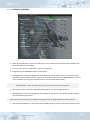
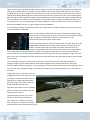
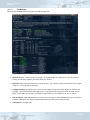
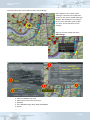
In practice there are two ways to start voice comms to use with the game. You can either launch the applet
before the game starts or the game can start the client applet for you. Only one instance of the voice client
applet can run on your system at any one time.
The launcher gives you the opportunity to start the voice client applet separately. This allows you to connect
for voice communications in advance of starting the game and making a multiplayer connection. Among other
things, this may be useful to talk players new to multiplayer through the process of making a connection.
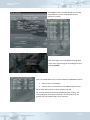
Alternatively if you enable voice communications and the client applet is not running as you press the
“connect” button then the applet is launched for you automatically in the background. In some cases an alttab may be required to bring the game UI to the foreground again once the applet has launched. This mode
more closely resembles the operating model of the earlier DirectPlay voice system and may be more
comfortable for some players.
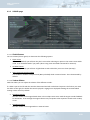
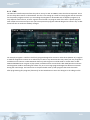
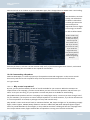
If the client is running before the game then it runs independently up until the “connect” button in the COMMs
UI page in the game is pressed to initiate a multiplayer game. At that time, provided the “force local control”
gadget in the client applet is not checked, the applet will slave itself to the Falcon4 BMS code. When the applet
is slaved the local user interface controls are disabled and all parameters are driven from the game. Among
other things, this means that if the COMMs UI dialog has any different parameters from those used to start the
applet (such as logbook name or voice server address), then the applet is directed to disconnect and then
reconnect with the settings from the game UI.
There is some amount of error recovery built in to the voice system so if for some reason the connection to the
voice host is lost or dropped, then attempts are made to re-establish communications. Absent any error
though, the connection is maintained as long as the game runs. When you exit Falcon4 BMS, the connection to
the voice host is terminated and local control is return to the UI for the client applet.
14.5.6 Radio Sound Effects
This revision of the 4.32 code includes three wav files that provide some audio sound effects.
There's a wav for each of the mic activation clicks on start and finish of a transmission. Some folks don't like the
idea of the lead-in or end-transmission clicks – if that's you, simply rename or remove the corresponding file
and the sound won't be played.
In previous versions there was a fixed wav file that provided an ambient background noise when you
transmitted in the 3D world. This has been removed and replaced by a more dynamic system digital signal
processing code which is applied to incoming voice data before it is played back to your sound output device.
There is also a 'block' wav. This one is LOUD and sort of obnoxious by design; in case you are wondering it is
taken from a real radio clip. This one is played when more than one person is transmitting on the frequency
you are listening to and represents co-transmission interference. Obviously you can only run into this one if
three or more people are on the frequency; you listening and at least two others talking over each other.
Note that the blocking sounds interact with the half-duplex transmit mode that is also included in this update:
when any person transmits all incoming sound on the frequency is muted for that person. Thus in the case of
two
14-262