1
1. Introduction
Page 2
1.1 What can you do with ProDot?
ProDot permits you to maintain and update Bosch Web pages,
delete old pages or add new ones. No programming skills are
required. ProDot uses your commands to create HTML pages that
you can upload on your server.
ProDot includes templates (also known as content classes in
ProDot) you can use to create your own Web pages and fill with
content as you wish.
ProDot is designed for maximum user friendliness. The provided
templates are designed very flexibly to support as many different
types of content presentation as possible.
The system's developers focused on easy learning and
convenient use.
1.2
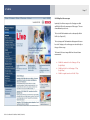
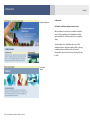
ProDot has already integrated the corporate design for Bosch Web
pages. Pages you create with this system conform with the current
design and layout regulations of C/SMC32.
ProDot allows you to maintain an unlimited number of pages. You
can use it to present product and corporate information, as well as
current news and topics.
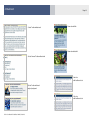
The "Menu Commander" permits you to create new pages and
menus swiftly.
With the "Bookmark Manager", you can generate links within the
Bosch Web site quickly and simply.
It is also easy to integrate external pages using ProDot.
With the "News Commander", ProDot provides the additional
option of administrating BoschLive articles, releasing them online
or saving them in the archive. Articles from the editorial
subscription are already saved in the system.
ProDot – User Manual © Robert Bosch GmbH | Version 1.6
What can you not do with ProDot?
All pages you create with ProDot fulfill the design and layout
regulations of C/SMC32. The system therefore only provides you
with appropriate layout elements and editing functions.