1
WANT TO KNOW MORE?
SET TOP BOX
The full User Manual is available online at:
www.goodmans.co.uk/support Set Top Box
Model: GDB02TFV2
QSG-AUGUST14-GDB02TFV2
GETTING STARTED:
FIRST TIME INSTALLATION:
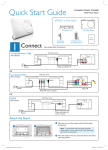
Follow the instructions below to connect and power
on the set top box.
LOOP OUT
ANT IN
SCART-TV
SCART-VCR
a
b
LOOP OUT
ANT IN
SCART-TV
a
When connected correctly, the first time you
power on the set top box you will see the
above screen.
b
Use the / buttons to navigate up or down
and the / buttons to change the options.
When complete press the ENTER button.
c
To complete the installation use the /
buttons to select YES and then press the
ENTER button.
d
A channel search will begin automatically
and list the available stations. If multiple
transmitters are available, select from the pop
up menu using the / buttons, and press
ENTER.
SCART-VCR
LOOP OUT
ANT IN
SCART-TV
SCART-VCR
a
Take the antenna coax cable and connect it to the ANT
IN connector on the back panel of the set top box.
b
Connect a scart cable (not supplied) between the
SCART-TV socket on the back panel of the set top box
and the scart socket on your TV
c
Plug the mains lead into an available socket.
d
Insert batteries (AAA) into the remote control.
Ensuring the + and - marks match.