1
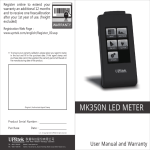
Register online to extend extra
12 months warranty and one
time free calibration at 1st year.
(Freight excluded).
Website Register:
www.uprtek.com/big5/products_detail.asp?pid=149
*
To ensure your right, please. put agent's stamp and fill up date of
purchase. Warranty period will base on manufacture date if warranty
card has no agent's stamp and purchase date.
Original / Authorized Agent Stamp
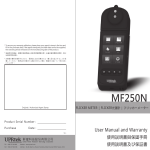
MK350 LED METER
Product Serial Number:
Purchase
Date:
v 1.3 © Copyright 2012 UPRtek All rights reserved.
TEL:+886-37-580-885
Website:www.uprtek.com
FAX:+886-37-580-398
Address:No.66,You-yi Road, Jhunan Township, Miao-Li County 350, Taiwan, R.O.C
User Manual and Warranty
Contents
1
MK350 Introduction ........................................... 1
1.1
1.2
1.3
1.4
1.5
2
Preparing Before Use ........................................ 7
2.1
2.2
2.3
2.4
2.5
2.6
2.7
2.8
3
Battery Installation and Charging ...................... 8
Memory Card Installation ................................ 10
Strap and Neck Strap Installation .................... 11
Screen Protector ............................................... 12
Power On / Off .................................................. 13
Dark Calibration ................................................ 14
Option Function Setting ................................... 16
System Reset .................................................... 18
MK350 Introduction
System Overview ................................................ 19
3.1
3.2
3.3
3.4
3.5
4
Packing Contents ................................................ 2
Appearance Introduction ................................... 3
Product Features ................................................ 4
Calibration Period ............................................... 5
Product Notice .................................................... 6
Measurement Modes Introduction ................. 20
Measurement Introduction ............................. 22
Measurement Setting Introduction ................. 24
Continuous Measurement Introduction ......... 25
Transferring Data with PC Connection ............ 26
Specification ......................................................... 27
1.1
1.2
1.3
1.4
1.5
1
Packing Contents
Appearance Introduction
Product Features
Calibration Period
Product Notice
4.1 Product Specification ....................................... 28
5
Troubleshooting Guide .................................... 30
5.1 FAQ .................................................................... 31
6
Appendix Warranty
6.1 Product Warranty
-1-
MK350 Introduction
1.1 Packing Contents
1.2 Appearance Introduction
Please check MK350 packing before use, contact
your agent if there are missing items.
Strap Hole
3.5” Touch Screen
Battery
SD Card Slot
Case
MK350 LED Meter
Reset Key
Protection Bag
Power Key
Power Jack
Mini USB
Battery
USB Cable
Power Adaptor
Screen Protector
Strap
Neck Strap
Sensor Cover
Capture Key
LED 光譜計 MK350
使用者說明書
User Manual
and Warranty
MK350 Introduction
Battery Cover
-2-
-3-
MK350 Introduction
1.3 Product Features
1.4 Calibration Period
1. 250g Only, Light and Easy to Carry
This product is a high-precision measurement
2. Measure at Any Time, High Mobility
equipment, to ensure the accuracy of the
3. 3.5" Color Touch Screen
measurement,
4. Simple Interface, Easy to Use
calibration once a year. Please contact your agent
5. SD Card Storage, Easy to Transfer Data
or our customer service department for calibration
it
is
recommended
to
have
service.
MK350 Introduction
-4-
-5-
MK350 Introduction
1.5 Product Notice
1. MK350 LED Meter is a high-precision equipment. Please
unpack with care. Any shock or hit might damage the
equipment. Please contact your agent if it cannot operate
normally or need to be repaired.
2. LCD screen manufacturing process has more than 99.9%
effective pixels and less than 0.1% defect pixels. Defect pixels
might be white or other colors and it will not affect the
accuracy of the measurement. Users can use it without worries.
Security Warning
Please read the following precautions to avoid fire, excessive heat, chemical
leakage and explosion:
◆ Do not disassemble or modify the battery.
◆ Do not expose the battery to fire or water.
◆ Dispose of batteries with tape to insulate the battery electrical contacts. It
Preparing Before Use
can avoid battery contact with other metallic objects and cause fire or
explosion.
◆ Please unplug the power and stop charging immediately if the battery
has overheating, smoking, peculiar smells, which is avoiding fire.
◆ Do not put all kind of cables near the heat surrounding, cables might
deformed or the insulating layer might melted, which could cause a fire or
electric shock.
◆ Do not use a cloth cover or wrap the equipment while charging, it might
cause housing deformed or a fire.
◆ If equipment fall into water or water/metal fragments enter inside the
equipment, please remove the battery immediately, which is avoiding fire
or electric shock.
2.1
2.2
2.3
2.4
2.5
2.6
2.7
2.8
2
Battery Installation and Charging
Memory Card Installation
Strap and Neck Strap Installation
Screen Protector
Power On / Off
Dark Calibration
Option Function Setting
System Reset
◆ Do not use or store the battery in high-temperature environment, it will
cause battery leakage or shorten the battery life.
◆ Do not use paint thinner, benzene or other organic solvents to clean the
equipment, or may cause fire or damage health.
MK350 Introduction
-6-
-7-
Preparing Before Use
2.1 Battery Installation and Charging
2.1 Battery Installation and Charging
Battery installation:
Step1. Hold MK350 then press the battery cover.
Step2. Press the battery cover down to remove it.
Step3. Install the battery after remove battery cover.
Battery charging:
1
3
2
1. Plug power charging cable into power jack to start
charging.
2. Power Off Status: Users can check power key, it will
light in red while charging and light off after fully
charged.
3. Power On Status: Users can check MK350 screen, it
will appear a lightning symbol to indicate charging,
and lightning symbol will disappear after fully
charged.
2
※ Press the battery cover down then you can
remove the cover smoothly from MK350.
※ The power key will light up in red,
and light off after fully charged.
1
3
※ Battery capacity status while charging.
※ Lightning symbol will appear
when charging and disappear
after fully charged.
1. Please charge the battery for 6 hours at first time usage.
2. To avoid any interruption while measuring, please check
battery status before use.
3. Please purchase a new battery if battery low easily after
fully charged, it means battery life end.
Preparing Before Use
-8-
-9-
Preparing Before Use
2.2 Memory Card Installation
2.3 Strap and Neck Strap Installation
Installing the SD Card:
Strap installation:
Step1. Unscrew the strap
Step2. Tie the strap to the strap hole of MK350
Step3. Tie the strap to the sensor cover
Step4. Screw the strap
3
1
4
※ Insert the memory card
according to the direction.
Remove the SD Card:
2
Neck strap installation:
Tie on the strap hole of MK350 put on your neck
so you can use it at any time.
1
2
※ Press to remove the SD card
1. Check SD card status, refer 2.7 Storage
2. Check SD card storage method, refer 3.2 Save Measured
Data
Preparing Before Use
- 10 -
- 11 -
Preparing Before Use
2.5 Power On / Off
2.4 Screen Protector
Turn on the power:Press the power key for 1 second.
Turn off the power:Press the power key for 5 seconds.
Discard side
Adhesive side
※ Turn On: Power key lights up in green light.
Turn Off: The green light will turn off.
1. Make sure to remove bubbles when attach the sticker on
the screen or it will affect visual experience.
Preparing Before Use
- 12 -
- 13 -
Preparing Before Use
2.6 Dark Calibration
2.6 Dark Calibration
1. After turn on MK350, system will process dark calibration
automatically.
2. When using MK350, users can execute dark calibration
manually.
Users can go to measurement page then select
MEASUREMENT SETTING --> DARK CALIBRATION
to execute dark calibration manually.
Success
Failed
Re-do Dark Calibration
Confirm
1. Suggest to execute dark calibration when every time turn
on MK350.
Preparing Before Use
- 14 -
- 15 -
Preparing Before Use
2.7 Option Function Setting
2.7 Option Function Setting
Go to main menu and select OPTION to start system setting.
SD Card Ready:Users can use
storage function.
No SD Card:System can't read the
SD card or no SD card inside.
Remaining Power
Main Menu
Next
page
Backlight Setting:
Power Saving Setting:
Date Setting:
Time Setting:
Back to
Previous
main menu
page
Language Setting:
+ / -:Adjust key
Yes / No:End of the setting
Preparing Before Use
- 16 -
Check Storage Device:
Check Version:
1. Please setup date and time before save the files.
2. Users can setup auto power-off time to save battery power.
Default auto power-off setting is 10 minutes.
3. Users will need to fill up optical serial number when on line
regist, meantime, please go to version to check optical serial
number.
- 17 -
Preparing Before Use
2.8
System Reset
Users can press the reset key to turn off the system
if system crashed.
Reset Key
System Overview
※ Recommanded to use pen press the
reset key to turn off the system.
Preparing Before Use
- 18 -
3.1
3.2
3.3
3.4
3.5
3
Measurement Modes Introduction
Measurement Introduction
Measurement Setting Introduction
Continuous Measurement Introduction
Transferring Data with PC Connection
- 19 -
System Overview
3.1 Measurement Modes Introduction
3.1 Measurement Modes Introduction
4 kinds of measurement modes:
Interface introduction:
Means button
1
2
3
4
5
Spectrum mode:
Basic mode:
view the spectrum graph
view measured values
CIE 1976 mode:
CIE 1931 mode:
view the
chromaticity coordinates
view the
chromaticity coordinates
6
7
8
1. Measurement mode - BASIC / SPECTRUM / CIE1931 / CIE1976
2. Integration mode - Auto
/ Manual
3. Capture function - One time / Continuous
4. Battery capacity
5. Measurement result
6. Measurement setting
7. Back to main menu
8. Save data
System Overview
- 20 -
- 21 -
System Overview
3.2 Measurement Introduction
3.2 Measurement Introduction
Save measured data:
< 30°
Suggest
angle 30°
Appropriate
distance
Please insert SD card
Please change SD card
Press save button
to save file
※ Please use MK350 at the place with stable light source.
Confirm
Beep sound
while measuring
Basic mode
( before measuremen)
Press capture key to
start the measurement
Success
Failed
Failed
Basic mode
(after measurement)
Display the measurement results
Step1. Point sensor head at light source with suggest angle 30°.
Step2. At appropriate distance then press capture key.
Step3. After beep sound, measured data will display on the screen.
1. Operation sound setting, refer 3.3 Operation sound
System Overview
- 22 -
1. Save format setting, refer 3.3 Save format
2. Available capacity of SD card, refer 2.7 Storage
- 23 -
System Overview
3.3 Measurement Setting Introduction
3.4 Continuous Measurement Introduction
Please go to measurement page to do measurement settings.
※ View capture function setting, refer 3.3
Select Continuous
Measurement page
Save Format Setting:
Next
Back to
Previous
page
measurement page
page
Integration Mode Setting:
※ The capture symbol
is rotating when MK350
is processing continuous
measurement.
Integration Time Setting:
Basic mode
(start measurement)
press capture key
Capture Function Setting:
MK350 will process
measurement with
interval of 3 seconds.
Basic mode
(after measurement)
Press the capture key again to
see the measurement results.
Step1. Select the continuous capture
Operation Sound Setting:
Step2. Press the capture key
Step3. Processing the continuous measurement
Step4. Press capture key again to stop continuous measurement
1. Continuous measurement has no beep sound after press capture key.
System Overview
- 24 -
+ / -:Adjust key
2. Users cannot save the measurement data while processing continuous
measurement.
Yes / No:End of the setting
3. Adjust the integration time only can work in the manual mode.
- 25 -
System Overview
3.5 Transferring Data with PC Connection
Storage the measurement data:
Inside the package has a USB cable, connect the mini USB to MK350
and plug the USB to your PC then you can read the data saved in SD
card.
Insert SD card
Specification
After connected USB cable, MK350 will display as below.
4.1 Product Specification
System Overview
- 26 -
- 27 -
4
Specification
4.1 Product Specification
4.1 Product Specification
Sensor
CMOS linear image sensor
Illuminance Accuracy
Spectral Bandwidth
Approximately 12 nm(half bandwidth)
Color Accuracy
Receptor Size
Ø 6.6 ± 0.1 mm
Color Repeatability
Cosine Correction
refer Figure 1.
CCT Accuracy
± 2%
Measurement Range
70 ~ 70000 Lux
CRI Accuracy @ Ra
± 1.5%
Wavelength Range
360 ~ 750 nm
Display
3.5" LCD 320X240 Touch Panel
Integration Time Range
8 ~ 1000 ms
Max. Files
≒ 2000 Files @ 2GB SD Card
Capture Function
One time / Continuous
Battery Operation Time
≦ 5 hours / Fully Charged
Integration Mode
Auto / Manual
Battery
2500 mAh / Rechargeable Li-ion Battery
Measuring Modes
1. Basic Value Mode
Data Output Interface
SD Card / USB 2.0
2. Spectrum Graph Mode
Data Format
Compatible Excel / BMP Date Format
3. CIE 1931 Chromaticity Coordinates
Dimensions
144.2 x 78 x 24 mm ( H x W x D )
4. CIE 1976 U.C.S Chromaticity Coordinates
Weight(with Battery)
250 g ± 20 g
1. Illuminance / Lux
Operating Temperature
0 ~ 35 ℃
2. Spectral Irradiance
Storage Temperature
-10 ~ 40 ℃
3. C.I.E. Chromaticity Coordinates
Language Selection
English/Traditional Chinese/Simplified Chinese/Japanese
Measuring Capabilities
(1) CIE 1931 x,y Coordinates
(2) CIE 1976 U.C.S u',v' Coordinates
4. Peak Wavelength
5. Correlated Color Temperature; CCT ( in Kelvins )
6. Color Rendering Index; Ra ( Rendering Average )
Digital Resolution
*1 : Use the input of 550nm single-frequency and measurement the range of
optical ± 40nm.
*2 : Input source must be a stable light source.
The company reserves the right to change product specifications, if it has any changes will
not give any notice.
Figure 1:Cosine Correction
-25 dB max. *1
5
40
35
30
20
25
15 10
5
0
5
10 15
20
25
55
65
60
75 7
0
0
75 8
70
90 85 80
85 90
- 28 -
4
65
Specification
*2
40
60
Wavelength Reproducibility ± 1 nm
35
55
Wavelength Data Increment 1 nm
30
50
50
4
Stray Light
± 0.0005 in CIE 1931 x,y
at 20000 Lux
5
Yes
± 0.0025 in CIE 1931 x,y
Illuminant A @ 2856K
16 bits
Dark Calibration
± 5%
- 29 -
Ideal value
MK350
Specification
5.1 FAQ
Q 1: How long can I use after MK350 battery had fully charged?
A: Usage time will depends on battery life, MK350 battery can
operate 5 hours after fully charged.
Q 2: Why the SD card always stuck on the slot while in / out the slot
?
A: This special designed is called "anti-fly card" functions, which
Troubleshooting Guide
5.1 FAQ
5
can prevent SD card write error if SD card was hit accidentally.
Q 3: Could MK350 measure the UV or IR Spectrum?
A: No, MK350 measurement range is 360 ~ 750nm. You will need
to buy the equipment that compatible with UV and IR spectrum.
Q 4: Could MK350 measure the light that except LED light? Such as:
fluorescent lamps(fluorescent lamps)?
A: MK350 is the measurement equipment for LED lamps, it will not
guarantee the results accuracy on other kind of lamps.
Q 5: Do I need to execute dark calibration at every time power on the
machine?
A: The
environment
temperature
changes
will
affect
the
measurement results, it is recommended to execute dark
calibration when power on or execute the dark calibration after
a period time of use.
If you still have other problems that is not in the FAQ,
please visit WWW.UPRTEK.COM
Troubleshooting Guide
- 30 -
- 31 -
Troubleshooting Guide
Appendix Warranty
6.1 Product Warranty
6
Appendix Warranty
6.1 Product Warranty
6.1 Product Warranty
Warranty:
New Products Replacement:
◆ United Power Research Technology Co., Ltd. (hereinafter referred to
◆ Customers to purchase within seven days found that non-human or
as the "Company") to ensure that products shipped by all of the
irresistible force damage, dysfunction, or the apparent loss of the
Company, do not have any material, manufacturing or functional
product itself split, rely on the relevant proof of purchase free of charge
defects in the following warranty period, any such defects within the
to the original agent to replace the new, the Company and from the
warranty period, the company will be responsible for product repair or
normal shipping costs will be the full burden together with the original
replacement of equal or higher specification products.
box packaging and all original accessories apply to the purchase of
◆ This product is a precision optical equipment, its chassis open or
agent demand for change, late or accessories insufficiency of
tamper label has been artificially damaged, or the original shipping
maintenance warranty program in the new replacement.
module upon any man-made loose which may lose its original
performance, the above warranty is immediately invalidated.
Warranty Period:
◆ The Company during the warranty period of the end-user
Warranty Exception Items:
◆ Product repair if the following circumstances, the Company reserve
the right to charge a proper maintenance and parts costs, as well as
between the two-way delivery full cost.
commitment for a period from the purchase delivery date of 12
months.
◆ User can extend warranty for extra 12 months through website regist
serial number and also enjoy the first year of free calibration (excluding
freight),during the warranty period, in addition to the following new
products to replace the subject occurs, the Company may, according
to product category to provide a replacement or repair warranty
service.
◆ Determining whether a product during the warranty period,
customers for maintenance services, please provide the relevant
1. Warranty period expired or cannot prove product warranty
period.
2. Not the company’s legitimate distribution channel sales.
3. Pipelines acquired, directly or indirectly, through the parallel
importation of overseas.
4. Products
by
non-authorized
personnel
maintained
or
disassembly.
purchase to prove (for example: delivery receipt or invoice and other
5. Product damage due to force majeure (natural disasters, floods,
documents) in order to facilitate rapid job, if they failed to provide
fires, earthquakes, lightning, typhoons, pests, etc.), vandalism
proof of purchase, the Company will check product serial number with
(scratches, falls, broken, blow, etc.), human error (missing parts,
the original date of manufacture or distributor shipping date,
determine to be reasonable.
Shipping Cost:
◆ During the warranty period, if maintenance is necessary, please send
not properly custody, etc.) or due to other non-normal factors.
6. Consumables, such as case, screen protector, strap, neck strap,
and other accessories not covered under warranty.
7. Special activities gifts are not covered under warranty.
the cargo to be sent to the maintenance point of the original purchase
agent or the company.
Appendix Warranty
Appendix Warranty