1
7 Modifying a Ladder Diagram
Part II: Custom Software
7 Modifying a Ladder Diagram
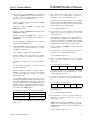
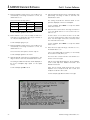
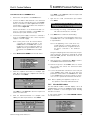
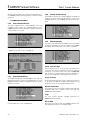
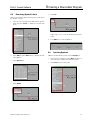
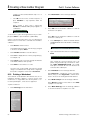
5.
Select Delete from the main menu.
6.
Select Object from the Delete submenu.
7.
Press Enter to display another submenu.
8.
Select Delete to delete a section of the rung.
SAMMS Premium Software includes the OrCAD design tool
that allows the modification of an existing ladder diagram or
the creation of a new ladder diagram.
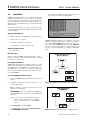
OrCAD commands can be executed in four different ways:
1.
Click the left mouse button on the command.
2.
Type the first letter of the command.
3.
Move the Up or Down arrow key of the keyboard to
the command and press Enter.
4.
Use a combination of methods 1 to 3 to highlight and
initiate a command.
This manual uses the word select for choosing a command
and executing it, regardless of the method used.
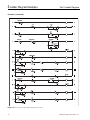
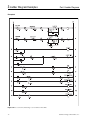
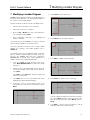
This section provides a tutorial on how to modify a ladder
diagram. For creating a new ladder diagram, refer to
Chapter 8.
This tutorial assumes a motor application where a change in
process requires a permissive pressure switch to be connected to the SAMMS device that was configured in
Section 5.4.1. A normally open contact INPUT1_NO is
added to the first rung of ladder diagram PB10.
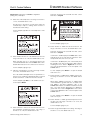
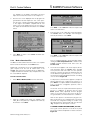
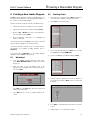
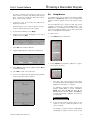
1.
From the SAMMS Premium Software main menu,
select Draft ORCAD Ladders to initiate the OrCAD
design tool.
2.
Enter the name of an existing ladder circuit to be modified, in this example, PB10. Omit any file extension.
Press Enter.
Press ESC or select Cancel to abort the request and
return to the main menu.
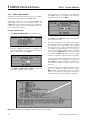
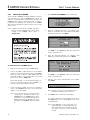
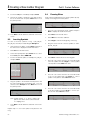
3.
Press Enter twice to move to the OrCAD work screen
displaying the requested ladder diagram.
4.
Position the cursor to the first rung, just left of the
switch SW1_NC. Click your left mouse button or press
Enter.
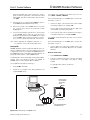
If the wrong part was deleted, click the left mouse button or press Enter anywhere on the work screen to display the OrCAD main menu. Select Delete and then
Undo.
9.
Siemens Energy & Automation, Inc.
Press ESC or click the right mouse button to exit all
submenus and return to the workscreen.
47