1
7
OPTIONS
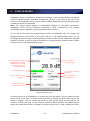
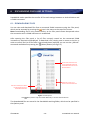
This chapter contains a description of all the options that can be configured using the
Options panel. These options only concern the SvanMobile application, not the connected
SVAN instruments. You can access these options by pressing the
icon in the menu at the
top of the screen.
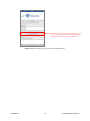
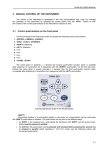
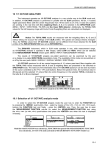
Fig.7-1 The Options panel.
Licensing
– allows to activate a purchased license. For details, see Chapter 1.3: Licensing.
Display Modes
– allows to select which modes will be available in the Measurement panel. If you uncheck
one of the modes, it will disappear from the menu available in the Measurement panel and
will be omitted when swiping the screen.
Start measurement / stop measurement / pause measurement
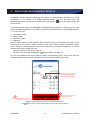
– if this option is set as “on”, the Start / Stop / Pause buttons will be displayed not only in
the menu at the top of the screen, but also at the bottom of the Measurement panel in the 1
Prof. & 3 Prof. display mode.
© SVANTEK
- 22 -
SvanMobile User Manual