1
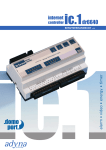
Quick configuration of the TH006-TH007
For the initial device startup you require the following
information:
The local IP address and network mask if the configuration is
taking place via a direct network access
Telephone number if a modem is used or MSN if ISDN is used
The following data regarding your Internet provider if a modem
or ISDN is used:
Important: Javascript must be activated!
Please note all device data to your individual safety on the envelope inside of
this manual. With it you have all your TH006TH007’s data summarized on one page. Store this
data at a safe place.
Dial-up data: Dial-up number, user name/designation,
password
E-mail account: POP3 server, SMTP server
TH006-TH007 address for direct network configuration:
IP: 192.168.0.222
Network mask:
255.255.255.0
Connections for Internet use:
Telephon: Analog or ISDN depending on the
type of TH006-TH007
Network: Only for connection to an existing
internal network or direct connection to the
Internet
Internet browser version:
Netscape Navigator 6.0 or higher
MS Internet Explorer 5.0 or higher
There are two easy options for configuring the device:
1. Direct configuration via www.domoport.com by using your
Internet access (only for Germany).
2. Direct device configuration via network and Internet browser.
For the device addresses, please refer to the »TH006-TH007
address for direct network configuration « box. Via these
addresses you can configure the device directly within your
network. Additionally the TH006-TH007 configuration software is
at your disposal for network configuration. The configuration software enables you to easily search for devices in your network
and to change the network addresses.
Tebis Internet Gateway
USER MANUAL
2