1
4 Services - Prioritisation of a VPN IPSec connection
ahead of other Internet traffic
bintec elmeg GmbH
(1)
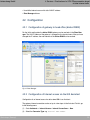
Select the Class map (e.g. >#) which the QoS filter should be asigned.
(2)
Select the next Filter , e.g. 0#.
(3)
For Direction select $ .
(4)
Enable the High Priority Class.
(5)
Press OK to confirm your entries.
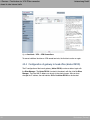
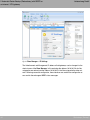
Assign all generated QoS filters to the new class map ># .
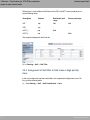
Results:
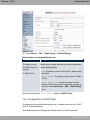
Fig. 33: Routing -> QoS -> QoS Classification
4.4.3 Enabling QoS on the WAN interface
In the last QoS configuration step, prioritisation is enabled on the WAN interface. For this,
go to the following menu:
(1)
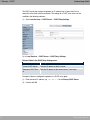
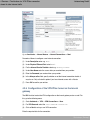
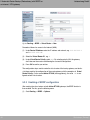
Go to Routing -> QoS -> QoS Interfaces/Policies -> New.
Fig. 34: Routing -> QoS -> QoS Interfaces/Policies -> New
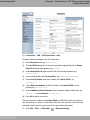
Proceed as follows to enable prioritisation on the WAN interface:
36
Workshops (Excerpt)