1
sContract - Design
New Features
iScaf - Design : 6.0 (December, 2014)
Solid Building
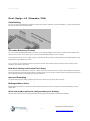
You can now show a solid building in 3D with the simple menu option. Use Build->“create solid building “; and you plan perimeter
will show a solid structure as shown below.
3D Ladder Beams and Trusses
You can now show solid 3D ladder beams and trusses in your drawings straight out of the box. In addition to the Fast Edit mode,
where you can use the “Truss” option, you can now insert Solid 3D ladder beams into your drawings.
Use the Pull down menu “insert”->”block” and you can browse the “bonus” folder in iScaf for Metric and Imperial library for these
Ladder Beams, Lattice Beams and Trusses.
You can use this on your 3D drawing and you can also use the new “Flipx” toolbar option to show the item correctly on a side
elevation if you decide to add it later.
New block Library and Custom Part Library
You can now use the Pull down menu to “insert”->”block” and you can browse the “bonus” folder in iScaf for Metric and Imperial
library drawings that now come with the system. In addition to this, you can create and add to this library yourself and attach your
part numbers, descriptions with weight and pricing to each block.
Improved Prompting
The system will help you by asking questions right where your mouse is so you know what to do next.
Birdcages/Dance floors
New Area/Fill command is the new shortcut method which will allow you to fill a rectangular area with scaffold with just a few
simple clicks.
Great new toolbar options to easily annotate your drawing
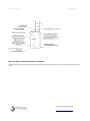
We now have easy shortcuts to create great looking Arrows & Text boxes to label and annotate your drawing.
Copyright © Scaffolding Software
2
www.scaffoldingsoftware.com