1
8 UPDATING INTELLIMIX®
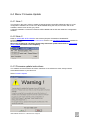
8.1 Prior to beginning
If there is a (older) version of the INTELLIMIX® Software installed on your PC, please perform the
following steps before updating the software:
-
Save your configuration files (*.imx) in a separate folder
-
Delete, relocate or rename short cuts which belong to the older version(s) of the
INTELLIMIX® software
-
If there are configurations stored in your INTELLIMIX® units which have not yet been saved
as files on your PC, you should do this now, prior to the update! (LOAD FROM UNIT)
8.2 Installing as CD-ROM
Insert the CD-ROM into the drive and start the INSTALL.EXE or SETUP.EXE installation routine. The
software will guide you conveniently through the installation process.
All required data is copied to your computer, new folders and new short cuts are created during the
installation process.
No parameters of your computer will be modified.
8.3 Installing as ZIP-File
If you receive the INTELLIMIX® software as a ZIP file (e.g. as a download from our website
http://www.yellowtec.com/), you can open the ZIP file using the software WinZip (which should be
installed on your Windows PC as a part of Windows). Normally WinZip is started by double clicking a
ZIP file.
WinZip will extract all files into a new folder. Find the SETUP.EXE file in this folder.
A double click on SETUP.EXE starts the installation program, which will lead you automatically
through the installation process. If required a new folder and new short cuts will be created during the
installation process.
The update of your Windows PC is finished when SETUP.EXE is completed.
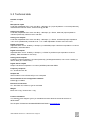
8.4 The software components of INTELLIMIX®
designation
file name
location
function
Configuration-Software
IMX.EXE
Windows PC
create setups for INTELLIMIX®
default configuration
imx.cfg
Windows PC
factory defaults
Online Help
IMX.HLP
Windows PC
Online-Help file
manual
IMX_manual.pdf
Windows PC
manual as pdf format
imxV221.imu
Base Unit
DSP program file
firmware
(*221* stands for version number 2.21; might differ when using another program version)
The Configuration-Software creates configuration files (*.imx), in which your settings (Save ... or Save
as ...) are saved.
Only by using all components of the same program version the whole functional range of
INTELLIMIX® can be achieved.
Proceed by updating the firmware of your INTELLIMIX® base unit.
INTELLIMIX® Manual 2.21 Yellowtec 2002 Page 61