1
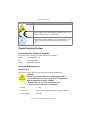
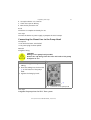
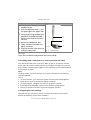
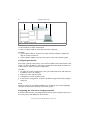
Unpacking and Setup 21 Prerequisite There is a patch cable for the connection. Procedure 1. Check that the IP address range of the router and of the company network do not overlap. 2. In case of an overlap, change the IP address range of the router. 3. Use the patch cable to connect the router WAN port to the company network. 4. Restart all devices, including the computer. Controlling Several Systems Separately in a LAN Devices connected to a LAN communicate through ports, which are part of the IP address. If more than one HPLC system is connected to the same LAN and you plan on controlling them separately, you can use different ports to avoid interference. Therefore, the port number for each device must be changed and this same number must be entered into the device configuration of the chromatography software. We recommend to use the same port number for all devices in the same system. Note: The port is set to 10001 at the factory. You must use the same numbers in the device configuration of the chromatography software as in the device, otherwise the connection fails. Procedure 1. Find out port number and change it on the device. 2. Enter the port number in the chromatography software. Result The connection is established. Ground CAUTION! Electronic hazard when using an identically constructed power adapter from another manufacturer. Before establishing a power connection, call the Technical Support. The ground connection for the pump has a designated hole with a thread M3 on the back of the device. If the supplied power adapter is used, then the ground connection remains unused. P 2.1S/P 4.1S User Manual V6870, Version 2.0