1
AWARD BIOS SETUP
Intel i810 ATX Mainboard
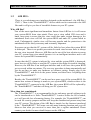
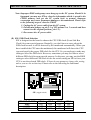
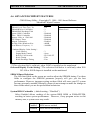
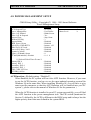
4.15 SAVE & EXIT SETUP / EXIT WITHOUT SAVING
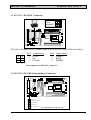
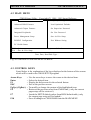
CMOS Setup Utility - Copyright (C) 1984 - 1999 Award Software
Standard CMOS Features
Frequency / Voltage Control
Advanced BIOS Features
Load Optimized Defaults
Advanced Chipset Features
Set Supervisor Password
Integrated Peripherals
Set User Password
Power Management Setup
Save & Exit Setup
PNP/PCI Configuration
Exit Without Saving
PC Health Status
ESC : Quit
F10 : Save & Exit Setup
↑↓→← : Select Item
Time, Date, Hard Disk Type ...
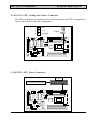
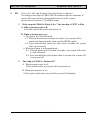
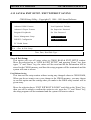
Save & Exit Setup:
This option will save all setup values to CMOS RAM & EXIT SETUP routine.
Move the selection bar to “SAVE & EXIT SETUP” and pressing “Enter” key, then
types “Y” and “Enter” key, the values will be saved and all the information will be
stored in the CMOS memory, and then the setup program will be terminated and the
system will start to reboot.
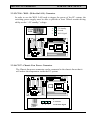
Exit Without Saving
This item exit the setup routine without saving any changed values to CMOS RAM,
When you do not want to save your change to the CMOS memory, you may choose
to run this option and the setting what you made in the BIOS setup routine will be
given away.
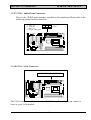
Move the selection bar to “EXIT WITHOUT SAVING” and click on the “Enter” key,
then you will be asked to confirm the action to exit, press the “Y” and “Enter” key,
the setup program will be terminated and the system will start to reboot.
4-24