1
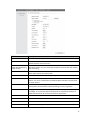
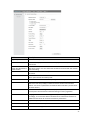
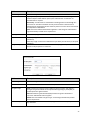
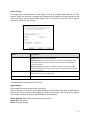
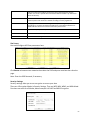
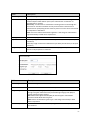
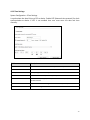
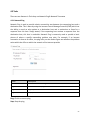
Fields
Description
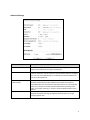
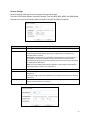
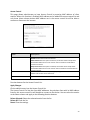
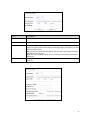
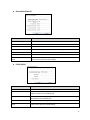
Select Encryption
Select the Encryption Mode from the pull down menu.
Pre-Authentication
Select Pre-Authentication as Personal or Enterprise.
Encryption Type
TKIP: Temporal Key Integrity Protocol (TKIP) for data Encryption. TKIP utilizes a
stronger encryption method and incorporates Message Integrity Code (MIC) to provide
protection against hackers.
AES: Advanced Encryption Standard (AES) for data encryption. AES utilized a symmetric
128-bit block data encryption.
AUTO: Auto is the default Encryption Type. It will change automatically to fulfill client’s
requirement.
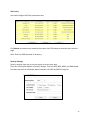
Pre-shared Key
User can enter Maximum number of Key Length. The format can be passphrase or any
characters.
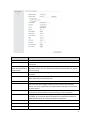
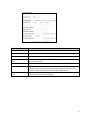
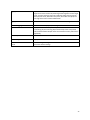
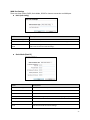
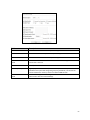
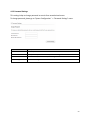
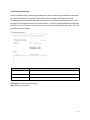
Fields
Description
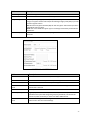
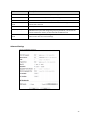
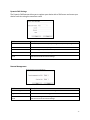
RADIU Server IP Address
Enter the RADIU Server’s IP Address provided by your ISP.
RADIU Server Port
Enter the RADIUS Server’s port number provided by your ISP.
RADIU Server Password
Enter the RADIUS Server’s Password provided by your ISP.
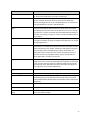
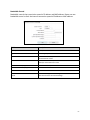
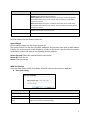
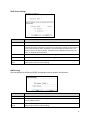
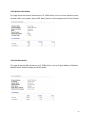
EAP Reauthorization
Period
RSN Reauthorization
EAP- Session timeout interval for 802.1x re-authorization setting. Session timeout
interval unit is seconds
Enable/Disable the function to access.
WPA Group Rekey Interval
A group key is used for multicast/broadcast data, and the re-key interval is time
period that the system will change the group key periodically. The shorter the
interval is, the better the security.it varies from 300 to 3600 Seconds.
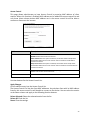
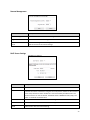
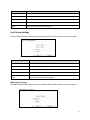
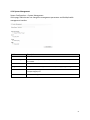
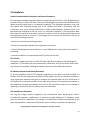
Save
Cancel
Click Save to change the new settings.
Click cancel to clear the entered settings.
21