1
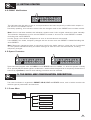
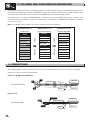
5. THE MENU MAP CONFIGURATION DESCRIPTION
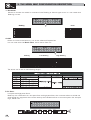
T
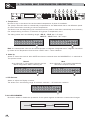
M A1 3 B2 4 S 5 6
2 U2
2W + 2 MA X
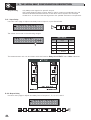
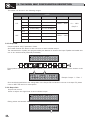
Note: alongside the symbol of Total or Partial protection, the letter M may also appear. This means that the
system is protected, but the PRESET in question has undergone one or more changes that have not yet been
stored. You can however switch the system on and off without any problems, as the current settings are kept
in the buffer memory.
Nevertheless, if this is your work setup, it's advisable to store it in a PRESET.
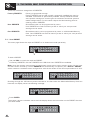
To unlock the protection:
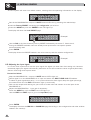
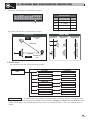
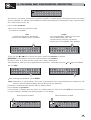
Access the LOCK submenu.
The display shows the prompt for entering the password to unlock the protection.
The four alphanumeric characters of the password are encrypted.
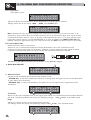
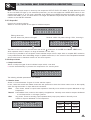
UN LOCK
Pa s swo r d
[ * * * * ]
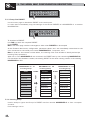
Enter in the password using the combination of the and keys and the DIAL, then press ENTER.
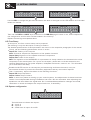
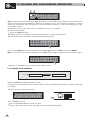
Note: in the event of an incorrect password, the display prompts again, encrypting all the characters again.
UN LOCK
Pa s swo r d
[ B I RD ]
Protection is unlocked and the system enters default status.
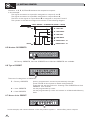
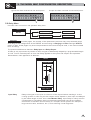
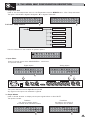
5.4.5 MEMORY CARD SUBMENU
Card
Memory Card
Format Card
Format
Card
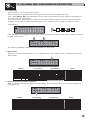
Allows to format the Multimedia Memory Card.
Formatting is the preparation of the memory areas of the Card. Without formatting (or without compatible
formatting)
The Card can't be used by the system.
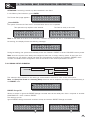
M emo r y
C a r d
PREV
NEXT
ENTER
ESC
How to format the Card
Insert a Multimedia Memory Card in the slot.
New or used Cards can be used, providing they are compatible (min 1MB).
26