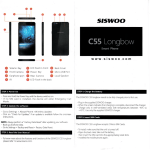
1
Ke∨ s
and FunctlOns
8
|」 ~
7一
6一
5-ˉ
4-ˉ
3—
2— —
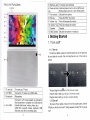
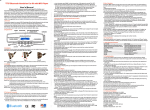
5 Earohone Jack
TO ConneCt vour earohone
6 POwer and lock
key
the unit
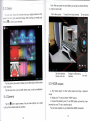
Hold and press to turn on orturn o仟
Briefly press to turn on orturn ofFthe screen
2卜 刀piXel
Press the“ ESC” to qo back
11 speaker
Speaker
12Rear camera
5hl pixe|rear camera+AutofoCus
I■
1ˉ —
era
7 Front Camera
8 EsC key
9∨ o丨 ume-key
10 Volurne+key
front calη
Press to decrease the volume
Press to increase the volume
Ge△ △ing s△ arted
1,1Turn on/off
1,1.1Turn on
●
-12
11一乓
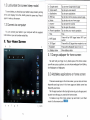
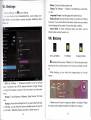
TO start your tablet,press and hOId the poⅥ
of your tablet for a Ⅵ
unlock
`er key atthe right side
`h"e Tab and drag the lock out ofthe CrC|e to
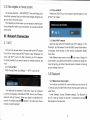
1 TF card slot
TO Insed your TF card
2mini HDMl
ut。 fthe orc|e b unlock
Tab and drag∽ e lock口 。
ConnecttO T∨ output via a HDMl cable
Drag the|oCk to righ⒈ youˇ vil|go to the home screen
h/licrophone
Drag the lock to left∶ you、″ill go to camera direct y
Connect to a5`/output adaptor as included in
the accessories or computer via a UsB cable to
4 m cro USB
transfer data(music,videos,photos,etc)
UsB
○TG, supports mouse, keyboard, UsB
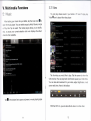
1.1,2Turn o仟
To power o矸 your tablet,press and hold the poⅥ
`er button until the
“
l/Vould you like to shut doWn?” dialog appears and tap“ C)K” to povv/er
Πash disk,etc,with a Convedinq cable
3
"o仟