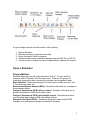
1
A typical usage scenario would be similar to the following:
1.
2.
3.
4.
5.
Open a Simulator.
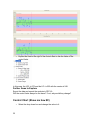
Start the simulator to generate some data.
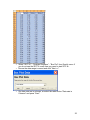
Export the data to Excel for analysis.
Analyze the data using a statistical program such as DOE Pro or SPC XL.
Use the results to change the inputs (if applicable) to optimize the outputs.
Open a Simulator
Primary Method
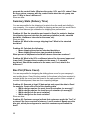
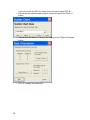
SimWare ships with over 25 quality simulators "built in". To open a built in
simulator select "Simulator" from the main menu. There are five groups of
simulators arranged by what concepts the simulators are designed to teach.
Basic Statistics - Simulations designed to teach basic concepts such as t Test,
F Test, Summary Stats, etc.
Measurement System Analysis (MSA) - Simulations that allow you to analyze a
measurement system.
Design of Experiments (DOE) with one output - Simulators that allow you to
perform and analyze a DOE with a single output.
Design of Experiments (DOE) with multiple outputs - Simulators that allow
you to perform and analyze a DOE with multiple outputs.
Design for Six Sigma (DFSS) - Simulators designed to demonstrate DFSS
concepts such as parameter design and tolerance allocation.
7