1
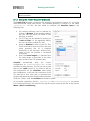
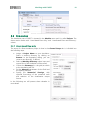
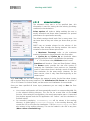
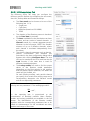
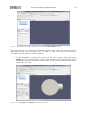
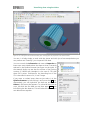
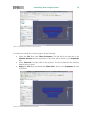
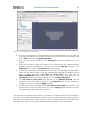
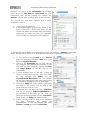
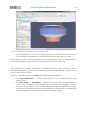
Visualizing data using ParaView 25 Figure 6.1-3: Selecting/activating a data set in the Pipeline Browser (left) and choosing a new Solid Color (right) using Edit. All STL surfaces are colored white, which is the default setting for “Solid Color” for binary STL files (see the corresponding entry in the Properties tab). However, this can be changed individually for each STL data set (see Figure 6.1-3): Go to the Pipeline Browser window and click on “PleatedCartridge_housing.stl”. By this you mark the corresponding data set as the one to which the subsequent manipulations will be applied. In the Properties tab, locate the Color frame and press the button Edit. A dialog window will appear in which you can choose the new color for the housing surface. The result is shown in Figure 6.1-4. Still the pleated filtering medium inside is invisible because the surface of the housing is “covering” it. Figure 6.1-4: New color (here: blue) for the housing STL. Note the white inlet STL at the end of the inflow channel.