1
1. Introduction………………………………………………………………….………….…………….3
1-1.Features…………..………………………….…………………………………….…….…….…….3
1-2.Specification………………………………………………………………………..…….…………3
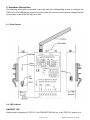
2. Hardware Description………….………………………………………………….…….…….…….3
2-1.Panel layout…………………..……..……………………………………………….…………...…4
2-2.LED Indictor…………………………………………………………..……………………………..4
2-3.Serial Connection……………………………………………………………………………..……5
2-4.Power Connection……………………..…………………………………………………………...5
2-5. DIP Switch
………………..……………………………………………………………………....5
2-5-1.The 2-Pin dipswitch for Master/Slave selection ........…………….……………………..…5
2-5-2. The 2-Pin dipswitch for password…….………………………….………………………..…5
2-5-3. Micro touch Button ………..………...……………………………….…………….………..…6
2-5-3-1. Micro touch Button for baud rate setting )………………………………………..……...6
2-5-3-2. Micro touch Button for another device searching ……………………….….…….…...6
2-6. RS232 Pin Wiring…………………………………………………………..………..…..……..….7
2-7. RS485 Wiring ……………….……….…………..………….………….…………..……….……..7
2-8. RS422 Wiring ….....…….………………………………………………….………...…………….7
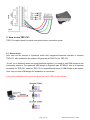
3.How to use TRP-C51 ………….……….……………………………….…………….…..……....…7
3-1. direct mode …………………………..…………..……………………….…………….………....8
3-2.Point-to-point …………………………………………………………………………….….…….13
3-2-1. How to set up TRP-C51 point-to-point connection mode.…….……………...….……..13
3-3. Build up RS485 Network …………………….…………….………………………..…….…….13
4.How to test TRP-C51……………………………………………………..…………………..……..14
4-1. RS485 test………………………………………………………………………………………….14
4-2. RS232 Loop Back Test ……………………………………………………………….………….15
4-2-1. RS422 hardware wirng connection for loop back test………..…………………….…...15
4-2-2. RS232 hardware wirng connection for loop back test………..……………….….……..15
4-2-3. Loop back test software .………………………………………….……………………..…...15
4-2-4. Start loop back test …………………………………………………………………………....16
Page 2 of 17
KSH International CO.,LTD.