1
CD Automation srl
9 Display
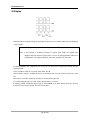
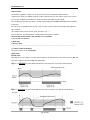
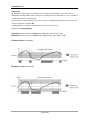
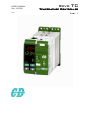
During operation, normal operating, the top display shows the process variable while the lower display the
current setpoint.
Note:
if the restriction is enabled to changes in setpoint (SPU, SPD), the setpoint value
displayed may not match the actual value. In fact, if the group parameter SPUS misc
configuration is set to appear FNSP the SP arrival, otherwise the current SP.
If properly enabled in the configuration you can increase or decrease the setpoint value directly from the
operating mode.
To this should be button for 3 seconds. taken down ▼ or ▲
At this point the change is enabled. Each press of two buttons will cause the 'increase or decrease of the
SP.
Failure pressure of either button for more than 5 seconds will stop the 'edit.
To resume editing the SP press again require either button for 3 seconds.
If properly enabled configuration by pressing the UP and MAN on the lower display shows the current in
the load. To return to the set point, press the same buttons.
pag. 21 di 121