1
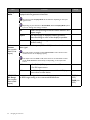
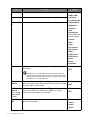
7. Headphone hook
8. VESA mount release button
7
8
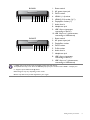
Input and output ports
Available input and output ports may vary depending on your purchased model. Check the
Specification document on the provided CD for details.
BL2420P
1 2
8
Getting to know your monitor
3
4 5
6 7 8 9 10
1.
2.
3.
4.
5.
6.
7.
8.
9.
Power switch
AC power input jack
DVI-D socket
HDMI socket
DisplayPort socket
D-Sub socket
Audio Line In
Headphone jack
USB 2.0 port (upstream;
connecting to the PC)
10. USB 2.0 port x 2 (downstream;
connecting to USB devices)