1
ASX Limited
4.2.3.
ASX Clear (Futures) Margin Simulator User Manual
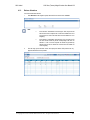
Retrieve Allocation History
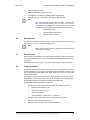
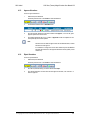
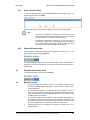
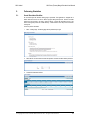
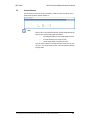
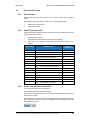
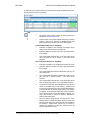
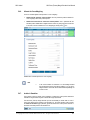
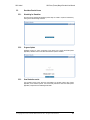
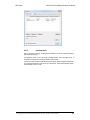
To access the Allocations History screen click Allocation History in the navigation panel, and
select the CP and Account and click Next.
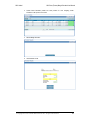
This displays the Allocation History screen and display any Allocation History for that portfolio.
Note:
If the Allocator / Administrator user belongs to ASX, they should be able to
select from a dropdown list of active and enabled CPs and a drop down list of
House and Client ICA accounts enabled for cross margining.
If the Allocator / Administrator user belongs to CP, drop down list for CP
codes should contain only the CP corresponding to the user. On selection of
a CP a second dropdown list should be populated by selected CPs House
and Client ICA accounts that are enabled for cross-margining.
4.2.4.
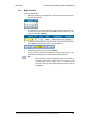
Download Allocation History
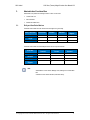
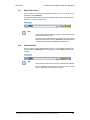
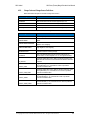
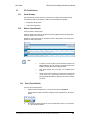
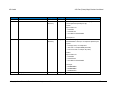
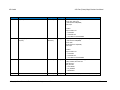
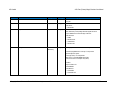
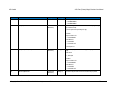
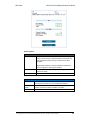
If the user wishes to download the Allocation History as displayed in the screen into a “.csv” file
this can be downloaded by clicking on Download.
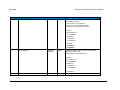
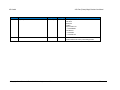
On exporting the Allocation Instructions the user is presented with an option to save the Allocation
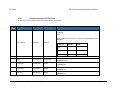
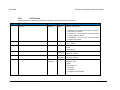
Instructions “.csv” file to the desired location. The file format of the exported allocations CSV file is
explained below.
4.3.
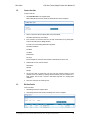
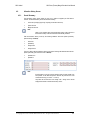
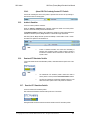
Reload Allocations History Screen
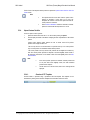
To refresh the Allocations screen at any time click Reload.
4.4.
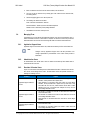
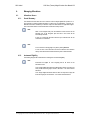
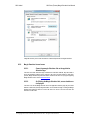
Margin Run Process
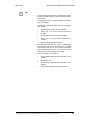
1.
The Margin Simulator will consider the impact of any positional changes that have
occurred to cross margin eligible ETD positions as a result of Intraday 1, Intraday 2, EOD
or Adhoc Margin Runs.
2.
A position allocation instructed for cross-margining may become ineligible as a result of a
margin run since the position in the clearing system (Genium) may have changed or been
closed out and thus the recorded cross-margin allocation instruction may sit outside of the
acceptable range of 0-<Net Position>.
3.
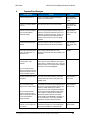
To manage this, Margin Simulator will perform a series of validation checks triggered by
the aforementioned margin runs and make cross margin allocation adjustments as and
when the allocation falls outside of the acceptable range. A full history of any amendments
made by the Margin Run process can be found in the Allocation History screen.
4.
ASX Reporting will give a full breakdown of the allocation of futures used for cross
margining purposes.
© Copyright 2014 ASX Limited ABN 98 008 624 691. All rights reserved 2014
20.